







Why Cheap External Hard Drives Are Still Worth Buying
Understanding the Value of an External Hard Disk
A reliable external hard disk is essential for storing large files, backing up data, and transferring data between devices. While premium drives often include advanced features, many users simply need affordable and dependable storage. That’s where cheap external hard drives truly shine.
Modern budget drives provide surprisingly strong performance. From storing photos and videos to handling daily backups, they meet most everyday needs without requiring a high investment. This makes them especially popular among students, freelancers, and office users.
The increasing demand for the top 10 cheap external hard drives shows that affordability no longer means compromising on quality. Many well-known brands now deliver solid performance at a lower price point.
What to Consider Before Buying Cheap External Hard Drives
Storage Capacity and Usage Needs
Choosing the right capacity is crucial when buying an external hard disk. If you mainly store documents and small files, a 1TB drive should be enough. However, for larger media files like videos or games, 2TB or more is recommended.
Selecting the correct capacity ensures you maximize the value of your cheap external hard drives without unnecessary spending.
Speed and Connectivity Options
Speed affects how quickly files are transferred. Most modern drives support USB 3.0 or higher, offering significantly faster performance than older standards.
Even within the top 10 cheap external hard drives, speed differences can impact your experience, especially when handling large files.
Durability and Portability
If you frequently travel, durability becomes important. Some drives include protective casings or shock-resistant designs.
⚠️ Warning: Physical damage is one of the most common causes of data loss in an external hard disk.
Compatibility and File System Support
Before purchasing, ensure compatibility with your device. Some drives are optimized for Windows, while others are designed for macOS.
Top 10 Cheap External Hard Drives You Can Consider
Seagate Expansion – Affordable and Reliable Storage
- Brand: Seagate
- Price: Around $50–$70 (1TB–2TB)
Advantages:
- Plug-and-play functionality
- Lightweight and portable
- Affordable pricing
Disadvantages:
- Basic design with no advanced features
- Average durability
The Seagate Expansion is a solid entry-level option among cheap external hard drives, perfect for everyday storage needs.
Samsung M3 – Compact and Stylish External Hard Disk
- Brand: Samsung
- Price: Around $45–$65 (1TB)
Advantages:
- Sleek and compact design
- Quiet operation
- Reliable performance
Disadvantages:
- Limited advanced features
- Not the fastest transfer speeds
The Samsung M3 is ideal for users who prioritize portability and design in an external hard disk.
Toshiba Canvio Basics – Simple Yet Efficient
- Brand: Toshiba
- Price: Around $50–$75 (1TB–2TB)
Advantages:
- Easy to use
- Good value for money
- Decent speed
Disadvantages:
- No backup software included
- Basic appearance
The Toshiba Canvio Basics remains one of the most reliable choices in the top 10 cheap external hard drives category.
WD My Passport Ultra – Balanced Performance and Design
- Brand: Western Digital
- Price: Around $60–$90 (1TB–2TB)
Advantages:
- Stylish design
- Built-in encryption
- Good performance
Disadvantages:
- Slightly higher price than other budget options
- Requires software setup
The WD My Passport Ultra offers a balance of security and performance.
WD My Passport for Mac – Optimized for Apple Users
- Brand: Western Digital
- Price: Around $70–$100 (1TB–2TB)
Advantages:
- Fully compatible with macOS
- Supports Time Machine
- Elegant design
Disadvantages:
- Limited compatibility with Windows without reformatting
- Slightly higher cost
The WD My Passport for Mac is perfect for Apple users needing a dedicated external hard disk.
Transcend 1TB Military-Grade Shock Resistance – Built for Durability
- Brand: Transcend
- Price: Around $60–$80 (1TB)
Advantages:
- Strong shock resistance
- Durable casing
- Reliable for travel
Disadvantages:
- Bulkier than standard drives
- Slightly slower performance
⚠️ Warning: Even rugged drives can fail under extreme conditions.
This model is ideal for users who need durable cheap external hard drives.
Seagate Expansion Portable – Lightweight and Convenient
- Brand: Seagate
- Price: Around $45–$70 (1TB–2TB)
Advantages:
- Compact design
- Easy to use
- Affordable
Disadvantages:
- Limited extra features
- Average build quality
The Seagate Expansion Portable is perfect for everyday portable storage.
Seagate Wireless Plus – Wireless Storage Flexibility
- Brand: Seagate
- Price: Around $100–$150 (1TB–2TB)
Advantages:
- Wireless access
- Supports multiple devices
- Unique functionality
Disadvantages:
- Higher price than typical budget drives
- Requires charging
The Seagate Wireless Plus offers a modern approach to external hard disk usage.
Samsung D3 Station External Desktop Hard Drive – High Capacity Option
- Brand: Samsung
- Price: Around $90–$140 (2TB–4TB)
Advantages:
- High storage capacity
- Stable performance
- Suitable for large files
Disadvantages:
- Requires external power
- Not portable
The Samsung D3 Station External Desktop Hard Drive is ideal for home or office setups.
Western Digital My Passport Wireless – Smart Storage Solution
- Brand: Western Digital
- Price: Around $120–$180 (1TB–2TB)
Advantages:
- Wireless functionality
- Mobile-friendly
- Built-in battery
Disadvantages:
- Expensive for a budget category
- Slower wireless transfer speeds
The Western Digital My Passport Wireless adds flexibility to traditional cheap external hard drives.
How to Use Cheap External Hard Drives Safely
Method 1 – Properly Connect and Disconnect the Drive
Always eject your external hard disk safely before unplugging it. This helps prevent data corruption and ensures long-term reliability.
Method 2 – Regularly Backup Important Files
Even the best cheap external hard drives can fail unexpectedly. Keeping backups protects your important data.
Method 3 – Recover Lost Data with PandaOffice Drecov
If files are accidentally deleted from your external hard disk, PandaOffice Drecov provides an effective recovery solution.
Steps:
- Install PandaOffice Drecov
- Connect your drive
- Scan for lost data
- Recover selected files
⚠️ Warning: Avoid writing new data to the drive before recovery.
What to Do If Data Is Lost on an External Hard Disk
Even the best cheap external hard drives can experience data loss due to accidental deletion, corruption, or hardware issues. Knowing how to recover lost files is essential.
Recover Lost Data with PandaOffice Drecov
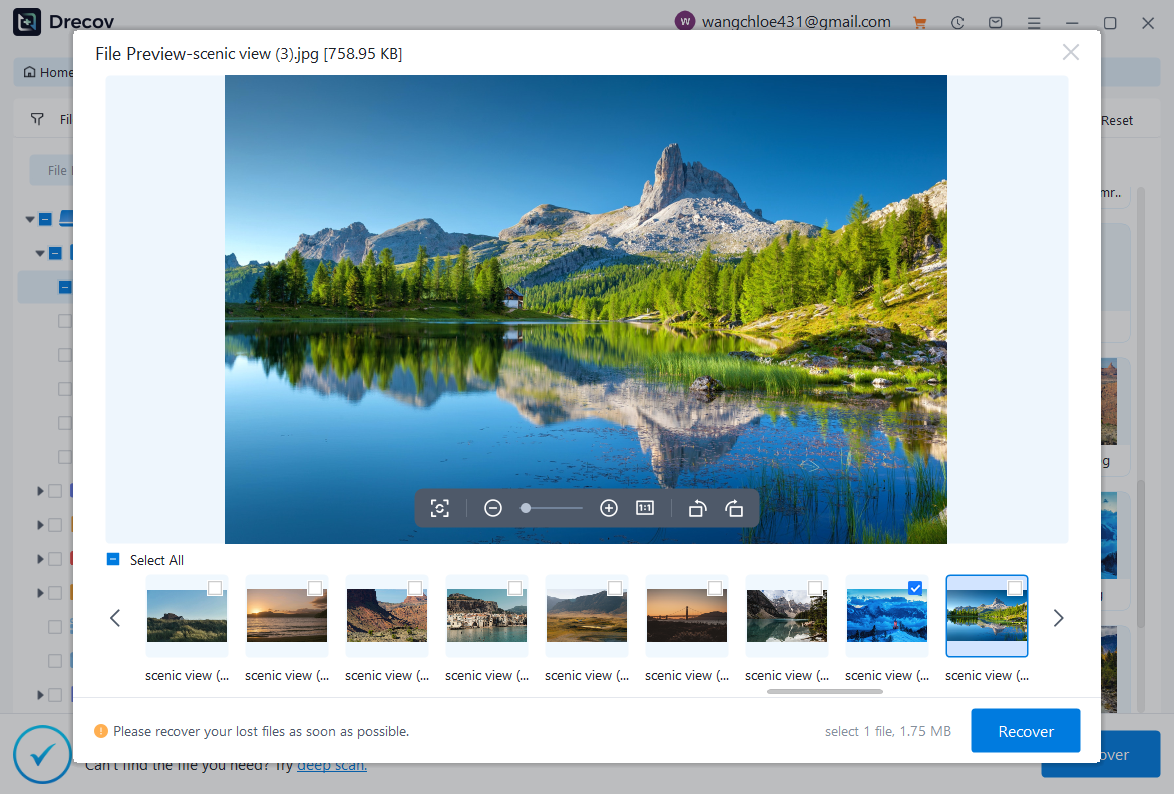
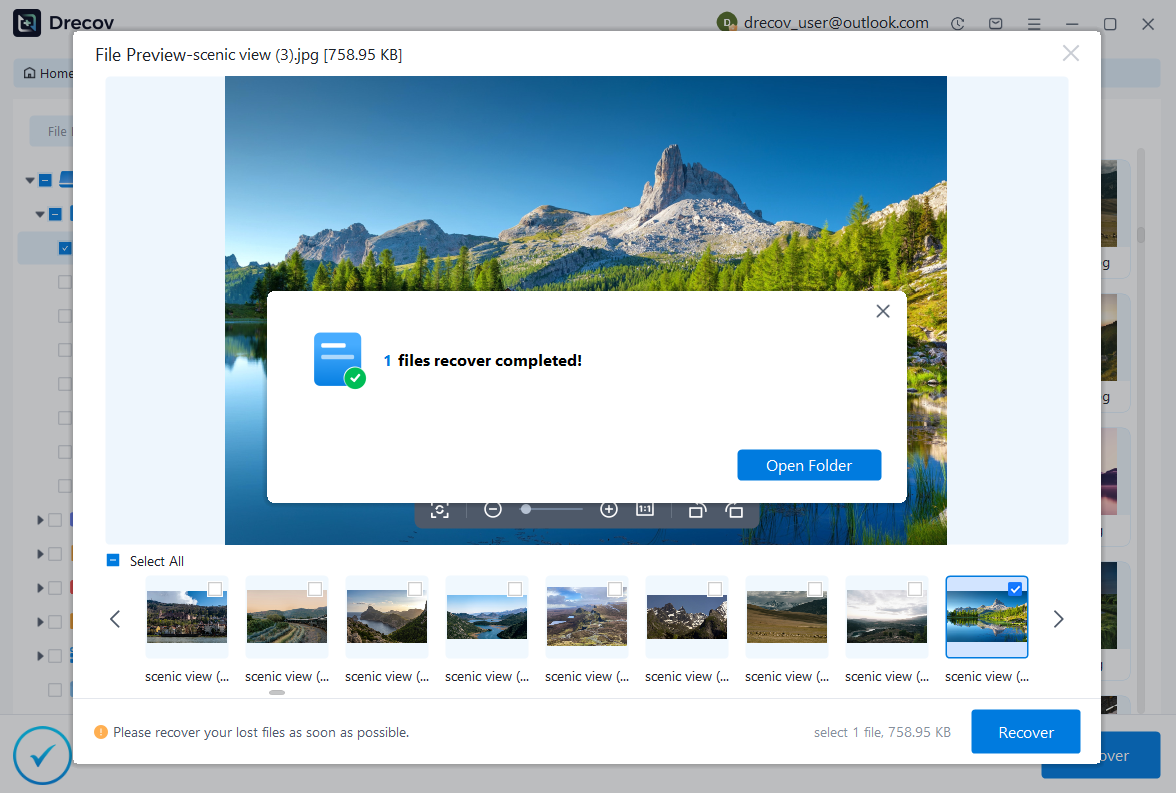
If your external hard disk suddenly loses files, using professional recovery software is one of the most effective solutions. PandaOffice Drecov is designed to scan storage devices and restore lost data efficiently.
It supports various file types, including photos, videos, and documents, making it suitable for both personal and professional use.
Steps to Recover Data:
- Install PandaOffice Drecov on your computer
- Connect your external hard drive
- Select the drive and start scanning
- Preview recoverable files
- Restore the files to a safe location
Brand: PandaOffice
Price: Freemium (with paid advanced features)
Pros: Easy to use, supports multiple file formats, deep scan capability
Cons: Full recovery requires paid version

Why Choose PandaOffice Drecov?
PandaOffice Drecov is a versatile and reliable solution for recovering a wide range of lost or inaccessible files. Whether you need audio recovery, video recovery, or excel recovery files, PandaOffice Drecov provides fast and efficient results, ensuring your important data is safely restored.
For creative professionals, it supports file recovery Illustrator projects, allowing designers to retrieve unsaved or accidentally deleted artwork without compromising file integrity. Businesses and individuals can also benefit from its restore Windows previous date feature, which helps recover documents or spreadsheets that were lost due to system errors or accidental deletions.
When external storage devices fail, such as a Lacie hard drive not showing up, PandaOffice Drecov can detect and restore files from these drives, ensuring you do not lose critical data. Even deleted files in the recycle bin can be recovered using its advanced recycle bin recovery software capabilities.
Additionally, the software supports recovering data from lost partitions, making lost partition recovery straightforward and reliable. Its intuitive interface allows users to perform audio recovery, video recovery, and excel recovery effortlessly, even for large or complex files.
⚠️Warning: Avoid saving recovered files back to the same drive to prevent overwriting data.
Frequently Asked Questions About Cheap External Hard Drives
Are cheap external hard drives reliable?
Yes, most cheap external hard drives from reputable brands are reliable for everyday use. However, durability and performance may vary depending on the model.
What is the lifespan of an external hard disk?
A typical external hard disk lasts between 3 to 5 years with proper care. Factors such as usage frequency and handling can affect longevity.
Can I use one external hard drive for multiple devices?
Yes, many drives support multiple devices, especially wireless models like the Seagate Wireless Plus. However, compatibility may depend on file system formatting.
How can I improve the performance of my external hard drive?
Use modern USB ports, avoid overfilling the drive, and regularly scan for errors. These practices help maintain optimal performance.
Conclusion: Finding the Best Cheap External Hard Drive for Your Needs
Choosing from the top 10 cheap external hard drives ultimately depends on your priorities. Whether you value portability, durability, or advanced features, there is an external hard disk that fits your requirements.
Budget-friendly options like the Seagate Expansion Portable and Toshiba Canvio Basics offer excellent value for everyday use, while advanced models like the Western Digital My Passport Wireless provide additional functionality.
By understanding your needs and comparing features, you can confidently select the right device. And if data loss occurs, tools like PandaOffice Drecov ensure that your important files are never permanently lost.





