






Accidentally Formatted?
Easily Recover Your Important Files!
Recovery after formatted files effortlessly with PandaOffice Drecov—deep scan your drive, preview recoverable data, and recover everything from photos to documents in minutes.



Why Trust Us?

Secure & Reliable

98% Success Rate

1M+ Users Trust Us
Recover All Storage Devices & 3000+ File Formats
Our solution supports recovery for various devices and file types to meet your diverse needs.
Storage Devices
File Types

PC/Laptop
Accidentally deleting important files or mistakenly performing a ‘delete all’ operation is the most common cause of data loss.

HDD/SSD
Restore data from internal and external hard drives and SSDs from brands like HP, WD, Seagate, and Toshiba.

USB/Pen Drive
Retrieve lost files from USB flash drives of all major brands, including Kingston, SanDisk, and Samsung.

Memory Cards
Recover deleted or lost data from SD cards and other memory cards by SanDisk, Lexar, Kingston, and Toshiba.

Camera
Repair corrupted video/picture files and recover data lost due to hardware or software failure.

Other Devices
Retrieve compressed files, executables, and more, including ZIP, RAR, EXE, HTML, and others.

Recover image files in formats such as JPG/JPEG, TIFF/TIF, PNG, BMP, GIF, PSD, CRW, CR2, NEF, ORF, SR2, MRW, DCR, WMF, RAW, SWF, SVG, RAF, DNG, and more.

Restore data from internal and external hard drives and SSDs from brands like HP, WD, Seagate, and Toshiba.

Retrieve lost documents in formats like DOC/DOCX, XLS/XLSX, PPT/PPTX, PDF, CWK, HTML/HTM, INDD, EPS, and more.

Recover music and audio files such as M4A, MP3, WAV, WMA, APE, MID/MIDI, RealAudio, VQF, FLV, MKV, MPG, M4V, RM/RMVB, OGG, AAC, WMV, and others.

Archives & Emails
Restore email files like PST, DBX, and EMLX from Outlook, Outlook Express, and similar applications.

Other Files
Retrieve compressed files, executables, and more, including ZIP, RAR, SIT, ISO, EXE, HTML, SITX, and others.
Scenarios
Common
Data Loss Scenarios
No matter what type of formatting caused your data loss, PandaOffice Drecov provides reliable and professional solutions to recover your files quickly and safely.





Reason
Why
Choose Us?
Comprehensive photo recovery solutions for different devices and scenarios

Powerful Recovery Engine
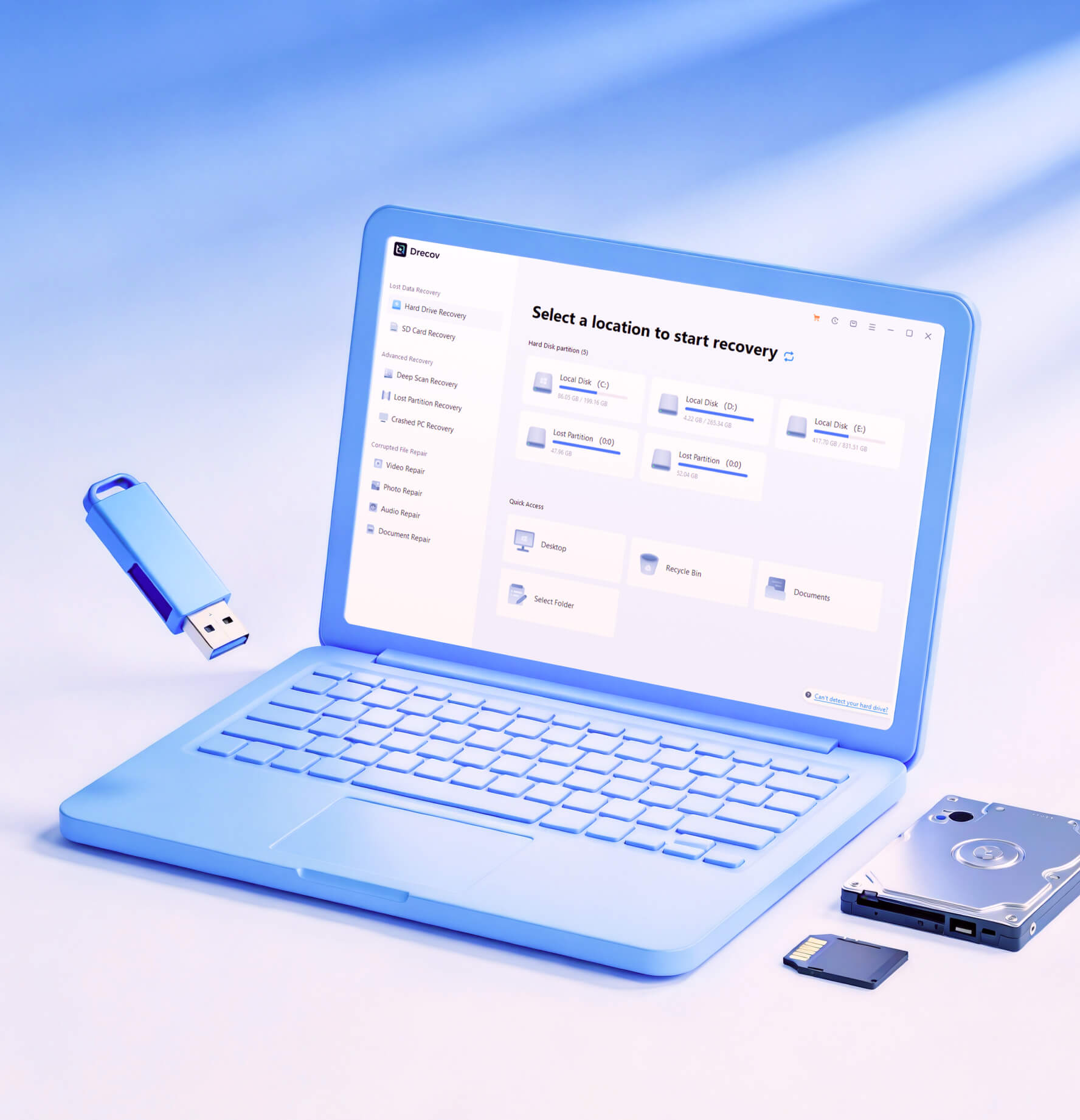
Deep scan technology finds files even after formatting.

Preview Before Recovery
Check recoverable files first to ensure accurate and efficient restoration.

Wide Device Support
Works with hard drives, SD cards, USB drives, and external storage devices.

Simple & Fast Process
User-friendly steps let you recover lost data quickly without technical skills.
4 steps
Simple Four Steps to Recover Data Lose Due to Formatting
Follow an easy step-by-step process with PandaOffice Drecov to quickly scan, preview, and recover files lost after formatting.
Step 1
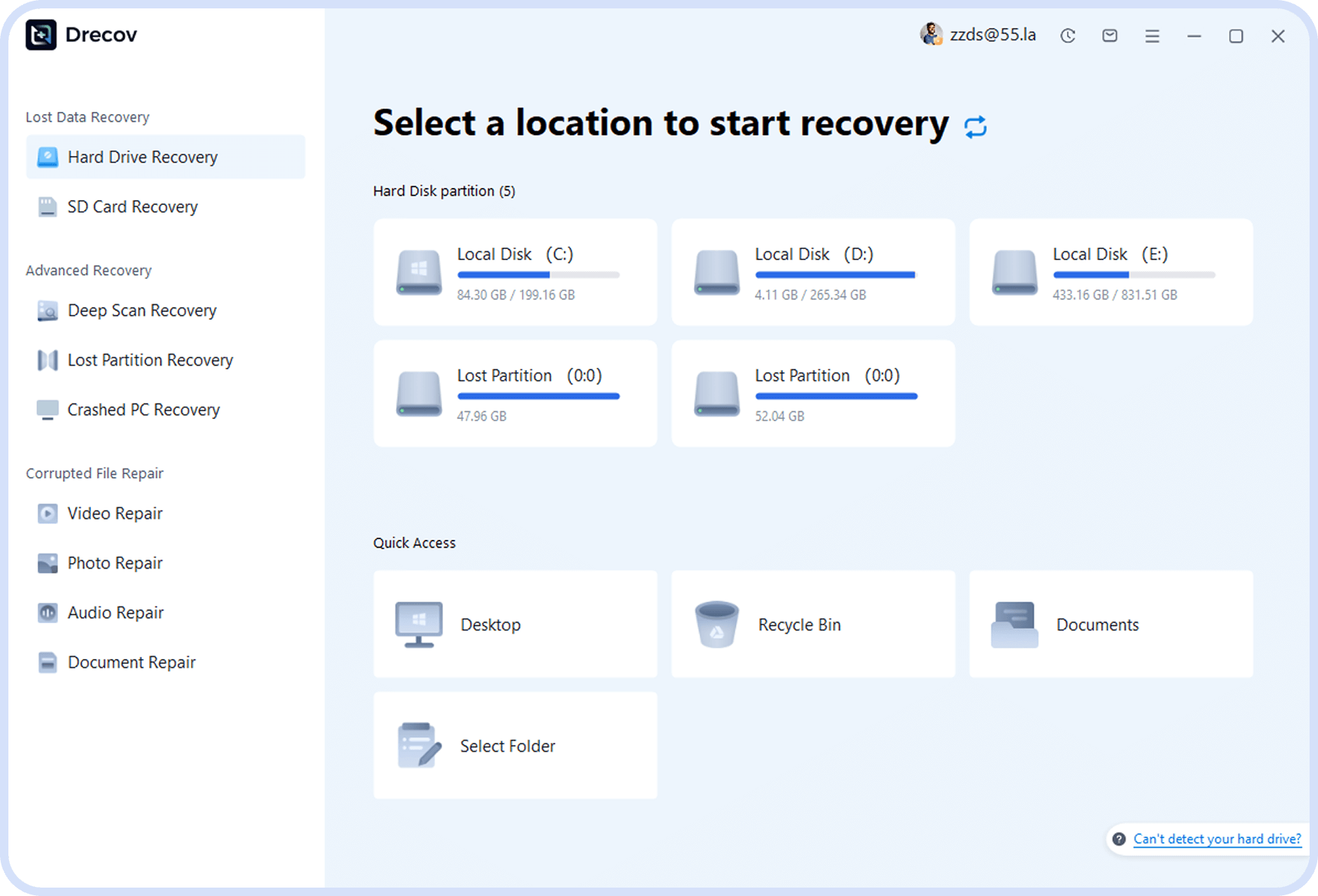
Select Recovery Mode
After launching the software, select the appropriate recovery mode based on your data loss situation.
Step 2
Scan External Hard Drive
Select the external hard drive partition you need to recover and click the scan button to start scanning.
Step 3
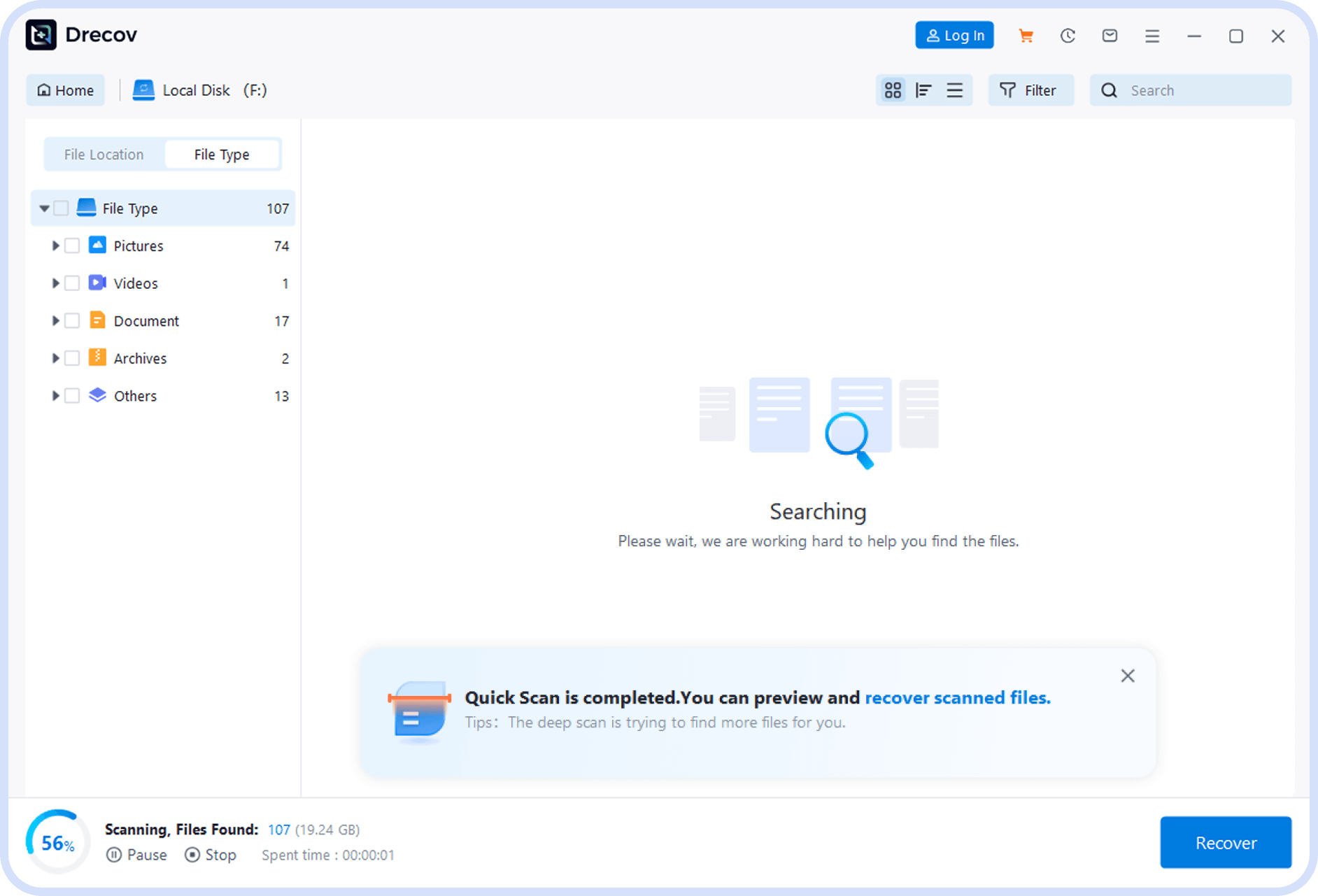
Preview and Select Files
After scanning is complete, preview recoverable files and check the files you need to recover.
Step 4
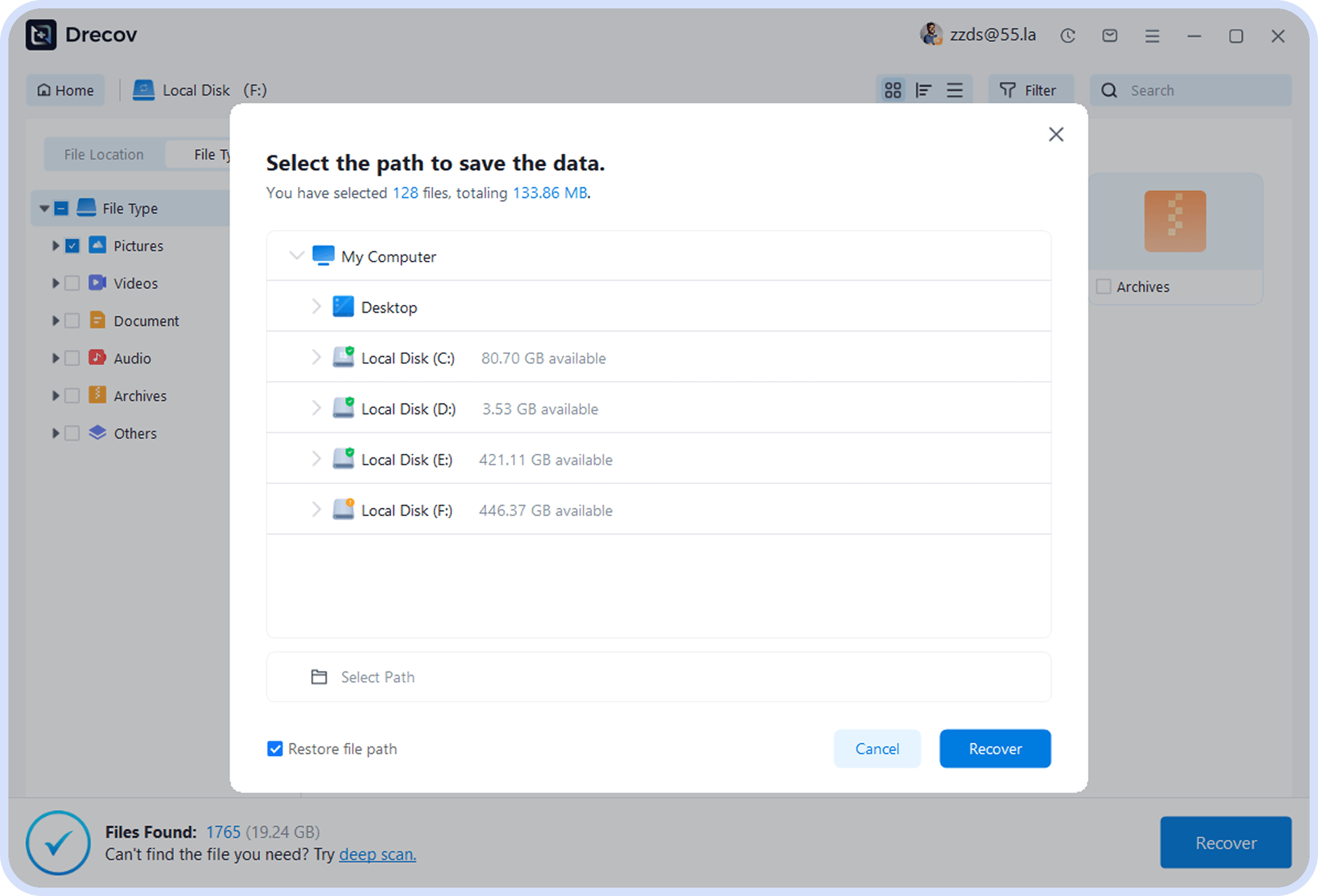
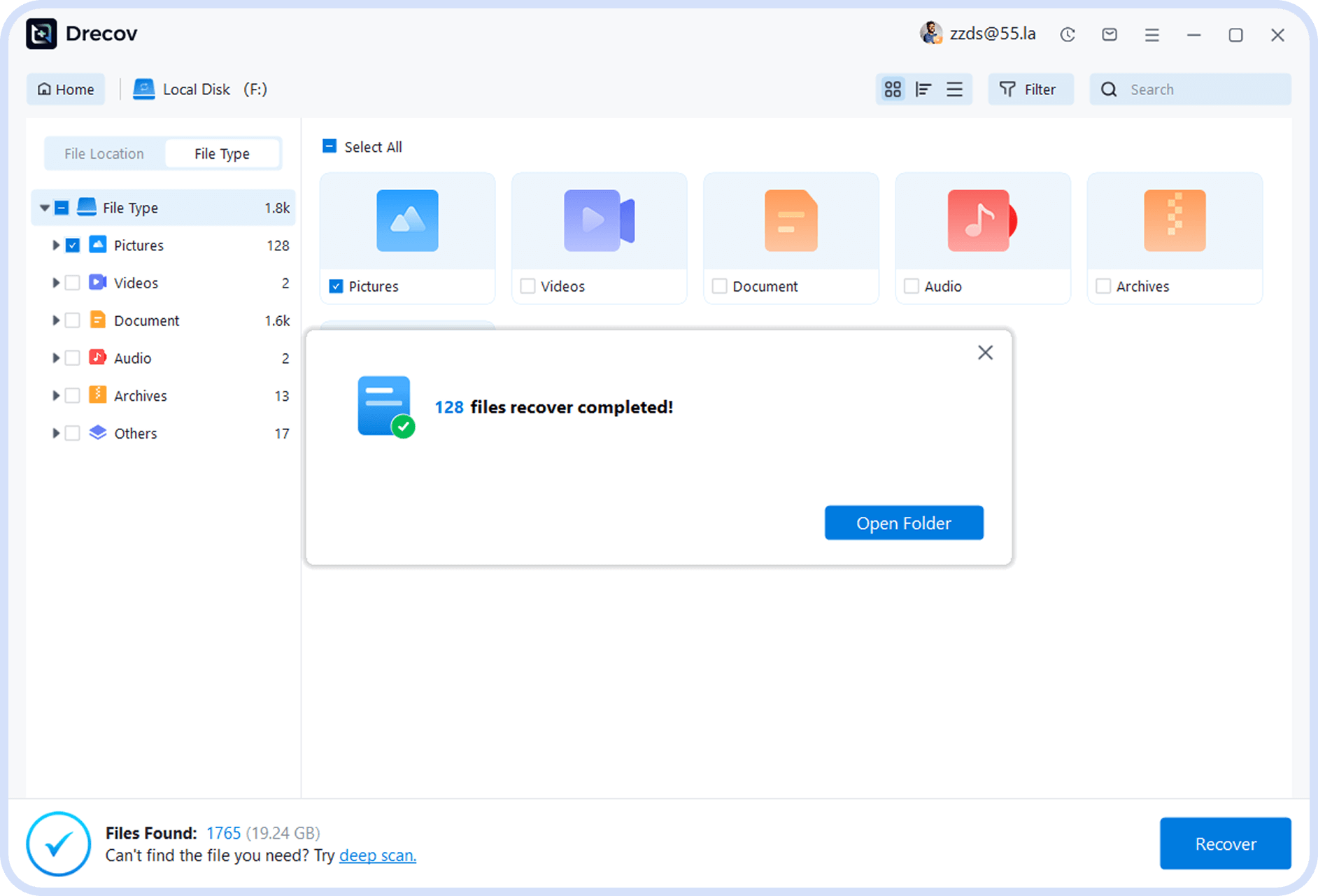
Recover Files
Select a file save location and click the recover button to complete the data recovery process.

Expert Recommendation
For most users, professional data recovery software offers the best balance of efficiency and success rate. It provides an easy, cost-effective way to restore lost data without requiring any technical expertise.
Recovery
Recovery Files Lost Due to Formatting
Articles & Tutorials
Learn detailed photo recovery methods for different devices and scenarios to easily solve photo loss issues


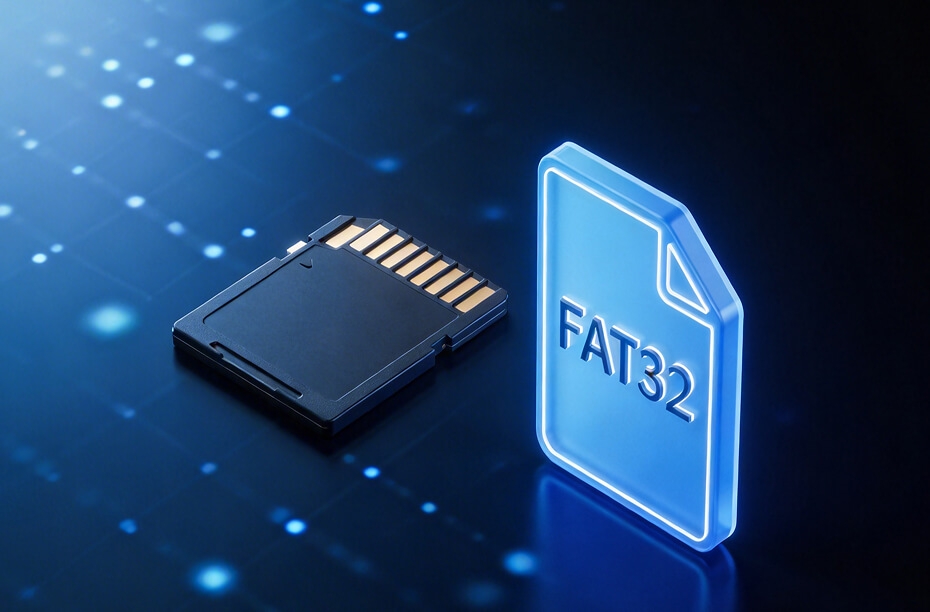
How to format an sd card to fat32?
This article explains how to format an SD card to FAT32 using Windows, Mac, and software-based methods.

How to format SD card for camera?
This guide explains how to format an SD card for a camera using safe, step-by-step methods. It also covers common issues, formatting on different devices, and how to recover data if formatting is done by mistake.

How to format an SD card on Mac?
Learn how to format an SD card on Mac safely using Disk Utility or Terminal. Step-by-step guides, warnings, and data recovery tips included.

Recover Data From Formatted SD Card: A Complete Recovery Guide
This guide explains how to Recover Data From Formatted SD Card safely and effectively.

How to Recover Data from Formatted SD Card
Discover How to Recover Data from Formatted SD Card easily. This guide details a highly effective, three-step software recovery process suitable for beginners.

How To Format a Hard Drive on Windows 11
This article introduces precautions before formatting a hard drive on Windows 11, details 6 practical formatting methods, and provides a Drecov data recovery solution for accidental formatting.
User Testimonials
See what our users say about successfully recovering formatted files

Michael Carter
Photographer
“I accidentally formatted my SD card during a shoot and thought all my photos were gone. Thankfully, I was able to recover everything successfully. It saved both my work and my client’s trust.”


Emily Johnson
Office Manager
“I formatted a USB drive by mistake and lost important documents. Using recovery software, I managed to get almost all files back quickly. It was much easier than I expected.”

David Lee
IT Technician
“A client brought in a formatted hard drive with critical data loss. I used a recovery tool and was impressed by how many files were restored intact. Definitely a reliable solution.”

Sophia Martinez
Student
“I accidentally formatted my external drive with all my assignments. I was really stressed, but I managed to recover my files without any technical skills. Huge relief!”

James Wilson
Video Editor
“Formatting the wrong drive cost me hours of footage. Luckily, I recovered nearly everything with a professional tool. It saved me from redoing an entire project.

Olivia Brown
Small Business Owner
“I lost business records after formatting a drive. The recovery process was simple, and I got my files back faster than expected. It made a big difference for my work.”
Download Now and Get Your Files Back
Recover files lost from accidental formatting—download now and restore them quickly!



