Solve All Excel Data Loss Problems with
PandaOffice Drecov
Recover your lost Excel files from any situation quickly and safely.
For Windows11/10/8/7/Vista/xp


File Recovery Formats

Average Scan Time

Quick & Deep Scan

Safety Guarantee
situation
Solve various Excel data
loss problems
Recover your lost Excel files from any situation quickly and safely.


Accidental File Deletion
PandaOffice Drecov can restore Excel files that were mistakenly deleted without losing data.

Corrupted or Unopenable Files
The software is able to damaged Excel files so you can access your data smoothly.

System Crashes
Even after Windows crashes, PandaOffice Drecov retrieves your lost Excel spreadsheets securely.

Damaged Storage Devices
Supports recovery from damaged USB drives, SD cards, or hard drives without compromising data
Features
Core Features of PandaOffice Drecov Excel Data Recovery
Recover your Excel files effortlessly, safely, and with maximum success.

High Success Rate
PandaOffice Drecov efficiently retrieves lost or deleted Excel files, ensuring the highest possible recovery success.

Easy to Use
Its intuitive interface allows anyone to restore Excel data quickly without any technical skills.

Safe and Reliable
Recovery is performed without altering original files, keeping your data completely secure.

Fully Compatible
Supports all Excel versions and works seamlessly with Windows and various storage devices.
3 Steps
Recover Excel Data with PandaOffice Drecov
PandaOffice Drecov simple, fast, and reliable recovery for all your Excel files
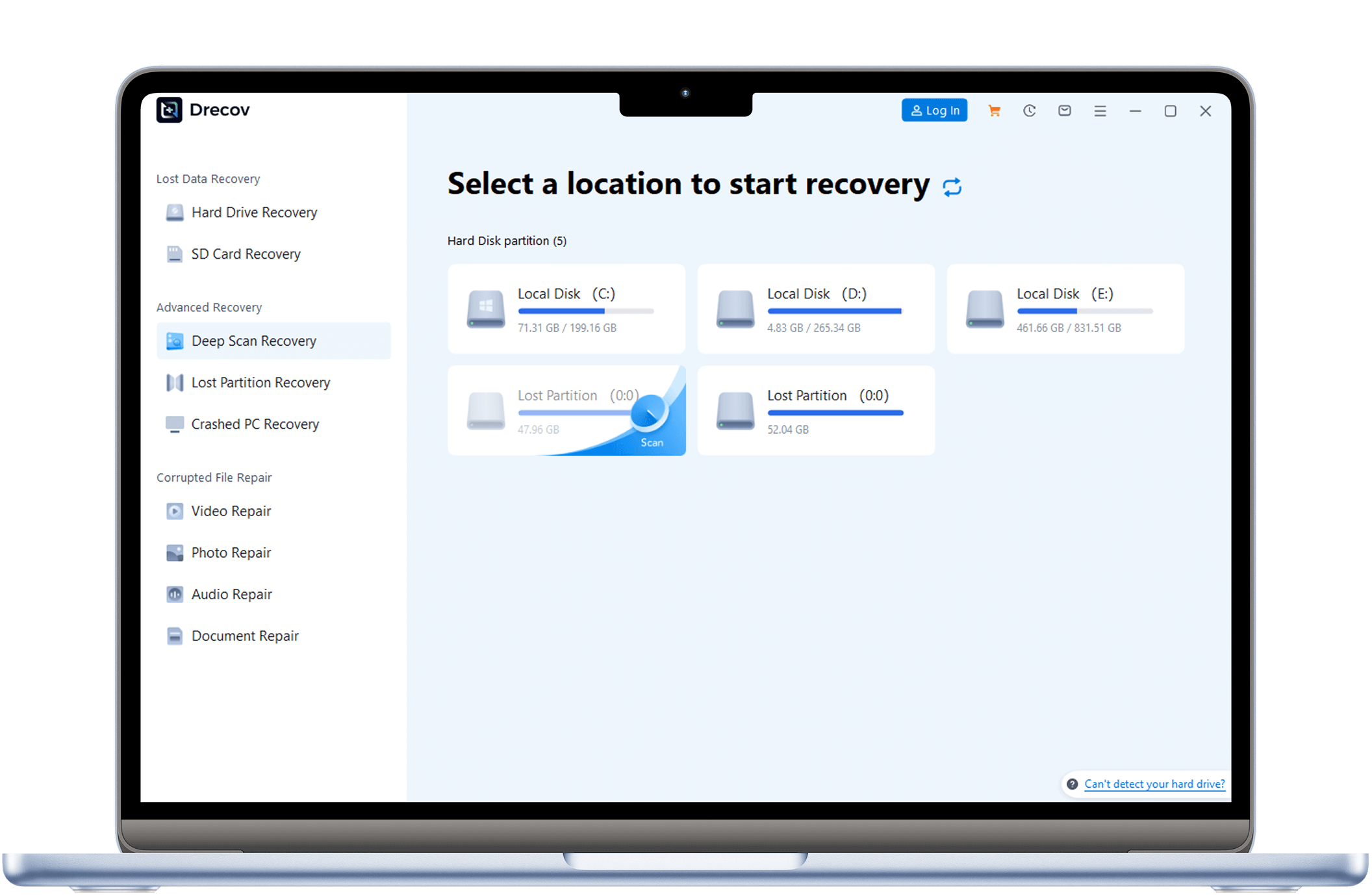
setp 1
Download, Install
Download and install PandaOffice Drecov. Connect the USB drive to recover to your computer, then launch the software.
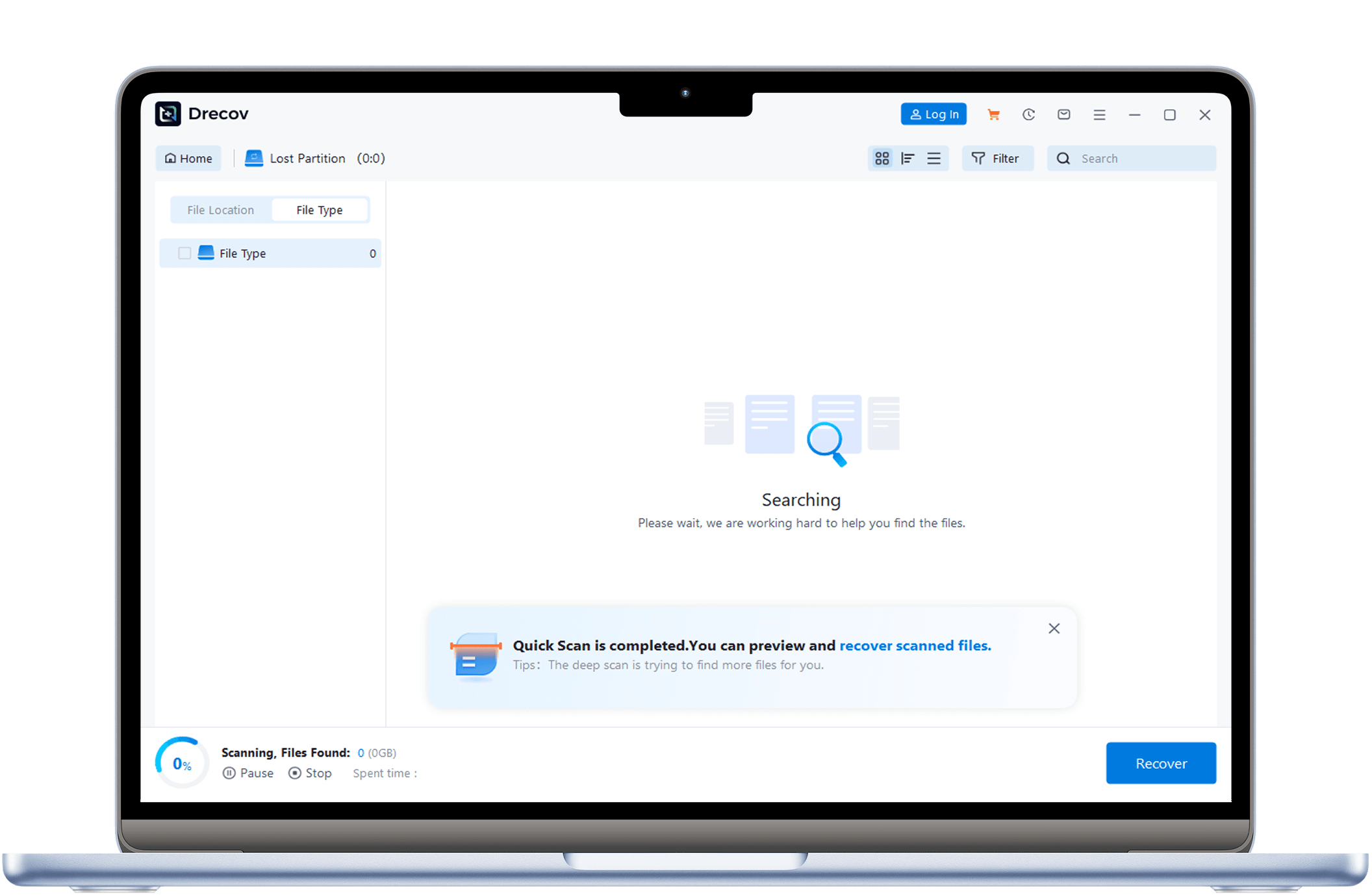
Step 2
Scan for Lost Files
PandaOffice Drecov thoroughly scans your system or storage device to locate all missing Excel files.
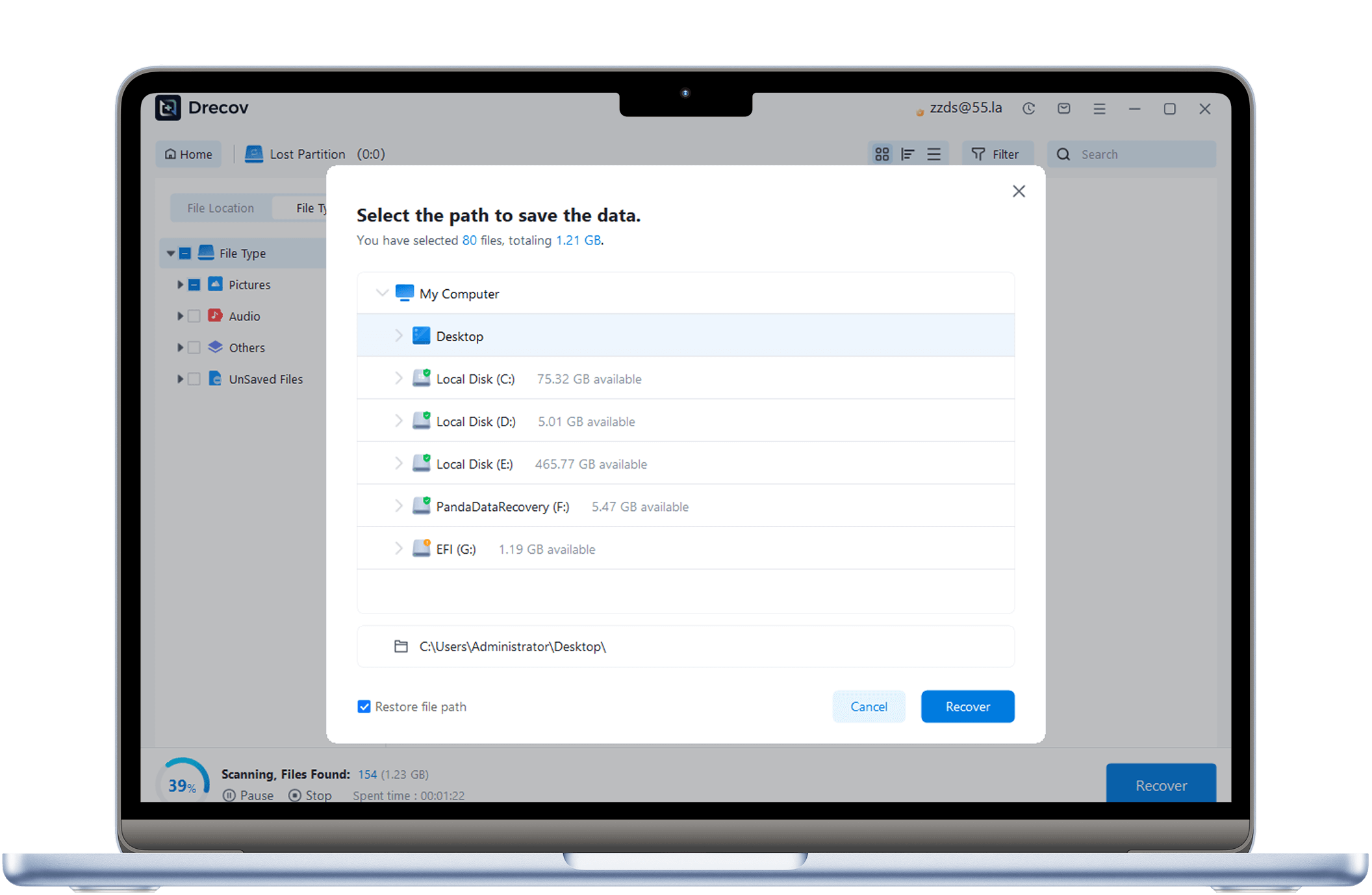
Step 3
Recover and Save Files
Preview and restore your Excel data safely, then save it to your desired location without overwriting originals.
Excel Data Recovery Tutorial with PandaOffice Drecov
Step-by-step guides to recover, unlock, and repair all your Excel files.

How to Recover Overwritten Excel Files in Windows 11/10/8/7
This guide explains how to recover Excel files, restore previous versions, locate temporary files, and use Windows tools or PandaOffice Drecov for overwritten spreadsheets.

How to Open or Remove Password from an Excel File (Complete Guide)
This guide shows how to remove Excel passwords, unlock a password Excel document, and recover access without credentials using safe methods and PandaOffice Drecov solutions.

How to Recover an Excel File: Complete Guide to Excel Recovery Files
Complete guide to Excel file recovery: restore unsaved or deleted spreadsheets, locate recovery files, and use reliable tools for effective Excel recovery.

How to Recover a Corrupt Excel File: Complete Guide
Complete guide to Excel corrupt file recovery: repair damaged spreadsheets, restore lost or inaccessible data, and use professional tools like Pandaoffice Drecov when needed.

How to Recover an Unsaved Excel File: Complete Guide
Complete guide for Excel unsaved file recovery: restore lost or unsaved spreadsheets using AutoRecover, temporary files, version history, or professional recovery tools.

How to Recover Overwritten Excel Files Effectivelys
Learn how to recover overwritten Excel files using AutoSave, Windows Previous Versions, temp files, and professional data recovery software for overwritten files like Pandaoffice Drecov.
Reviews
User True Reviews
See what other users say about our data recovery services.

Sarah Lee

Project Manager
“Accidentally formatted my memory card with 6 months of photography work. Gave this a shot, and it recovered all of it! Super easy to use, fast recovery – highly recommend!”


John Miller
Financial Analyst
“PandaOffice Drecov saved me when an important Excel report was accidentally deleted. The recovery was fast, safe, and hassle-free. Highly recommended!”

Michael
Accountant
“Thanks to PandaOffice Drecov, I recovered unsaved Excel spreadsheets after a system crash. It’s reliable, secure, and a true lifesaver for professionals.”