







USB disks are indispensable for storing work documents, family photos, and personal data, but data loss from accidental deletion, formatting, or RAW file system errors is inevitable. The right USB Disk Data Recovery Software can retrieve your valuable files efficiently, while a poor choice may lead to permanent data loss or security risks. This 2025 SEO-optimized guide outlines key factors to consider when selecting the best tool, tailored to both beginners and advanced users.
1. Core Criteria for Choosing USB Disk Data Recovery Software
Compatibility with USB Disks & Systems
The best reliable and high-performance data recovery tools must fully support USB disks (including standard USB drives, OTG devices, and RAW/unformatted drives) and your operating system. Prioritize comprehensive tools compatible with both Windows (10/11/7) and Mac, as cross-system use is increasingly common. Avoid tools limited to a single OS unless you have absolutely no plans to switch devices in the future.
Recovery Success Rate & Supported Scenarios
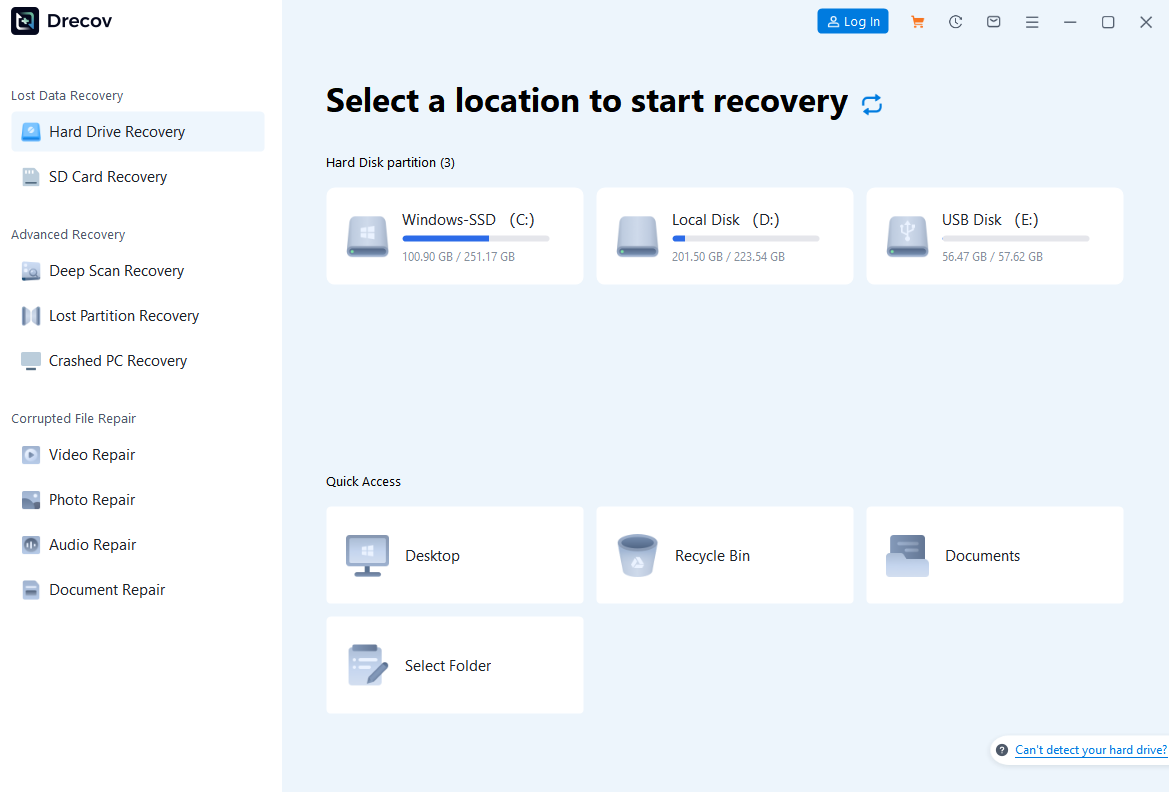
Focus on tools with a proven high success rate (85%+) for USB-specific issues: accidental deletion, quick/full formatting, virus-induced data loss, and RAW file system errors. Top USB Disk Data Recovery Software like PandaOffice Drecov uses deep scanning to retrieve files that haven’t been overwritten, even from corrupted USB disks.
File Format Support
Ensure the tool covers all your needs—common formats like JPG, PNG, MP4, DOCX, PDF, and MP3, plus specialized ones (e.g., RAW images, CAD files). The best USB Disk Data Recovery Software supports over 1,000 file formats, eliminating the risk of missing critical data.

2. User-Friendly Features to Prioritize
Intuitive Interface
Beginners should avoid tools with complex command-line operations. Look for tools with a graphical interface, clear labels (e.g., “USB Disk Recovery” mode), and step-by-step guidance. One-click scan and recovery functions save time and reduce errors.
Preview Functionality
A must-have feature in reliable and high-performance data recovery tools—preview lets you thoroughly verify file integrity (e.g., check photo clarity or open documents) before recovery. This avoids wasting valuable time on corrupted files and ensures you only retrieve exactly what you need, a key advantage of top-quality tools.
Safe Recovery & No Data Overwriting
Reliable tools never write data to the original USB disk during scanning or recovery, preventing further overwriting of lost files. Quality USB Disk Data Recovery Software also allows you to save recovered files to a local disk or external storage device.
3. Security & Reliability Factors
No Malware or Data Leak Risks
Download tools exclusively from official websites to avoid cracked versions that carry viruses or steal sensitive data. Choose USB Disk Data Recovery Software with ISO certification or positive user reviews on platforms like Trustpilot.
Privacy Protection
Opt for tools that don’t collect or share your recovered data. Reputable USB Disk Data Recovery Software includes privacy policies guaranteeing data confidentiality, critical for business or personal sensitive files.
Stable Performance
Avoid tools prone to crashes during deep scans. The best reliable and high-performance options run smoothly even with large USB disks (1TB+), completing scans without any interruptions.

4. Additional Features That Add Value
Deep Scan & Quick Scan Modes
Quick Scan (5-10 minutes) is ideal for recently deleted files, while Deep Scan (15-30 minutes) digs deeper for formatted or old data. The option to switch modes balances speed and thoroughness.
File Repair Capabilities
Top-tier tools fix corrupted files (e.g., unplayable videos or unopenable documents) during recovery, saving you from additional repair tools. This feature enhances the utility of tools.
Free Trial & Customer Support
A free trial lets you scan and preview recoverable files before purchasing—essential to verify the tool works for your USB disk. Look for reliable, high-performance tools with 24/7 customer support via email.
5. 2025 Top-Rated USB Disk Data Recovery Software Recommendations
PandaOffice Drecov
- Key Strengths: As a leading tool, it boasts 85%+ recovery success rate for USB disks, deep scanning, supports 1,000+ formats, offers a free preview, and is highly cost-effective.
- Best For: Beginners and professionals needing reliable, user-friendly, and cost-effective USB Disk Data Recovery Software.Download the free trial
Disk Drill
- Key Strengths: A popular tool with fast scanning, RAW drive recovery, data protection features, and support for Mac/Windows.
- Best For: Users prioritizing speed and additional data safety tools.

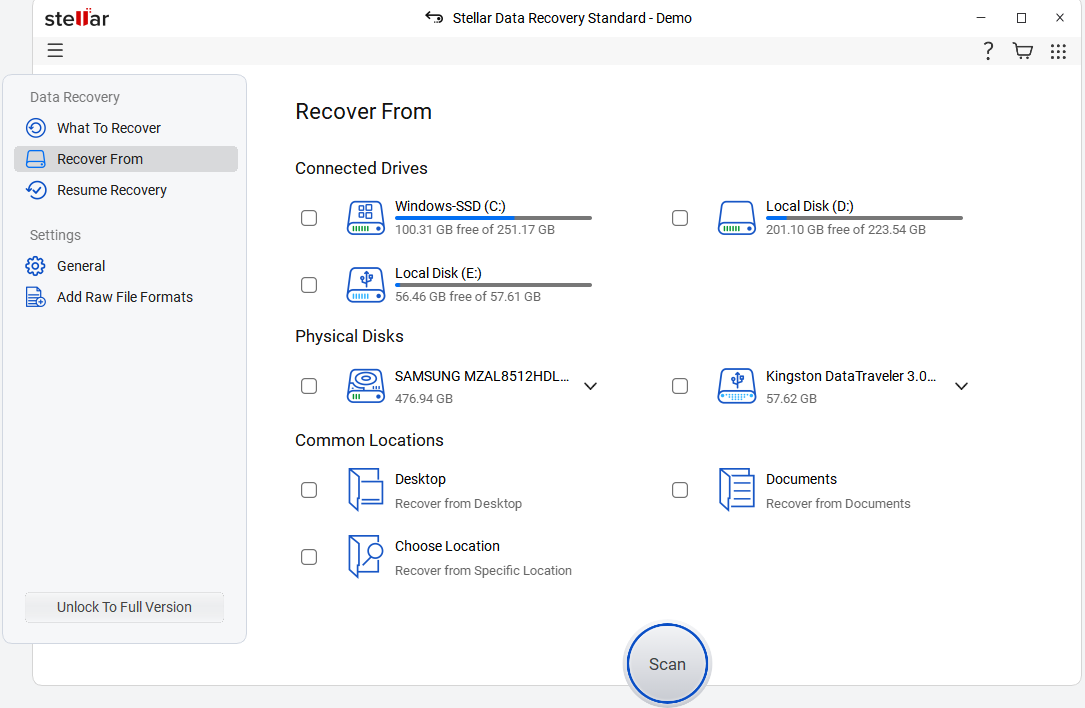
Stellar Data Recovery
- Key Strengths: Professional tool with advanced file repair, batch recovery, support for NTFS/FAT32/exFAT, and 24/7 customer support.
- Best For: Business users with complex recovery needs seeking robust tools.
6. Common Mistakes to Avoid When Choosing
- Opting for free tools with limited functionality: Free versions often cap recovery size (e.g., 2GB) or lack Deep Scan, making them ineffective for real needs.
- Ignoring USB-specific optimization: Generic data recovery software may underperform on USB disks compared to specialized tools.
- Overlooking compatibility: Ensure the tool works with your USB disk brand (e.g., Kingston, SanDisk) and capacity.
Choosing the best USB Disk Data Recovery Software boils down to compatibility, success rate, user-friendliness, and security. By focusing on these core factors, you can select tools that retrieve your lost data efficiently and safely. Whether you’re a beginner or an expert, the right tool turns USB data loss from a crisis into a minor inconvenience.






