







Have you ever experienced that heart-stopping moment when you realize you just emptied the Recycle Bin with a crucial document inside? Or perhaps you used “Shift + Delete,” bypassing the bin entirely? It happens to the best of us. The good news is that “deleted” doesn’t mean “gone forever.”When you delete a file, Windows simply marks the space it occupied as “available.” Until new data overwrites that space, your file is still there. To get it back, you need reliable recycle bin data recovery free tools. In this guide, we will review the top 5 recovery tools of 2026, starting with our top recommendation: PandaOffice DRecov.
1. PandaOffice Drecov
When it comes to recycle bin data recovery free solutions, PandaOffice Drecov stands out as the most balanced tool for both beginners and professionals. It combines a high-speed scanning engine with an intuitive “Office-style” interface that makes data recovery feel like simple file browsing.
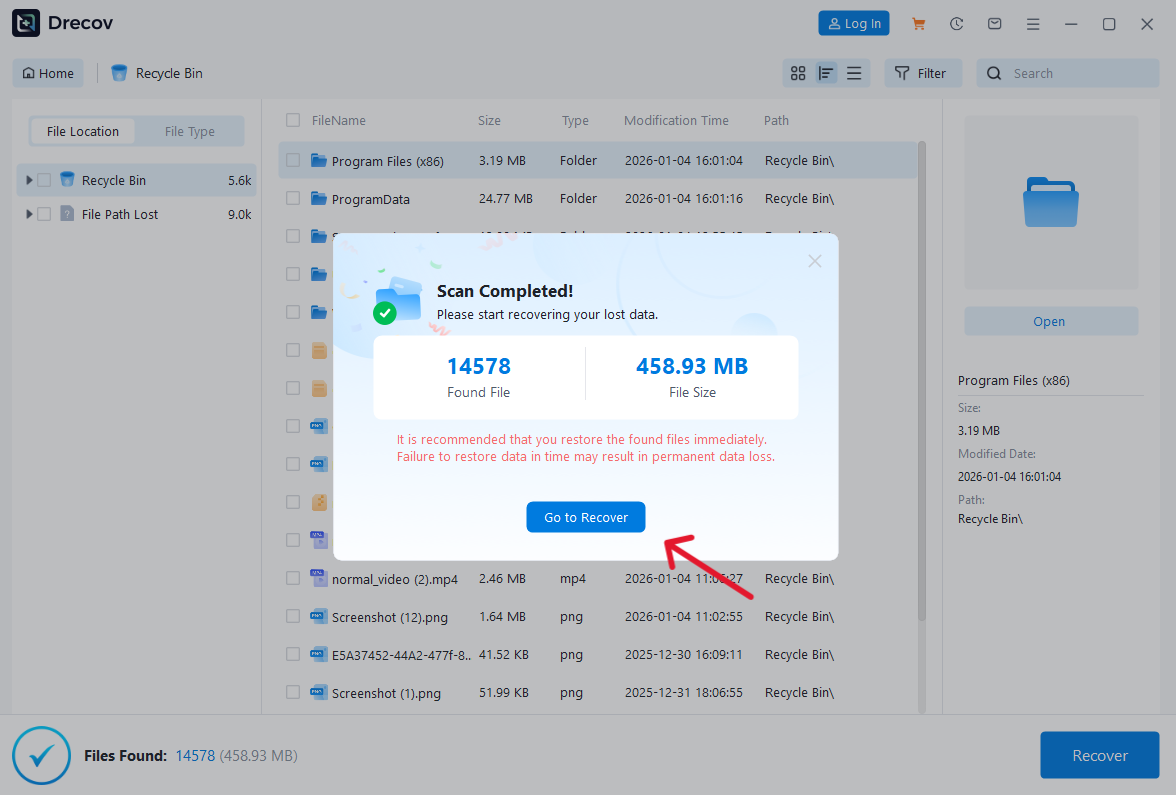
PandaOffice Drecov excels in deep-sector scanning. While many tools fail to reconstruct file headers after a Recycle Bin bypass, Drecov uses advanced AI-driven algorithms to piece together fragmented files. Whether you lost photos, Excel sheets, or 4K videos, this tool handles over 1,000 file formats with ease.
Key Features:
- Preview Before Recovery: You can view images and documents before committing to the recovery process, ensuring you don’t waste time on corrupted files.
- Filter System: Easily sort through thousands of deleted files by type, size, or date modified.
- High Success Rate: Boasts a 99.8% recovery rate for recently emptied Recycle Bin items.
Pros:
- Extremely user-friendly interface (No technical jargon).
- Fast scanning speed compared to traditional tools.
- Supports internal HDDs, external SSDs, and USB flashes.
Cons:
- Currently supported on Windows operating systems.
2. Recuva
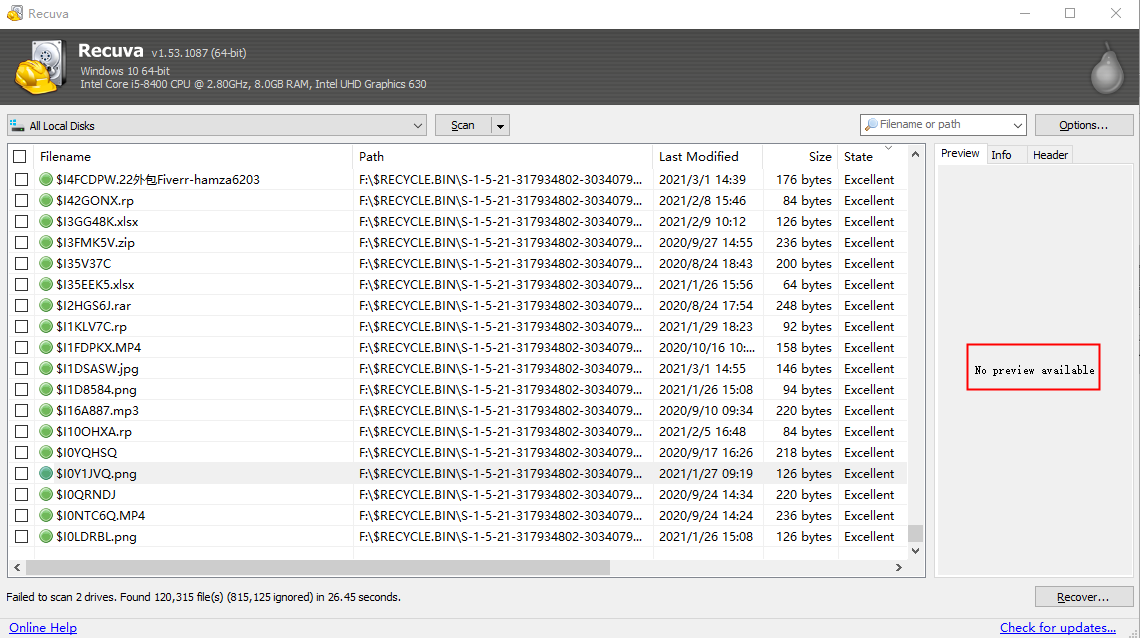
Recuva is a household name in the world of recycle bin data recovery free software. Developed by the makers of CCleaner, it is designed for the casual user who needs a quick fix.
Why choose Recuva?
If you just emptied your bin five minutes ago, Recuva’s ‘Quick Scan’ is incredibly efficient, and it remains a surprisingly reliable choice for SD card recovery, effectively retrieving lost photos and media from older FAT-based memory cards. It provides a simple ‘Green/Yellow/Red’ traffic light system to tell you the health of a file. However, its development has slowed down in recent years, meaning it may struggle with the latest Windows 11 file system updates or modern NVMe SSDs.
- Pros: Very lightweight; completely free version available.
- Cons: Interface looks dated; Deep Scan is significantly slower than PandaOffice DRecov.
3. TestDisk
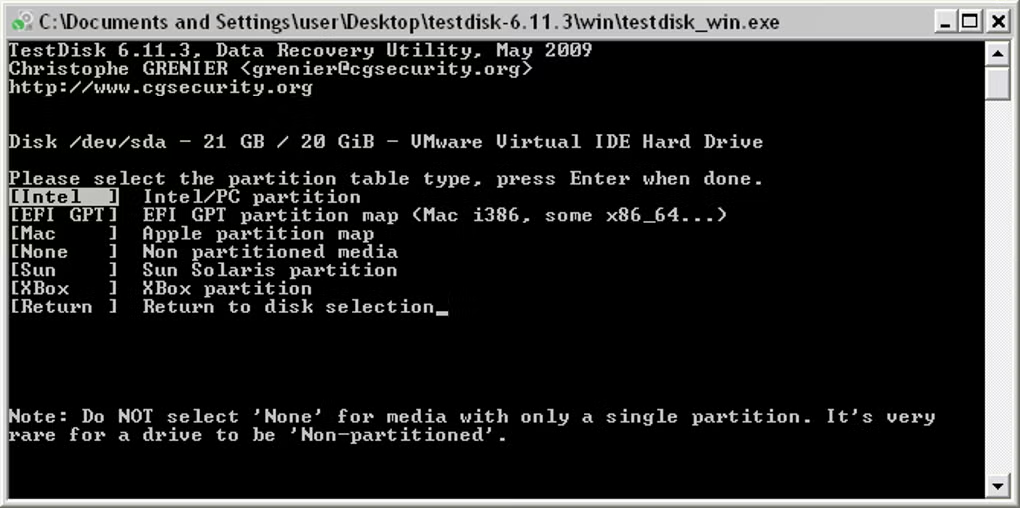
TestDisk is not for the faint of heart, but it is one of the most powerful recycle bin data recovery free tools available. It is an open-source command-line tool.
Technical Prowess:
TestDisk doesn’t just recover files; it can fix partition tables and recover boot sectors. If your Recycle Bin is inaccessible because of a disk error or a corrupted partition, TestDisk is the “surgical” tool you need. However, because it lacks a Graphical User Interface (GUI), one wrong keystroke could cause further data loss.
- Pros: Totally free and open-source; extremely powerful for partition repair.
- Cons: Command-line only; very steep learning curve for average users.
4. PhotoRec
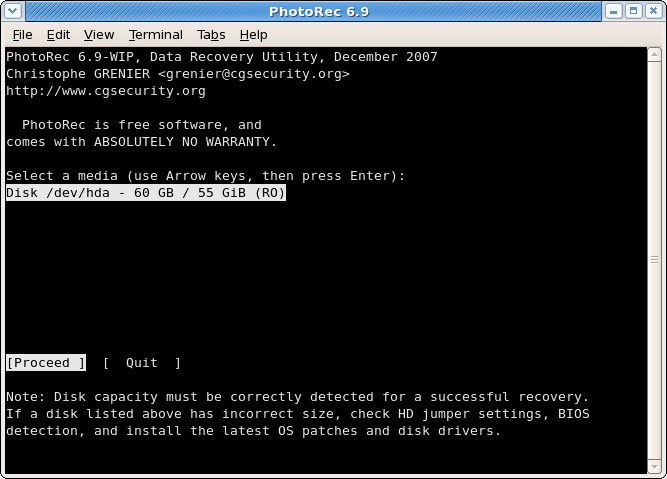
Often bundled with TestDisk, PhotoRec focuses specifically on file carving. Despite the name, it recovers much more than just photos.
How it works:
PhotoRec ignores the file system and goes straight for the underlying data blocks. This makes it an excellent choice for recycle bin data recovery free tasks where the file system itself is damaged. It is safe because it uses “read-only” access to the drive you are recovering from.
- Pros: High recovery success for media files; works on almost any OS.
- Cons: No file names are recovered (files are renamed to generic strings); no file preview.
5. R-Studio
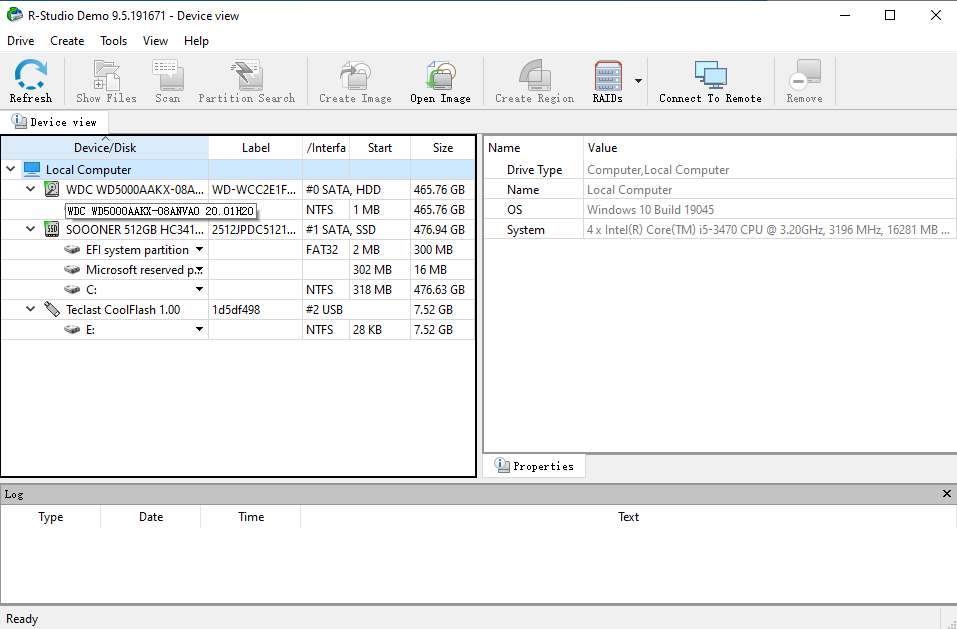
R-Studio is a heavy-duty data recovery suite. While it offers a “demo” version, it is primarily a premium tool used by data recovery labs.
Professional Grade:
If you are dealing with a complex RAID array or a networked drive where the Recycle Bin was emptied across a server, R-Studio is the gold standard. It provides a level of disk analysis that other tools cannot match. However, for a simple home user looking for recycle bin data recovery free, it might be overkill and overly complex.
- Pros: Best-in-class for RAID and network recovery.
- Cons: Very expensive; the interface is cluttered with complex hex-editors.
How to Recover Deleted Files from Recycle Bin with PandaOffice Drecov
If you want the highest chance of success with a recycle bin data recovery free tool, follow these steps using PandaOffice DRecov.
- Step 1: Select the Location
Launch the software. On the main dashboard, you will see a list of drives and common locations. Select “Recycle Bin” under the Quick Access tab or select the specific C: Drive where your bin is located.

- Step 2: Scan for Deleted Data
Click the “Scan” button. PandaOffice DRecov will first run a Quick Scan to find recently deleted items. If you don’t see your files, the program automatically transitions into a Deep Scan to search the disk’s hidden sectors.

- Step 3: Filter and Preview
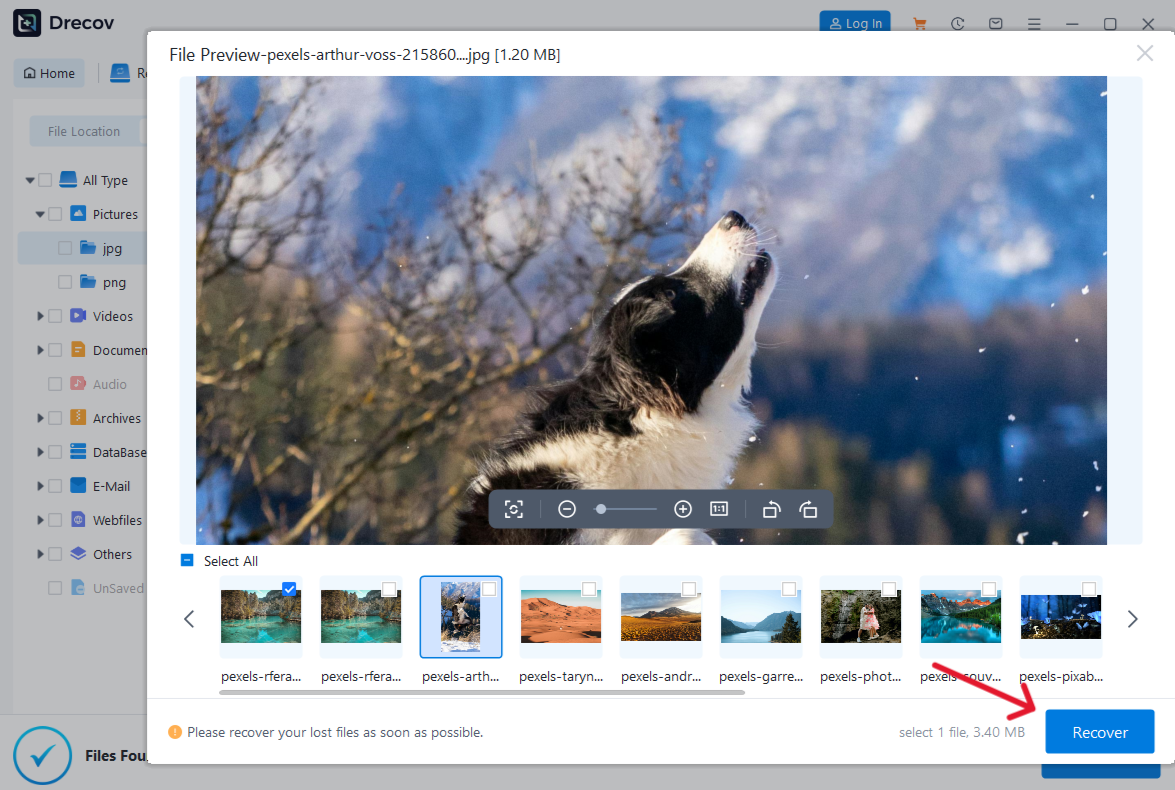
Once the scan completes, use the left-hand sidebar to navigate to the “Deleted Files” folder. You can use the search bar to type the name of your file. Double-click any file to Preview it to ensure the data is intact.
- Step 4: Recover and Save
Check the boxes next to the files you want. Click “Recover”.
Important: Always save the recovered files to a different drive (like a USB stick) to avoid overwriting the original data.
Comparison of Top 5 Recycle Bin Recovery Software in 2026
When choosing a recycle bin data recovery free tool, you should consider the balance between its technical power and ease of use. Below is a quick comparison to help you identify which software fits your specific data loss scenario.
| Feature | PandaOffice DRecov | Recuva | TestDisk | PhotoRec | R-Studio |
| Best For | All-in-one / Best Results | Quick, simple deletions | Partition & Boot repair | Advanced file carving | Professional labs |
| User Interface | Modern & Intuitive | Classic / Simple | Command-line (Text) | Command-line (Text) | Complex / Technical |
| Recovery Rate | 99.8% | Average | High (for partitions) | High (for media) | Professional Grade |
| Scan Speed | Ultra Fast | Fast (Quick Scan) | Moderate | Slow | Moderate |
| Preview Feature | Yes (Unlimited) | Yes (Limited) | No | No | Yes (Advanced) |
| File Repair | Yes (Photo/Video/Doc) | No | No | No | No |
| Price Model | Free Scan & Preview | Completely Free | Open-source (Free) | Open-source (Free) | Premium (Commercial) |
Why PandaOffice Drecov Leads the Competition
As shown in the table above, while tools like TestDisk and PhotoRec are powerful open-source options for recycle bin data recovery free, they lack the modern interface and preview capabilities that most users need.
- For Beginners: Recuva is a decent start, but its lower success rate on modern SSDs can be frustrating. PandaOffice Drecov offers a similar “start-to-finish” simplicity but with much more robust scanning technology.
- For Professionals: R-Studio is unmatched in power, yet its high cost and steep learning curve make it impractical for recovering a few files from a home computer’s Recycle Bin.
- The Verdict: PandaOffice Drecov bridges the gap, providing professional-grade recovery success (99.8%) with a design that anyone can use without a manual.
Recycle Bin Data Recovery Free FAQs
1.Can I recover files from a Recycle Bin emptied years ago?
It is unlikely. Data recovery depends on whether the space has been “overwritten.” If you have used your computer daily for years, new data has almost certainly filled that space. However, it is always worth running a Deep Scan with PandaOffice DRecov just in case.
2.Does “Shift + Delete” make recovery impossible?
No. “Shift + Delete” simply tells Windows to bypass the Recycle Bin. The data still exists on the hard drive sectors until overwritten. You can use recycle bin data recovery free software to find these “unallocated” files easily.
3.Is there a truly 100% free recovery software without limits?
Tools like Recuva and PhotoRec are free, but they often lack the support, speed, and success rates of modern tools. Professional-grade tools like PandaOffice DRecov offer Free Scan & Preview so you can verify that your data is actually recoverable before spending a dime.
Conclusion
Losing important files is a stressful experience, but as we have explored, the right recycle bin data recovery free software can make all the difference. While options like Recuva and PhotoRec offer basic or specialized support, PandaOffice Drecov provides the most comprehensive, high-success solution for modern users. Whether you are dealing with a simple accidental click or a complete system cleanup, remember to act fast: stop using your drive immediately to prevent overwriting. By choosing a reliable tool and following the structured recovery steps outlined above, you can restore your digital life in minutes.






