







Few experiences are more stressful than connecting an external hard drive only to discover that years of photos, videos, or business documents appear to be gone. For many users, data recovery from hard drives feels mysterious, risky, and overwhelming. Yet in most logical failure cases, lost data is not truly gone—it is simply inaccessible.
This guide demystifies the recovery process by explaining how data is stored, what actually happens during deletion or formatting, and which recovery actions are safe at each stage. Whether you are a first-time user or a technically inclined reader, this article will help you approach data recovery from hard drives with confidence and control.
Part 1: How Data Recovery from Hard Drives Actually Works
Understanding storage mechanics is the foundation of successful data recovery from hard drives. When a file is deleted, the operating system rarely erases the underlying data. Instead, it removes the file’s reference from the file system index and marks the occupied space as reusable.
You can think of a hard drive as a vast library. The file system functions as a catalog that records where each book is stored. Deletion does not destroy the books—it merely removes their catalog entries. As long as new data has not overwritten those shelves, recovery remains possible.
Professional data recovery from hard drives bypasses damaged or missing file system records and scans storage sectors directly to reconstruct lost files.
File System Differences That Matter
A clear understanding of file systems improves recovery expectations:
- NTFS: Common on Windows systems. Deleted files remain referenced in the Master File Table (MFT) until overwritten.
- exFAT / FAT32: Widely used on external drives. These systems are more vulnerable to directory corruption, which often makes intact data appear lost.
The Golden Rule of Recovery
The success window for data recovery from hard drives remains open only until new data is written. Continued use of the affected drive risks permanent overwriting of recoverable sectors.
Part 2: Immediate Precautions Before Any Recovery Attempt
Before attempting recovery, stabilize the situation. Many permanent losses occur due to well-intentioned but unsafe actions.
- Do not open the drive enclosure. Internal components operate at microscopic tolerances. Exposure to dust outside a certified cleanroom can cause irreversible damage.
- Stop if the drive overheats or makes unusual noises. These are indicators of mechanical failure, not logical corruption.
- Never install recovery software on the affected drive. This is one of the most common causes of failed data recovery from hard drives.
Part 3: Determine the Type of Data Loss
Before selecting a recovery method, identify whether the problem is logical or physical.
Quick Assessment Checklist
- Is the drive detected in BIOS or Disk Management?
- Does it appear as RAW or without a drive letter?
- Are there clicking or grinding noises?
- Does the drive disconnect intermittently?
If the drive is detected and silent, software-based data recovery from hard drives is usually safe. If not, discontinue use immediately.
Part 4: Proven Methods for Data Recovery from Hard Drives
Method 1: Connectivity and Visibility Checks (Low Risk)
Sometimes data loss is caused by connection or configuration issues rather than actual corruption.
- 1.Confirm adequate power supply and use a motherboard USB port.
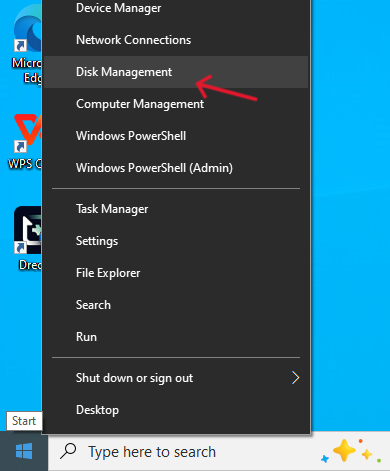
- 2.Open Device Manager (
Win + X) and update disk drivers.
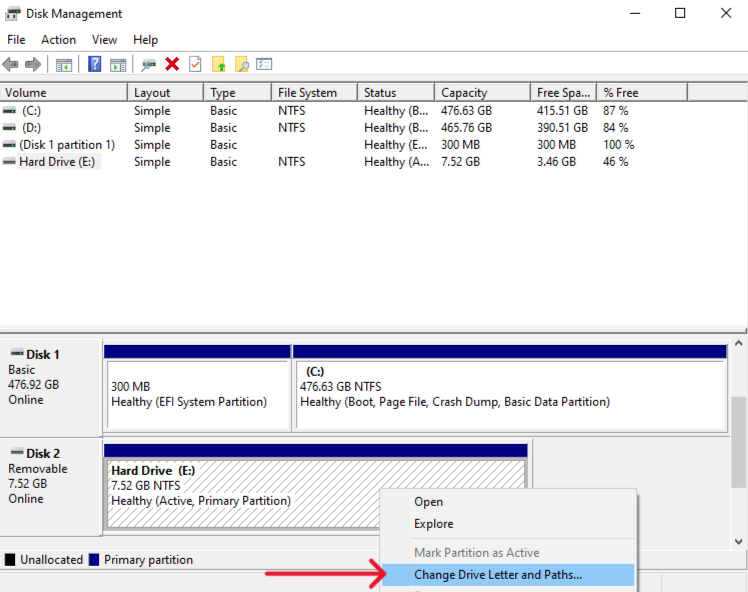
- 3.Check Disk Management and assign a drive letter if missing.
Important: If prompted to initialize or format the disk, cancel the operation immediately.
Method 2: Safe Three-Step Recovery with PandaOffice Drecov
For formatted, RAW, or inaccessible drives, specialized read-only software is the safest option.
- Versatility: It recovers photos, videos, audio, compressed files (ZIP/RAR), and even system files like EXEs.
- Accidental deletion from your computer desktop.
- Files lost after emptying the Recycle Bin.
- Data loss from disk formatting.
- Accidental deletion or formatting of SD cards/U disks.
- Sync error occurring with deleted OneDrive files
- Privacy First: All recovery happens locally on your machine, so you don’t have to worry about your private data leaking to the web.
Step 1: Select the Affected Drive
Launch the software and choose the external hard drive from the device list.
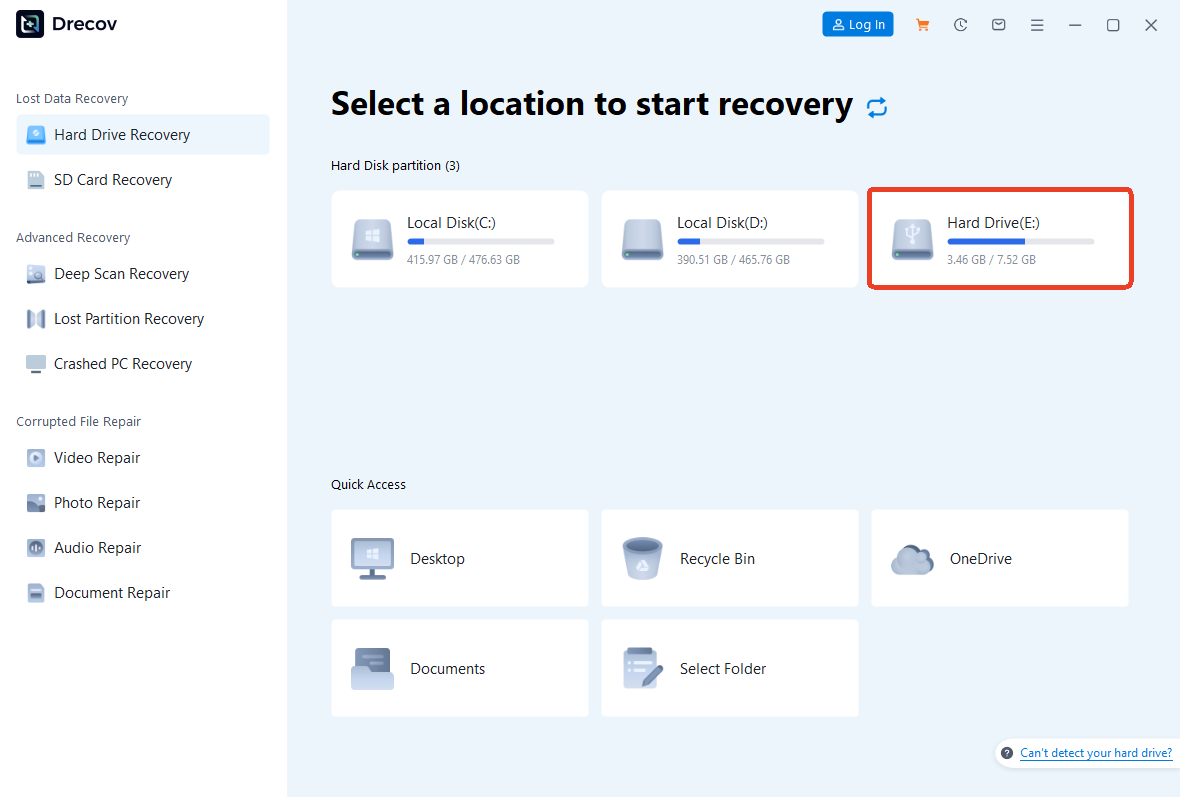
Step 2: Scan and Preview
Initiate the scan. The software performs a quick scan followed by a deep scan that analyzes raw storage sectors. Use the preview function to verify file integrity during scanning.

Step 3: Recover to a Safe Location
Select the required files and recover them to a different storage device.
Critical Reminder: Never save recovered files back to the same drive.
Method 3: Windows File Recovery (Command-Line Utility)
Microsoft’s official tool can assist with basic data recovery from hard drives, though it lacks previews and user-friendly controls.
- 1.Install Windows File Recovery from the Microsoft Store.
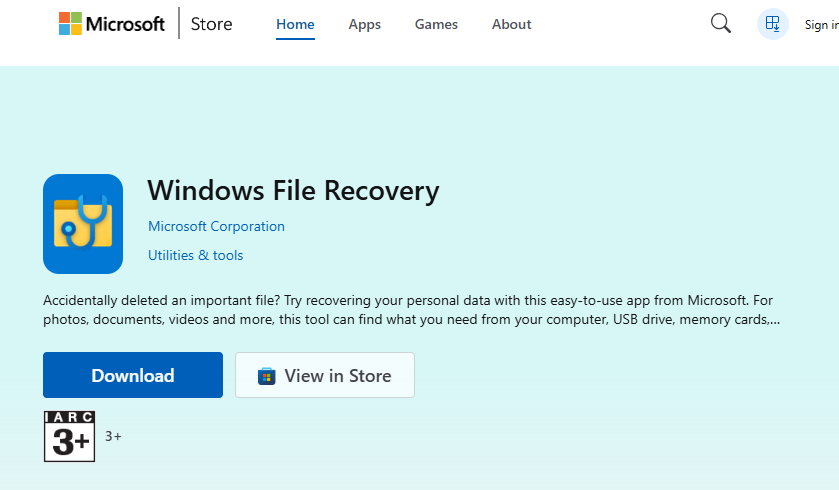
- 2.Launch the application.
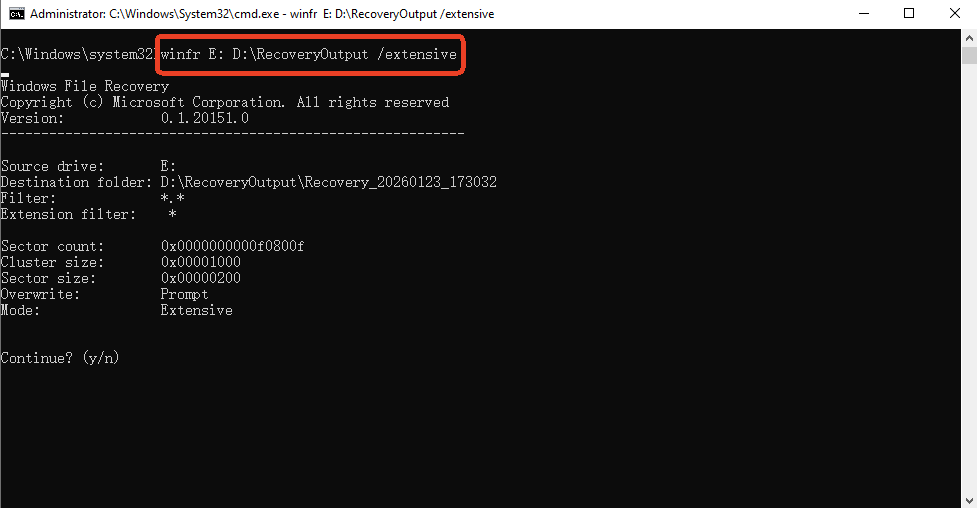
- 3.Use the extensive mode:
winfr E: D:\RecoveryOutput /extensive
This method is best suited for users familiar with command-line environments.
Method 4: CHKDSK (Last Resort)
CHKDSK repairs file system structures rather than recovering deleted data.
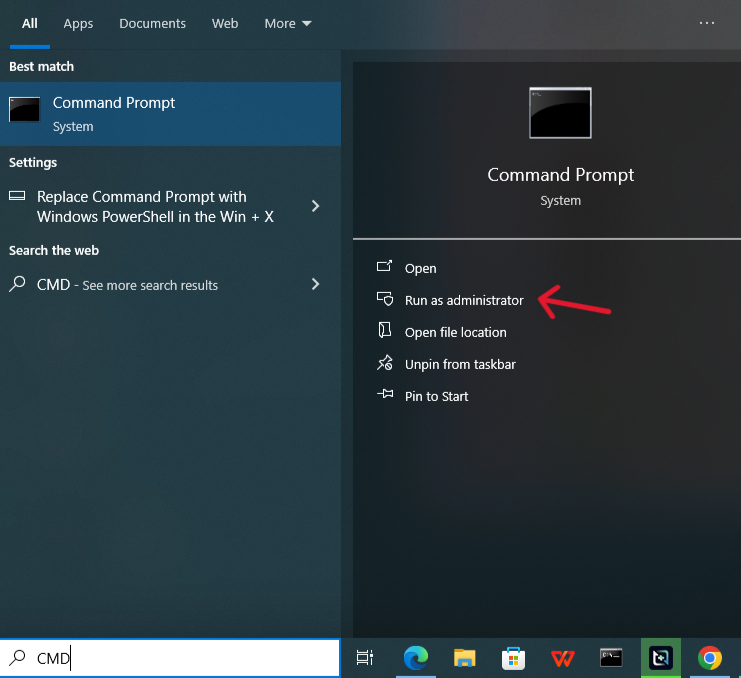
- 1.Run Command Prompt as administrator.
- 2.Execute
chkdsk X: /f.
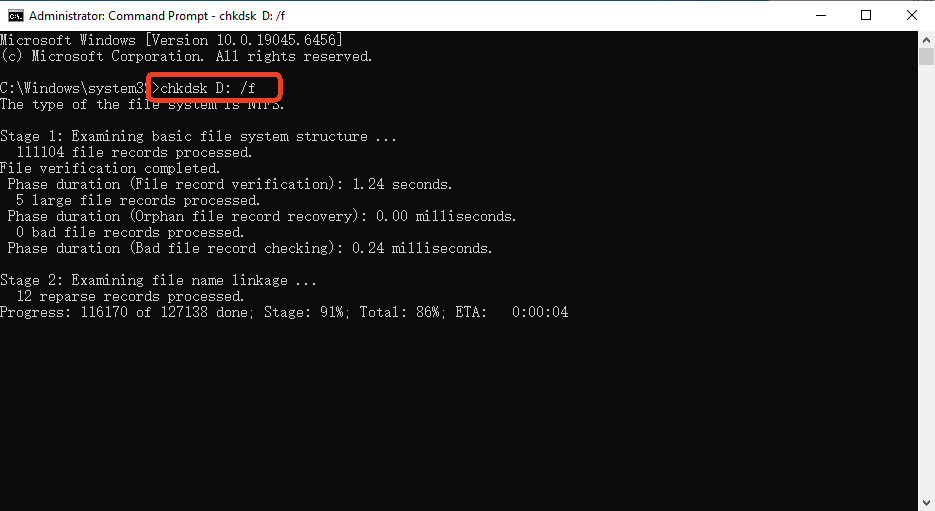
Warning: This process may discard corrupted fragments. Always attempt software-based data recovery from hard drives first.
Part 5: Method Comparison Overview
| Feature | PandaOffice Drecov | Windows File Recovery | CHKDSK |
|---|---|---|---|
| Ease of Use | High | Low | Moderate |
| File Preview | Yes | No | No |
| Data Safety | Read-only | Read-only | Potentially destructive |
| Recommended Use | Primary recovery | Advanced users | Last resort |
Part 6: Long-Term Prevention and Drive Health
The most effective data recovery from hard drives is prevention.
- Monitor S.M.A.R.T. health indicators regularly.
- Follow the 3-2-1 backup rule.
- Always use the safe removal function before disconnecting drives.
An Authoritative Guide to Data Recovery from Hard Drives FAQs
1. How can files be recovered after a hard drive is formatted?
In many cases, files can still be restored after formatting because the original data is not immediately erased. As long as the drive has not been reused, scanning it with read-only recovery tools can often locate and rebuild lost files.
2. What does it mean when a hard drive appears as RAW?
A RAW status usually indicates file system corruption rather than actual data destruction. The drive structure becomes unreadable to the operating system, but the underlying files may still exist and can often be retrieved through sector-level scanning.
3. What is the safest way to recover data from an external hard drive?
The safest approach is to stop using the drive immediately and avoid any write operations. Recovery software should be installed on a separate device, and recovered files must be saved to a different storage location to prevent overwriting.
4. Can recovery software harm the original hard drive?
Most modern recovery tools operate in read-only mode and do not modify existing data. Risks usually arise from improper usage, such as installing software on the affected drive or running repair utilities before attempting file extraction.
5. Why does recovery success vary from case to case?
Recovery results depend on several factors, including how quickly action is taken, whether new data has overwritten old sectors, and the overall condition of the drive. Early intervention and minimal drive usage significantly improve outcomes.
Conclusion
Data loss does not necessarily mean data destruction. In most cases, files disappear because the file system loses its references, not because the underlying data has been erased.Knowing when recovery is feasible—and when it is not—helps users avoid unnecessary risks and unrealistic expectations.
Ultimately, data recovery is not a matter of luck but of informed decision-making. By understanding how hard drives store data, recognizing early warning signs, and applying safe recovery principles, users can significantly improve the chances of retrieving lost files while minimizing the risk of permanent loss.






