







Recently I noticed whenever I download reels using a third-party site, they get downloaded in 720p. I’m aware of the 30 days limit after which Instagram compresses that quality of reels but it’s not that as reels that are only few days old are also in 720p. The same content is uploaded in 1080p on other platforms so what gives?—from Reddit
Why High-Quality Instagram Video Downloads Matter
How Instagram Handles Video Compression
When users upload videos to Instagram, the platform automatically compresses them to optimize storage and streaming performance. While this improves loading speed, it often reduces resolution, bitrate, and overall clarity.
This is why many users search for solutions like instagram video downloader high quality or download instagram videos high quality—they want to preserve the original quality of their content. Compression can lead to pixelation, color banding, and loss of fine details, especially in videos with motion or complex visuals.
Additionally, Instagram may adjust frame rates and encoding formats depending on the device and network conditions. This makes it difficult to retrieve the exact original version directly from the app.
Understanding this limitation is the first step in learning how to download instagram video high quality without sacrificing visual fidelity.
Who Needs High-Quality Instagram Video Downloads
High-quality video downloads are not just for casual users. Content creators, marketers, and editors often require original-quality files for repurposing content across different platforms.
For example, social media managers may need to reuse clips for campaigns, while video editors require high-resolution footage for professional projects. In these scenarios, using a download high quality instagram videos solution ensures the final output meets quality standards.
Even everyday users benefit from high-quality downloads when saving memorable content such as travel videos, tutorials, or personal moments.
Moreover, preserving video quality is essential when archiving content. Lower-quality versions may not be suitable for future use, especially as display technologies continue to improve.
Common Challenges When Downloading Instagram Videos in High Quality
Platform Restrictions and Limitations
Instagram does not provide a direct download option for videos, especially in their original quality. This limitation forces users to rely on alternative methods to download instagram videos high quality.
The platform prioritizes streaming rather than downloading, which means video files are optimized for playback rather than storage. As a result, users often end up with compressed versions when attempting to save videos.
This restriction is one of the main reasons why people search for an instagram video downloader high quality solution.
Quality Loss During Download
Many third-party tools claim to offer high-quality downloads but actually provide compressed versions. This happens because they extract already-processed streams instead of original files.
Users attempting to download instagram video high quality may notice differences in resolution, sharpness, and audio clarity.
⚠️Warning: Avoid using unknown tools that may compromise video quality or security.
Compatibility and Device Issues
Different devices and operating systems can affect how videos are downloaded and stored. For example, some mobile browsers limit file downloads, while certain apps may not support high-resolution formats.
This can create confusion for users trying to download high quality instagram videos across multiple devices.
How to Download Instagram Videos in High Quality: Proven Methods
Method 1: Use Online Instagram Video Downloader Tools
Test Environment:
- Device: Windows 11 PC / Chrome Browser
- Scenario: Public Instagram video link
Online downloader tools are one of the easiest ways to download instagram videos high quality without installing software.
Steps:
- Open Instagram and copy the video URL.
- Visit a trusted online downloader website.
- Paste the link into the input field.
- Select the highest available resolution.
- Click download and save the file.
These tools are convenient and fast, making them a popular choice for users searching instagram video downloader high quality solutions.
⚠️Warning: Always verify the website’s credibility to avoid malware or data leaks.
Method 2: Download Videos Using Browser Developer Tools
Test Environment:
- Device: Desktop (Windows/macOS)
- Browser: Chrome or Edge
- Scenario: Accessing video source manually
Advanced users can extract video files directly from the browser using developer tools. This method can help download instagram video high quality more reliably.
Steps:
- Open the Instagram video in your browser.
- Right-click and select “Inspect.”
- Go to the “Network” tab.
- Refresh the page and filter by “Media.”
- Locate the video file and open it in a new tab.
- Right-click and save the video.
This method bypasses third-party tools and allows more control over the download process.
Method 3: Use Mobile Apps for High-Quality Downloads
Test Environment:
- Device: Android smartphone
- Scenario: Downloading videos directly to mobile
Several mobile apps allow users to download high quality instagram videos directly on their phones.
Steps:
- Copy the Instagram video link.
- Open the downloader app.
- Paste the link and analyze the video.
- Choose the highest resolution available.
- Download and save to your gallery.
These apps are convenient for mobile users who frequently save content.
⚠️Warning: Some apps may include ads or require permissions—review carefully before use.
Method 4: Download Videos with PandaOffice Drecov
Test Environment:
- Device: Windows 11 PC + Android phone
- Scenario: Recovering and downloading stored Instagram videos
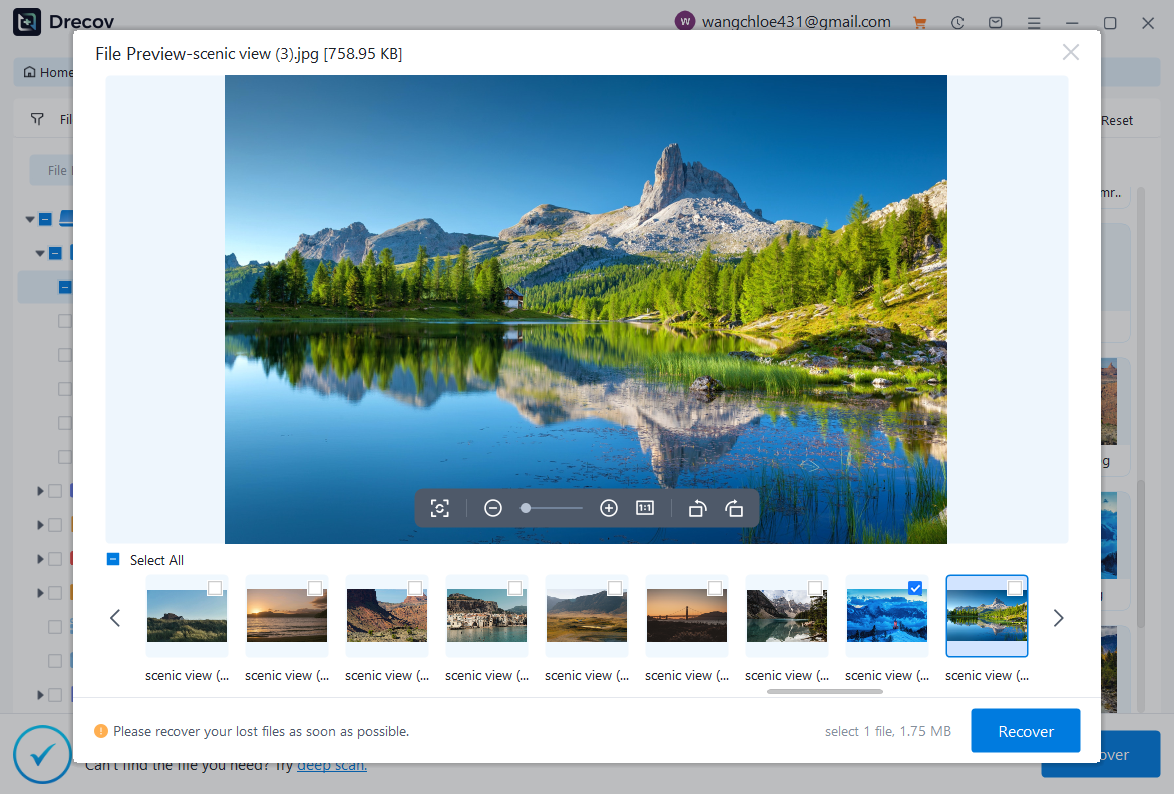
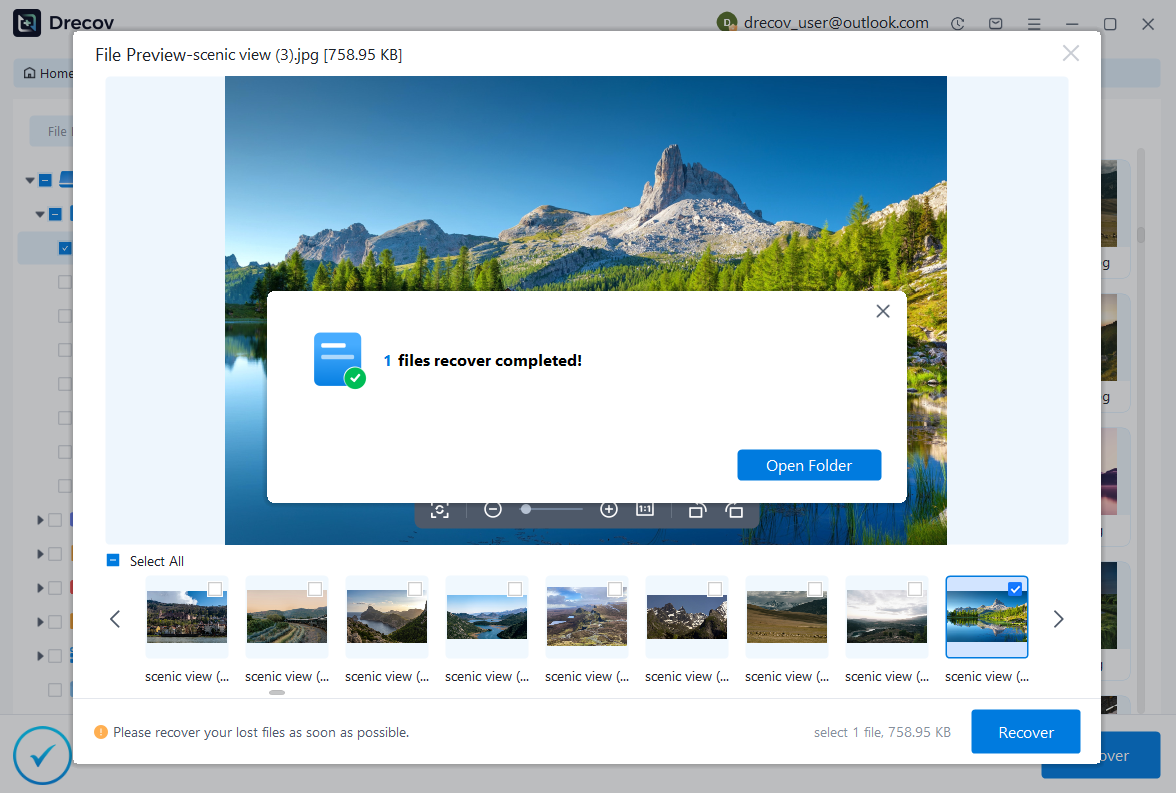
PandaOffice Drecov is a powerful tool that can help retrieve and save high-quality video files, especially when they are stored locally or cached.
Steps:
- Connect your device to your computer.
- Launch PandaOffice Drecov.
- Scan for video files in device storage.
- Preview available Instagram videos.
- Recover and save them in high quality.

Why Choose PandaOffice Drecov?
PandaOffice Drecov is a versatile and reliable solution for recovering a wide range of lost or inaccessible files. Whether you need audio recovery, video recovery, or excel recovery files, PandaOffice Drecov provides fast and efficient results, ensuring your important data is safely restored.
For creative professionals, it supports file recovery Illustrator projects, allowing designers to retrieve unsaved or accidentally deleted artwork without compromising file integrity. Businesses and individuals can also benefit from its restore Windows previous date feature, which helps recover documents or spreadsheets that were lost due to system errors or accidental deletions.
When external storage devices fail, such as a Lacie hard drive not showing up, PandaOffice Drecov can detect and restore files from these drives, ensuring you do not lose critical data. Even deleted files in the recycle bin can be recovered using its advanced recycle bin recovery software capabilities.
Additionally, the software supports recovering data from lost partitions, making lost partition recovery straightforward and reliable. Its intuitive interface allows users to perform audio recovery, video recovery, and excel recovery effortlessly, even for large or complex files.
This method is particularly useful for users who want a reliable instagram video downloader high quality solution when standard methods fail.
Method 5: Use Screen Recording for Maximum Visual Retention
Test Environment:
- Device: iPhone 15 (iOS 17) / Android 14
- Scenario: Private or restricted video access
Screen recording is a practical workaround when direct download methods fail. While it may not always capture the original file, it can still help download instagram video high quality if recorded at the highest resolution settings.
Steps:
- Enable screen recording in your device settings.
- Open the Instagram video you want to save.
- Start recording and play the video in full screen.
- Stop recording once playback is complete.
- Trim the video to remove unnecessary parts.
This method is particularly useful for private content or videos that cannot be accessed via links.
⚠️Warning: Ensure you respect copyright and privacy rules when recording content.
Method 6: Save Videos via Telegram or Messaging Bots
Test Environment:
- Device: Android / iPhone
- App: Telegram
- Scenario: Using bot-based download services
Messaging platforms like Telegram offer bots that can fetch Instagram videos. These bots can sometimes help download high quality instagram videos quickly.
Steps:
- Copy the Instagram video link.
- Open Telegram and search for a video downloader bot.
- Paste the link into the chat.
- Wait for the bot to process the request.
- Download the video file provided.
This method is convenient and does not require additional installations beyond the messaging app.
Method 7: Use Browser Extensions for Direct Downloads
Test Environment:
- Device: Desktop (Windows/macOS)
- Browser: Chrome with extension installed
- Scenario: Frequent downloading needs
Browser extensions streamline the process of using an instagram video downloader high quality tool.
Steps:
- Install a trusted Instagram downloader extension.
- Open Instagram in your browser.
- Navigate to the video post.
- Click the download button added by the extension.
- Choose the highest resolution available.
This method is efficient for users who regularly download instagram videos high quality.
⚠️Warning: Only install extensions from verified sources to avoid security risks.
Frequently Asked Questions About High-Quality Instagram Video Downloads
Can I Download Instagram Videos in Original Quality?
In most cases, downloading the exact original quality is difficult because Instagram compresses videos during upload. However, using the right tools can help you download instagram video high quality with minimal loss.
Methods like developer tools or reliable downloader services provide the best results.
Why Do Downloaded Instagram Videos Look Blurry?
Blurry videos usually result from compression or downloading lower-resolution versions. Many tools do not access the highest available quality.
To avoid this, always select the best resolution when using an instagram video downloader high quality solution.
Is It Safe to Use Instagram Video Downloader Tools?
Safety depends on the tool you choose. Trusted platforms and verified apps are generally safe, but unknown websites may pose risks.
Always check permissions and avoid entering personal information when trying to download high quality instagram videos.
How Can I Download Instagram Videos on Mobile Devices?
Mobile users can rely on apps, browser-based tools, or messaging bots. These options make it easier to download instagram videos high quality directly to your device.
Each method has its advantages depending on your needs and device compatibility.
Best Practices for Maintaining Video Quality After Download
Choose the Highest Resolution Available
Always select the highest resolution option when downloading videos. This ensures you get the best possible version when using tools to download instagram video high quality.
Avoid Multiple Conversions
Repeatedly converting video formats can degrade quality. Save the file in its original format whenever possible to maintain clarity.
Store Videos Properly
Use reliable storage solutions such as cloud services or external drives to preserve video quality over time. Proper storage prevents corruption and data loss.
Keep Your Tools Updated
Whether you’re using apps, extensions, or software, keeping them updated ensures compatibility and better performance when using an instagram video downloader high quality solution.
Conclusion: Mastering High-Quality Instagram Video Downloads
Downloading videos from Instagram in high quality requires the right combination of tools, techniques, and awareness of platform limitations. Whether you’re trying to download instagram videos high quality, download instagram video high quality, or searching for the best instagram video downloader high quality, understanding your options is essential.
From simple online tools to advanced methods like developer tools and recovery software, each approach offers unique advantages. While Instagram’s compression makes it challenging to obtain original files, you can still achieve excellent results with the right strategy.
It’s also important to prioritize safety and legality when downloading content. Always respect intellectual property rights and avoid using unreliable tools.
By following the methods and best practices outlined in this guide, you can confidently download high quality instagram videos for personal or professional use. With proper preparation and the right tools, preserving video quality becomes a straightforward and efficient process.






