







Telegram doesn’t offer any official method to restore deleted group messages or media. Their export tool only works with existing data — not deleted content.—from Medium
Understanding How to Recover Deleted Telegram Messages
How Telegram Stores and Syncs Your Chats
Telegram works differently from traditional messaging apps because it relies heavily on cloud-based storage. Most chats, except Secret Chats, are stored on Telegram’s servers rather than locally on your device. This means that when you try to recover deleted messages Telegram, the success rate depends on whether the data still exists in the cloud or was permanently erased.
Unlike SMS or other messaging systems, Telegram automatically syncs conversations across all logged-in devices. This synchronization feature can sometimes help users who want to recover deleted chat Telegram, especially if messages remain available on another device or session.
Another important aspect is the distinction between regular chats and Secret Chats. Regular chats are cloud-based, while Secret Chats are end-to-end encrypted and stored only on the device. If Secret Chat messages are deleted, recovery becomes extremely difficult or even impossible.
Understanding this architecture is essential before exploring how to recover deleted Telegram messages, because your recovery method will depend on where and how the data was stored.
⚠️Warning: Secret Chat messages cannot be restored once deleted due to their encryption design.
Why Telegram Messages Get Deleted or Lost
Common Reasons for Message Deletion
There are several reasons users may need to recover deleted telegram messages, and identifying the cause can help determine the best recovery approach.
One of the most common causes is accidental deletion. Users may mistakenly delete entire chats or specific messages while managing conversations. Telegram also offers a “Delete for Everyone” feature, which removes messages from both sender and receiver devices, making recovery more challenging.
Another frequent cause is app reinstallation or device reset. When users uninstall Telegram or reset their iPhone without proper backup or sync, locally stored data—especially media files—can be lost.
Account-related issues can also lead to message loss. Logging out, switching devices, or encountering synchronization errors may result in missing chats. In some cases, server-side updates or user actions like clearing chat history can permanently erase data.
For users wondering how can I recover deleted messages from Telegram, understanding these scenarios is critical because each situation requires a different solution strategy.
⚠️Warning: Using “Delete for Everyone” permanently removes messages from Telegram servers in most cases.
How to Recover Deleted Telegram Messages on iPhone
Method 1: Restore Telegram Messages Using PandaOffice Drecov
Test Environment:
- Device: iPhone 14 (iOS 17)
- Computer: Windows 11 PC
- Tool: PandaOffice Drecov latest version
One of the most effective ways to recover deleted messages Telegram is by using a professional data recovery tool. PandaOffice Drecov is designed to scan iOS devices and retrieve deleted app data, including Telegram chats.
To begin, install PandaOffice Drecov on your computer and connect your iPhone using a USB cable. Launch the software and select the “Recover from iOS Device” mode. The program will scan your device for recoverable data, including deleted Telegram messages.
After scanning, you can preview the recovered data and select the specific messages you want to restore. This method is particularly useful when messages are deleted locally but traces still exist in the system storage.
This approach is ideal for users asking how to recover deleted telegram messages without relying on backups. It provides a higher chance of recovery compared to manual methods.


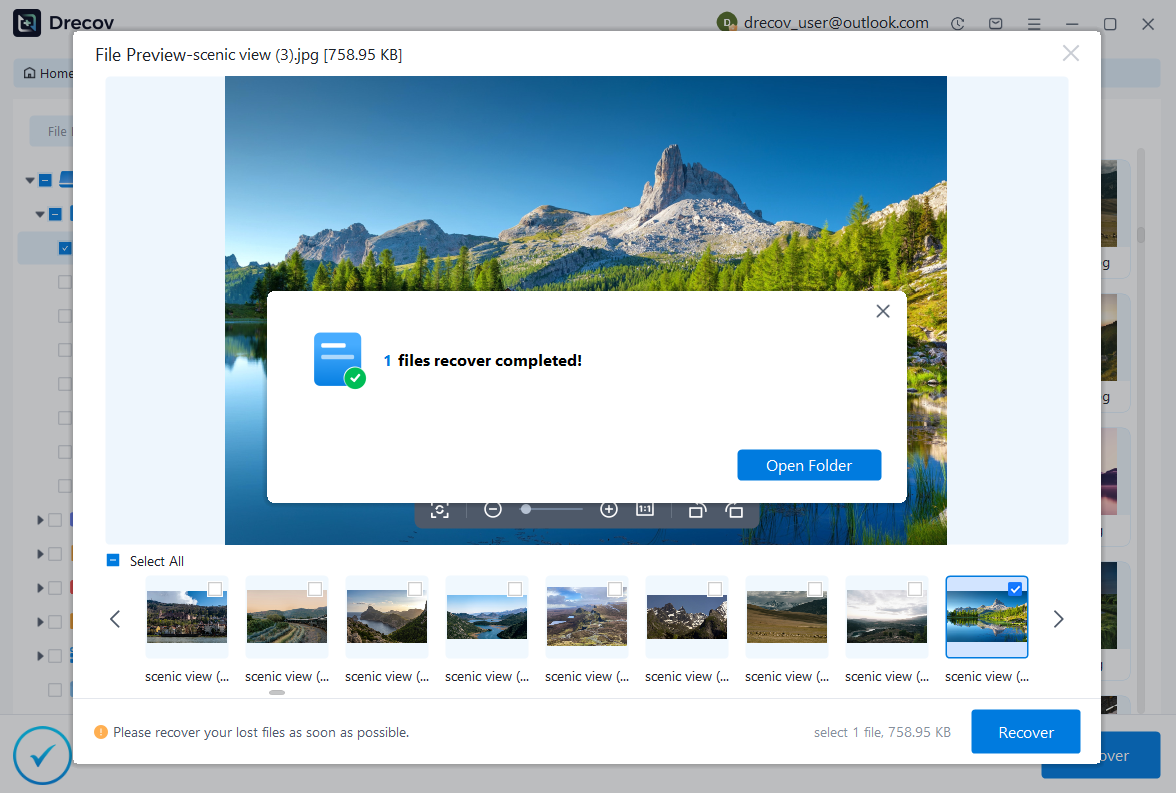
Why Choose PandaOffice Drecov?
PandaOffice Drecov is a versatile and reliable solution for recovering a wide range of lost or inaccessible files. Whether you need audio recovery, video recovery, or excel recovery files, PandaOffice Drecov provides fast and efficient results, ensuring your important data is safely restored.
For creative professionals, it supports file recovery Illustrator projects, allowing designers to retrieve unsaved or accidentally deleted artwork without compromising file integrity. Businesses and individuals can also benefit from its restore Windows previous date feature, which helps recover documents or spreadsheets that were lost due to system errors or accidental deletions.
When external storage devices fail, such as a Lacie hard drive not showing up, PandaOffice Drecov can detect and restore files from these drives, ensuring you do not lose critical data. Even deleted files in the recycle bin can be recovered using its advanced recycle bin recovery software capabilities.
Additionally, the software supports recovering data from lost partitions, making lost partition recovery straightforward and reliable. Its intuitive interface allows users to perform audio recovery, video recovery, and excel recovery effortlessly, even for large or complex files.
⚠️Warning: Stop using your device immediately after data loss to avoid overwriting recoverable data.
Method 2: Recover Telegram Chats from Another Logged-in Device
Test Environment:
- Device A: iPhone 13 (iOS 16)
- Device B: iPad (iPadOS 17)
- Telegram synced across devices
Because Telegram syncs messages across devices, you may be able to recover deleted chat Telegram by accessing another device where your account is still active.
If the messages were not deleted from all devices, simply log in to Telegram on another device and check whether the chat still exists. Sometimes, due to sync delays or partial deletions, messages may still be visible elsewhere.
If found, you can manually copy important messages or forward them to another chat for safekeeping. This method is simple but highly effective in certain scenarios.
This solution works best when messages were deleted only on one device and not fully synchronized across all sessions.
Method 3: Use Telegram Export Data Feature
Test Environment:
- Platform: Telegram Desktop (Windows 11)
- Telegram version: Latest desktop client
Telegram provides a built-in data export feature that allows users to download chat history. While it doesn’t directly recover deleted telegram messages, it can help retrieve previously stored data if the messages were not permanently erased.
To use this method, open Telegram Desktop, go to “Settings,” then “Advanced,” and select “Export Telegram Data.” Choose the specific chats and data types you want to export.
Once the export is complete, you can review the downloaded files to check if the messages you need are included.
This method is particularly useful for users who want to understand how can I recover deleted messages from Telegram using official tools without third-party software.
⚠️Warning: Exported data only includes messages that still exist on Telegram servers.
Method 4: Restore from iCloud Backup
Test Environment:
- Device: iPhone 12 (iOS 16)
- Backup: iCloud automatic backup enabled
If you have previously backed up your iPhone to iCloud, you may be able to recover deleted messages Telegram by restoring the backup.
First, erase your iPhone and choose “Restore from iCloud Backup” during setup. Select a backup created before the messages were deleted. After restoration, reinstall Telegram and log in to check if the messages are restored.
This method can be effective, but it requires resetting your device, which may lead to data loss if not managed carefully.
Method 5: Recover Telegram Messages from iTunes Backup
Test Environment:
- Device: iPhone 11 (iOS 15)
- Backup Tool: iTunes (latest version on Windows 10)
If you regularly back up your iPhone using iTunes, you may be able to recover deleted telegram messages by restoring a previous backup. This method works similarly to iCloud restoration but uses a local backup stored on your computer.
To begin, connect your iPhone to the computer where your iTunes backup is stored. Open iTunes, select your device, and choose “Restore Backup.” Pick a backup created before the Telegram messages were deleted.
Once the restoration is complete, reinstall Telegram and log in to your account. If the backup contains relevant app data, your chats may reappear.
This method is useful for users searching how to recover deleted telegram messages when they prefer offline backups. However, keep in mind that restoring a full backup will overwrite current data on your device.
⚠️Warning: Restoring an iTunes backup replaces all current data on your iPhone.
Method 6: Check Notification History for Deleted Messages
Test Environment:
- Device: iPhone 13 (iOS 17)
- Feature: Notification preview enabled
In some cases, users can partially recover deleted chat Telegram by checking notification previews. If message notifications were enabled, parts of the conversation may still be visible in notification logs or previews.
Although iOS does not provide a full notification history like some other systems, users may still find message snippets in lock screen previews or saved screenshots.
This method does not fully restore chats but can help retrieve important information such as verification codes, addresses, or short messages.
For users wondering how can I recover deleted messages from Telegram, this approach serves as a quick fallback when other recovery options are unavailable.
Method 7: Contact Telegram Support for Account Issues
Test Environment:
- Platform: Telegram official support page
- Account status: Active and verified
If your messages were lost due to account-related issues such as hacking, syncing errors, or unexpected deletion, contacting Telegram support may help.
Visit the official Telegram support page and submit a request explaining your situation. Provide details such as your phone number, device, and approximate time of data loss.
While Telegram does not guarantee recovery, support may assist in cases involving technical errors or account problems.
This method is particularly relevant for users asking how to recover deleted telegram messages caused by system or account anomalies.
⚠️Warning: Telegram typically cannot restore messages that were intentionally deleted by users.
Can the Police Recover Deleted Telegram Messages?
Understanding Legal and Technical Possibilities
A common question many users ask is: can the police recover deleted telegram messages? The answer depends on multiple factors, including the type of chat and whether data still exists on Telegram servers.
For regular cloud chats, Telegram may store data temporarily, which could potentially be accessed through legal channels under specific circumstances. However, Telegram is known for its strong privacy policies and limited data retention.
For Secret Chats, recovery is nearly impossible—even for law enforcement—because these messages are end-to-end encrypted and stored only on user devices.
In some cases, forensic analysis of devices may allow authorities to retrieve fragments of deleted data. However, this requires specialized tools and does not guarantee full recovery.
Overall, while it is technically possible in limited scenarios, the ability to recover deleted messages Telegram through legal means is highly restricted.
⚠️Warning: Privacy laws and Telegram policies vary by region and may affect data access.
Frequently Asked Questions About Telegram Message Recovery
How to recover deleted Telegram messages without backup?
If you don’t have a backup, your best option is using a recovery tool like PandaOffice Drecov or checking other logged-in devices. These methods can help retrieve data that still exists locally or in synced sessions.
Can I recover deleted Telegram messages from cloud storage?
Telegram automatically syncs cloud chats, but once messages are permanently deleted, they are usually removed from servers. However, exporting data or checking other devices may still help.
Is it possible to recover deleted Telegram messages on iPhone?
Yes, depending on the situation. You can use recovery software, restore backups, or check synced devices. The success rate depends on how the data was deleted.
How can I recover deleted messages from Telegram after reinstalling the app?
After reinstalling Telegram, log in with the same account. Cloud chats should automatically reappear. If not, try restoring from backup or using recovery tools.
Can Telegram messages be recovered after “Delete for Everyone”?
In most cases, no. When messages are deleted for everyone, they are removed from Telegram servers, making recovery extremely difficult.
Conclusion: Best Ways to Recover Deleted Telegram Messages
Recovering Telegram messages on iPhone can be straightforward or challenging depending on how the data was lost. Since Telegram relies heavily on cloud storage, some messages may still be recoverable through synced devices or backups.
For users looking to recover deleted telegram messages, the most effective strategies include using professional tools, restoring backups, and checking other logged-in devices. Each method has its advantages and limitations, so choosing the right one depends on your specific situation.
It is also important to understand the limitations. Questions like can the police recover deleted telegram messages highlight the importance of Telegram’s privacy-focused design, which makes recovery difficult in many cases.
To avoid future data loss, always enable backups, avoid unnecessary deletions, and act quickly when messages are lost. If you are still wondering how to recover deleted telegram messages, following the methods in this guide will give you the best possible chance of success.






