







2 days ago I deleted some audio files and whatsapp chat messages in a very emotionalised situation. However, I realised yesterday, that I would really benefit from having them back!—from Reddit
Understanding WhatsApp Audio Recovery and Its Importance
What Happens When WhatsApp Audio Files Are Deleted
Voice messages and audio files shared via WhatsApp are often important, containing personal conversations, work details, or memorable moments. Losing these files can be frustrating, which is why whatsapp audio recovery is a critical solution for many users.
When an audio file is deleted on WhatsApp, it may not be permanently erased immediately. Instead, it can remain stored locally on your device or in backup systems for a limited time. This creates an opportunity for deleted whatsapp audio recovery if proper steps are taken quickly.
WhatsApp stores audio files in device storage, usually in dedicated folders. If the file is removed from the chat, it might still exist in the file system. In other cases, backups created via cloud services can be used for recovery.
Understanding these storage mechanisms helps users perform whatsapp deleted audio recovery effectively and avoid actions that could overwrite recoverable data.
Why WhatsApp Audio Files Get Lost
Common Reasons Behind Audio Deletion on WhatsApp
There are several reasons why users may need whatsapp delete audio recovery. Identifying the cause helps determine the best recovery method.
Accidental deletion is one of the most common scenarios. Users may remove messages or entire chats without realizing the importance of attached audio files. Clearing storage or reinstalling WhatsApp can also result in data loss.
Another frequent cause is device storage issues. When storage is full, apps may automatically delete cached or temporary files, including audio messages. System crashes or software updates can also lead to missing data.
In some cases, corrupted backups may fail to restore audio files properly. Malware or unauthorized apps can also interfere with stored data, causing files to disappear or become inaccessible.
⚠️Warning: Continuing to use WhatsApp after losing audio files may overwrite data, making whatsapp deleted audio recovery more difficult.
Best Methods for WhatsApp Audio Recovery
Method 1: Use Professional WhatsApp Audio Recovery Software (Recommended)
Using specialized software is one of the most reliable ways to perform whatsapp audio recovery, especially when files are permanently deleted from chats.
Tools like Pandaoffice Drecov are designed to scan device storage and recover lost audio files, including WhatsApp voice messages. This method works for both Android and external storage recovery scenarios.
Download DrecovTest Environment:
- Device: Android phone connected to Windows 11 PC
- Storage: Internal memory
- Scenario: Deleted WhatsApp voice messages
Steps:
- Install and launch Pandaoffice Drecov on your computer.
- Connect your phone using a USB cable.
- Enable file transfer mode on your device.
- Select the storage location for scanning.
- Run a deep scan to locate deleted audio files.
- Preview and recover the desired files to a safe location.
This method is highly effective for deleted whatsapp audio recovery, especially when no backup is available.

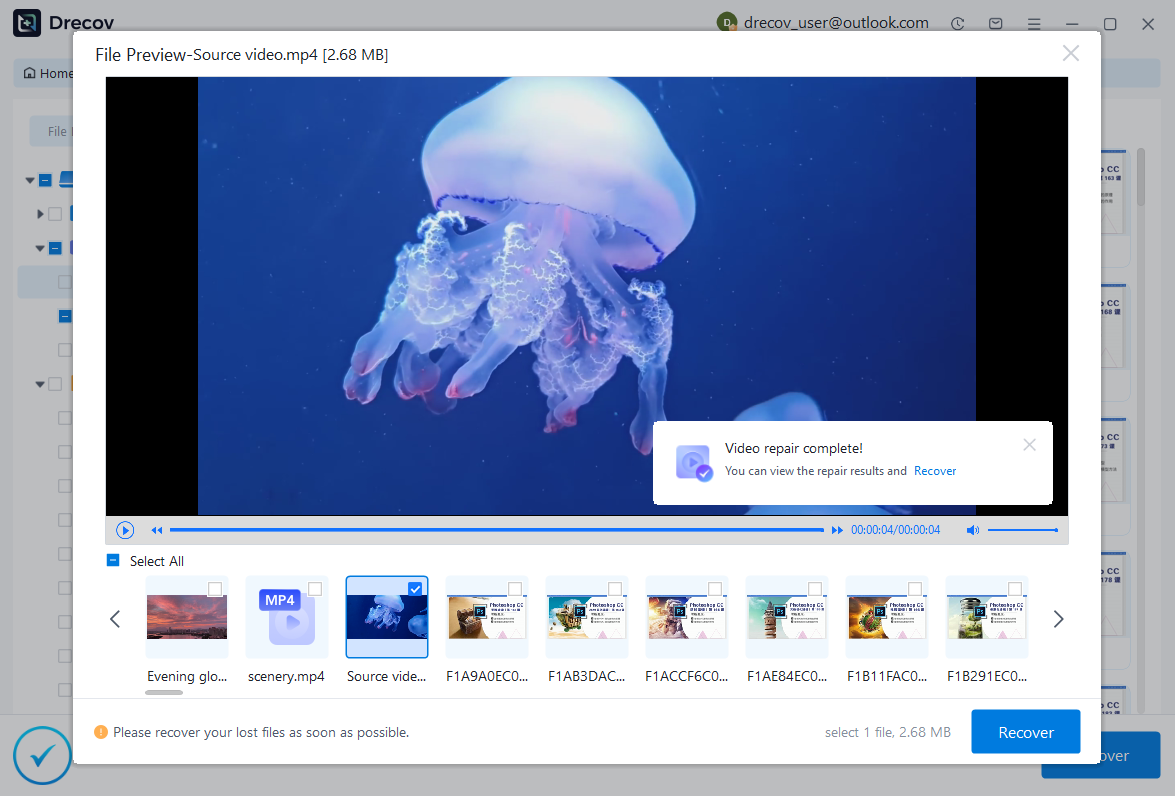

Why Choose PandaOffice Drecov?
When it comes to reliable file data recovery, PandaOffice Drecov offers a balanced combination of performance, ease of use, and broad compatibility. Whether you’ve lost important business files or personal memories, it provides an efficient way to restore data from various loss scenarios, including system crashes, accidental deletion, and formatted drives.
For users looking for advanced Photo Data Recovery Software, PandaOffice Drecov supports a wide range of image formats and storage devices. It can recover high-quality photos from SD cards, cameras, and internal drives while preserving original resolution and file structure. This makes it especially useful for photographers and everyday users alike.
If you are dealing with storage device issues, its external hard drive recovery capability ensures that data can be retrieved from USB drives, HDDs, and SSDs with minimal effort. The software performs deep scans to locate hidden or lost files, even in complex situations like partition loss.
In addition, PandaOffice Drecov excels in Document Recovery, helping users restore essential files such as Word, Excel, and PDFs. It also supports powerpoint recovery, allowing you to retrieve unsaved or deleted presentation files quickly—ideal for professionals working under tight deadlines.
⚠️Warning: Do not save recovered files back to the same device storage.
Method 2: Restore WhatsApp Audio from Local Backup
WhatsApp automatically creates local backups on Android devices. These backups can be used for whatsapp delete audio recovery if the files were included in a previous backup.
Test Environment:
- Device: Android smartphone
- Backup Type: Local storage backup
- Scenario: Audio deleted after last backup
Steps:
- Open your file manager and navigate to WhatsApp backup folder.
- Locate the most recent backup file.
- Uninstall WhatsApp from your device.
- Reinstall WhatsApp and verify your phone number.
- Select “Restore” when prompted.
This method restores all data from the backup, including audio files.
⚠️Warning: Current chats may be overwritten during restoration.
Method 3: Recover WhatsApp Audio from Google Drive Backup
For users who have enabled cloud backup, Google Drive can be used for whatsapp deleted audio recovery.
Test Environment:
- Device: Android phone
- Backup: Google Drive
- Scenario: Audio files deleted but backed up online
Steps:
- Ensure your Google account is linked to WhatsApp.
- Uninstall and reinstall WhatsApp.
- Verify your phone number.
- Choose “Restore from Google Drive.”
- Wait for the process to complete.
This method is effective when backups are up to date and include audio files.
Method 4: Retrieve Audio Files from WhatsApp Media Folder
In many cases, audio files remain stored in the device’s internal storage even after being deleted from chats. This makes it possible to perform whatsapp audio recovery manually.
Test Environment:
- Device: Android phone
- Tool: File Manager
- Scenario: Audio missing from chat but still stored locally
Steps:
- Open your file manager.
- Navigate to: WhatsApp > Media > WhatsApp Audio.
- Search for the missing audio files.
- Copy them to another folder for backup.
This method works best when files are not permanently deleted.
⚠️Warning: Avoid modifying system folders unnecessarily.
Method 5: Recover Deleted WhatsApp Audio Using File Recovery Software
For users without backups, professional recovery software is the most reliable solution for deleted whatsapp audio recovery. Pandaoffice Drecov can scan internal storage or SD cards and retrieve lost voice messages effectively.
Test Environment:
- Device: Android phone connected to Windows 11 PC
- Storage: Internal memory
- Scenario: Deleted WhatsApp voice messages with no backup
Steps:
- Install and launch Pandaoffice Drecov.
- Connect your phone using a USB cable and enable file transfer mode.
- Select the storage location to scan.
- Run a deep scan for deleted audio files.
- Preview recoverable files.
- Restore audio files to a secure folder on your computer.
⚠️Warning: Avoid saving recovered files back to the same device to prevent overwriting.
Method 6: Use Local Storage to Manually Recover WhatsApp Audio
Sometimes deleted audio files remain on the device even after chat deletion. You can check the WhatsApp media folder for possible recovery.
Test Environment:
- Device: Android smartphone
- Tool: File Manager
- Scenario: Audio deleted from chat but not overwritten
Steps:
- Open your File Manager app.
- Navigate to: WhatsApp > Media > WhatsApp Audio.
- Look for missing audio files.
- Copy files to a secure folder or external storage.
This method is most effective if audio files were not deleted permanently.
Can You Recover Deleted WhatsApp Audio Without Backup?
Exploring Recovery Possibilities Without Backup
Yes, it is possible to perform deleted whatsapp audio recovery without a backup, but the success rate depends on several factors. If the data has not been overwritten, recovery software can scan storage and retrieve deleted files.
However, recovery becomes more challenging if the device has been heavily used after deletion. Overwriting reduces the chances of retrieving complete files.
Using reliable tools and acting quickly are key to successful whatsapp delete audio recovery without backups. Manual methods alone are usually insufficient in such cases.
FAQs About WhatsApp Audio Recovery
Can I Recover WhatsApp Audio After Deleting Chat?
Yes, recovery is possible through backups or recovery software. If a backup exists, restoring it can bring back deleted audio files. Otherwise, specialized tools can help with whatsapp deleted audio recovery.
Where Are WhatsApp Audio Files Stored?
WhatsApp audio files are typically stored in the device’s internal storage under the media folder. Knowing this location helps with manual whatsapp audio recovery.
What Should I Do If Recovery Fails?
If recovery attempts fail, you may consider professional data recovery services. These services use advanced techniques to retrieve data from damaged or overwritten storage.
How Long Does WhatsApp Audio Recovery Take?
The duration depends on the size of your storage and the recovery method. Quick scans take a few minutes, while deep scans using software like Pandaoffice Drecov may take several hours.
Tips to Prevent WhatsApp Audio Loss
Backup Regularly and Manage Storage
- Enable WhatsApp cloud backup (Google Drive or iCloud).
- Regularly export important chats with media.
- Avoid uninstalling WhatsApp without backup.
- Ensure sufficient storage space to prevent automatic deletion of audio files.
Handle Audio Files Safely
- Avoid clearing chat or media folders without confirming important files are backed up.
- Use trusted apps to manage audio files.
- Minimize interruptions during file transfer to prevent corruption.
Conclusion: Restore and Safeguard Your WhatsApp Audio
Key Takeaways for Successful Recovery
Recovering deleted WhatsApp audio files is possible with careful steps and the right tools. Whether through backups, manual methods, or professional whatsapp audio recovery software, most deleted files can be restored if action is taken promptly.
For users without backups, recovery software like Pandaoffice Drecov offers the best success rates. Combining recovery techniques with preventive habits—like regular backups and safe storage management—ensures long-term protection of your WhatsApp voice messages.
By acting quickly and following best practices, you can perform effective whatsapp delete audio recovery and safeguard your important recordings against future loss.





