







Salesforce serves as a critical platform for managing customer relationships, tracking sales pipelines, and maintaining operational workflows. Despite its robustness, data loss can occur due to accidental deletion, misconfigured integrations, or system errors. Understanding salesforce backup and restore processes and being familiar with salesforce recovery tools is essential for admins to maintain data integrity and business continuity.
This guide provides a detailed overview of strategies, tools, and best practices for salesforce data backup and recovery. It also highlights how third-party solutions can complement native recovery options in exceptional cases.
⚠️Warning: Without regular backup planning, deleted or corrupted data can lead to operational delays and compliance issues.
What is the best backup/recovery strategy for Salesforce/Force.com apps?—from Quora
Understanding Salesforce Data Risks
Common Causes of Data Loss
Salesforce data can be lost due to several scenarios:
- Accidental deletions by users removing accounts, contacts, or opportunities
- Integration errors where external applications overwrite or corrupt records
- User mistakes during bulk imports or updates
- Platform glitches caused by system updates or errors
Recognizing these risks is critical for implementing proactive salesforce backup and recovery measures. Admins should assess which objects and attachments are most critical to business operations.
⚠️Warning: Delaying the implementation of backup strategies can result in unrecoverable data loss.
Salesforce Backup and Recovery Overview
Salesforce provides native tools for data protection, including scheduled Data Export, Recycle Bin, and field history tracking. Key points include:
- Data Export allows admins to schedule weekly or monthly CSV backups of all objects and custom fields
- Backups are stored temporarily in Salesforce, requiring external storage for long-term retention
- Native recovery can be slow for large datasets, making rapid restoration challenging
Implementing a comprehensive salesforce disaster recovery plan ensures organizations can restore critical data in case of accidental deletions or system errors.
⚠️Warning: Over-reliance on native tools may leave gaps in data recovery, particularly for records outside the retention period.
Native Salesforce Recovery Tools
Recycle Bin and Data Export
- Recycle Bin: Temporarily stores deleted records for 15 days, allowing users to restore them directly.
- Data Export: Admins can create regular CSV exports for offline storage and long-term backup.
- Reports and Dashboards: Historical snapshots can help indirectly recover lost data by referencing previous metrics and records.
These tools form the foundation of salesforce backup and restore, but they have limitations for recovering attachments, metadata, or large-scale deletions.
⚠️Warning: Deleted files, attachments, and related records may not always be recoverable without advanced recovery strategies.
Third-Party Salesforce Recovery Solutions
In scenarios where native Salesforce tools cannot recover all data—such as attachments deleted outside the retention window or accidental bulk deletions—Pandaoffice Drecov provides a reliable solution. Drecov can scan Salesforce cloud data and locally synced files to restore deleted records, attachments, and metadata, complementing the standard salesforce backup and recovery workflow.
Why Choose Pandaoffice Drecov for Comprehensive Data Recovery
Selecting the right recovery software is essential when unexpected data loss occurs. Pandaoffice Drecov provides a powerful, secure, and efficient solution designed to handle a wide range of storage failure scenarios across different devices.
Advanced Recovery for SD Cards and Hard Drives
Pandaoffice Drecov supports recovering photos from an SD card as well as performing professional hard drive recovery. Whether files were accidentally deleted, a storage device was formatted, or data was lost due to corruption, its deep scan technology thoroughly analyzes storage sectors to locate recoverable content. The software is compatible with internal drives, memory cards, and various file systems, ensuring flexible recovery options in different environments.
Reliable Support for Recovering External Hard Drives
The software also specializes in recovering external hard drives that become inaccessible due to accidental formatting, partition loss, or file system damage. It automatically detects connected devices and performs comprehensive scans without altering original data, helping improve recovery success rates.
Efficient Recovery of Deleted Photos
One of its strongest capabilities is recovering deleted photos, even after permanent deletion from the Recycle Bin. The built-in preview feature allows users to verify files before restoration, ensuring accurate and controlled recovery.
With strong scanning performance, broad device compatibility, and an intuitive interface, Pandaoffice Drecov offers a dependable and professional solution for modern data recovery needs.
Download Drecov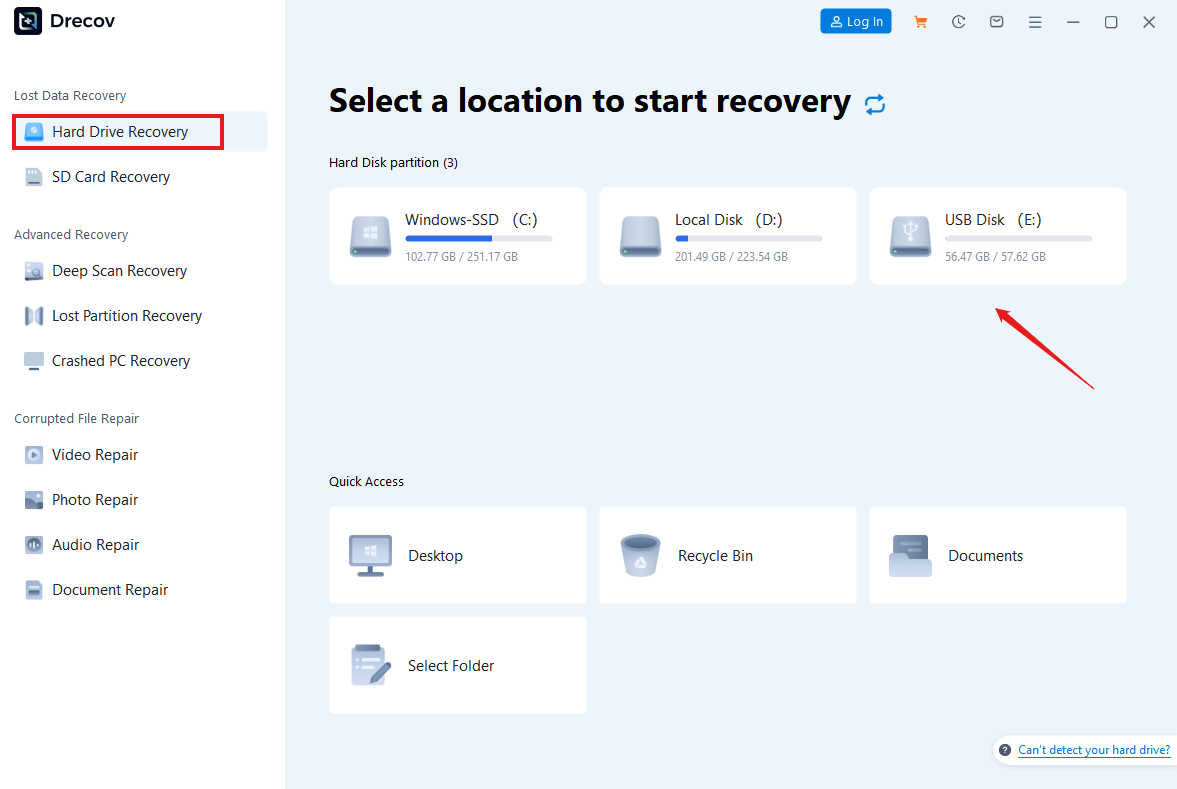


⚠️Warning: Always validate recovered data to ensure accuracy and integrity before reintegrating into live Salesforce environments.
Best Practices for Admins
Backup Scheduling and Verification
- Establish regular export schedules for critical objects, including custom fields and attachments
- Store backup files securely in cloud or offline repositories
- Periodically perform test restores to ensure backup reliability
⚠️Warning: Skipping verification increases the risk of incomplete or failed restoration during emergencies.
Monitoring, Audit Trails, and Retention Policies
Admins should actively monitor changes and deletions within Salesforce to prevent unexpected data loss:
- Enable field history tracking for critical objects
- Review audit logs for bulk deletions or updates
- Implement notifications for major data changes
⚠️Warning: Ignoring audit logs or failing to monitor changes can delay the detection of accidental deletions, increasing the risk of data loss.
Advanced Salesforce Recovery Strategies
Recovering Attachments and Related Records
Attachments, notes, and related records are often overlooked during recovery but are critical for operational continuity. Salesforce’s native tools can restore some attachments through Data Export, but limitations exist:
- Only files linked to currently active records may be retrieved
- Deleted attachments outside retention periods may be unrecoverable
- Bulk deletions increase complexity, requiring careful tracking
Admins can implement structured recovery by first identifying the impacted objects, then performing selective restoration from backups or export snapshots. Regularly auditing attachments and notes ensures that critical client communications and project files are protected.
⚠️Warning: Failing to restore attachments can result in incomplete records, impacting business decisions and compliance.
Handling Bulk Data Deletion
Bulk data deletion is a common scenario in Salesforce, especially during system updates or mass imports. To mitigate risks:
- Enable Bulk API monitoring to track operations before executing large deletions
- Utilize sandbox environments to test bulk operations prior to applying them in production
- Maintain segmented backup files to restore specific datasets without affecting live data
Even when native Salesforce recovery is insufficient, having structured backups allows admins to restore deleted records selectively. Clear documentation and audit trails help ensure that restored data aligns with organizational policies.
⚠️Warning: Bulk deletions without prior testing may lead to permanent loss of essential records.
Salesforce Disaster Recovery Planning
Developing a Disaster Recovery Strategy
A robust disaster recovery plan goes beyond daily backups and includes procedures for:
- System failures or outages
- Accidental deletion of critical records
- Integration errors that corrupt data
Admins should define recovery time objectives (RTO) and recovery point objectives (RPO) for each object type. Simulating disaster scenarios ensures staff familiarity and identifies gaps in the recovery process. Incorporating routine salesforce backup and recovery drills ensures the organization is prepared for unexpected data loss.
⚠️Warning: Neglecting disaster recovery planning can prolong downtime and impact business continuity.
Integration with External Systems
Many Salesforce instances integrate with ERP, marketing automation, and document management platforms. Recovering data in these environments requires:
- Mapping dependencies between Salesforce objects and external systems
- Ensuring data consistency across platforms after restoration
- Verifying that restored records synchronize correctly with external integrations
Maintaining comprehensive documentation of system architecture and integration points helps admins restore data efficiently and minimize business disruption.
⚠️Warning: Ignoring external system dependencies can result in incomplete recovery and operational inconsistencies.
Testing and Validating Restored Data
Ensuring Data Integrity
After performing a restore, validating the recovered data is essential:
- Cross-check restored records against audit logs and reports
- Verify attachments, notes, and metadata for completeness
- Conduct spot checks on key business objects to ensure accuracy
Periodic testing ensures that backup and recovery processes are effective, reducing the likelihood of surprises during critical incidents.
⚠️Warning: Failing to validate restored data can lead to inconsistencies that affect business operations and reporting accuracy
Training and Awareness for Admins
Admin training is key to reducing accidental data loss and improving recovery efficiency:
- Educate staff on backup procedures and retention policies
- Provide guidance on safe data deletion practices
- Encourage documentation of restoration steps and common scenarios
A well-informed admin team ensures that salesforce backup and recovery procedures are followed consistently, minimizing the risk of data loss.
⚠️Warning: Inadequate training can result in human errors that compromise recovery efforts.
Conclusion and Recommendations
Recovering Salesforce data requires a layered approach:
- Utilize native tools such as Recycle Bin and Data Export for immediate recovery
- Implement structured backup schedules for all critical objects and attachments
- Monitor bulk operations and maintain detailed audit trails
- Plan and simulate disaster recovery scenarios
- Validate restored data for completeness and accuracy
While native Salesforce tools address many recovery needs, Pandaoffice Drecov (introduced in Part 1) provides an additional safety net for extraordinary cases, such as deleted attachments or records outside retention windows. By combining proactive planning, native tools, and selective third-party recovery, organizations can safeguard critical Salesforce data, maintain compliance, and ensure business continuity.
⚠️Warning: Always perform test recoveries and maintain updated documentation to ensure reliability and readiness in the event of data loss.






