Download step by step
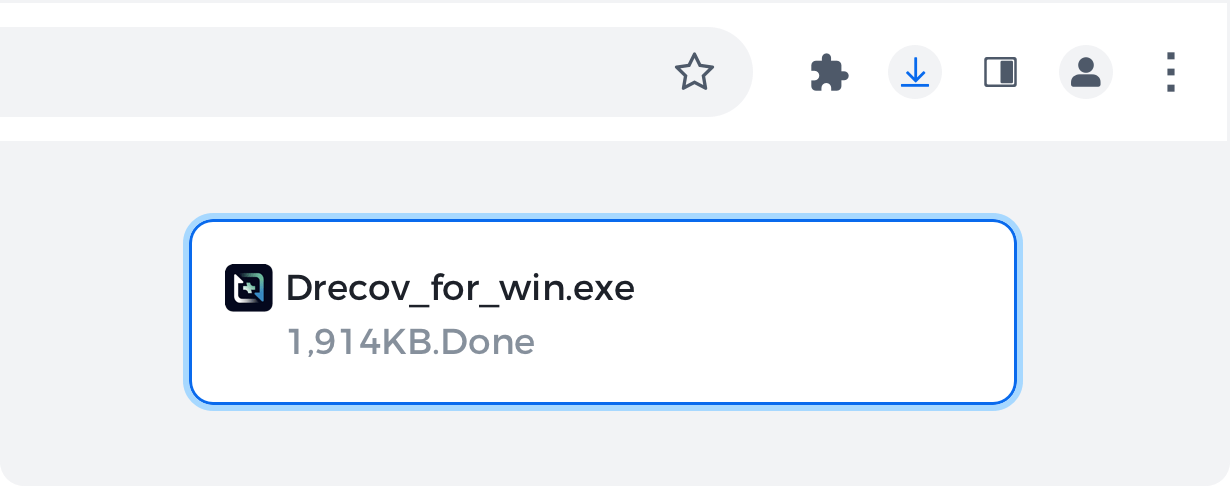
Step 1: Open
Open the Drecov.exe file by clicking the downloads icon on thetoolbar.
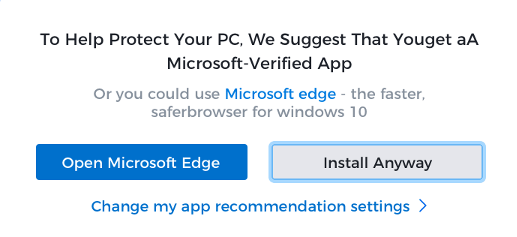
Step 2: Allow
lf prompted, click ‘Installanyway’ and ‘Yes’ on thesystem dialogues.
STEP 3: Install
Wait for the installation tofinish. Chrome will open itautomatically when it’sdone.

After installing PandaOffice products, the following situations may occur:
1. Reduced hard disk space:
Installing software will take up a certain amount of hard disk space, which may result in less available space.
2. Changes in system performance:
Software will take up some computing resources (such as CPU and memory).
3. Run with administrator privileges:
After installing the software, some software needs to be run with administrator privileges.
4. Automatic updates and notifications:
In order to give users a better experience, the software will automatically update and pop up preferential notifications from time to time, and run the update program in the background.
5. Changes in user interface and usage habits:
New software installed may bring new interfaces and usage methods, which may take some time to adapt. Especially for users who are not familiar with computers, it may be confusing.
Uninstall step by step
It is recommended to uninstall before updating to prevent possible version conflicts.
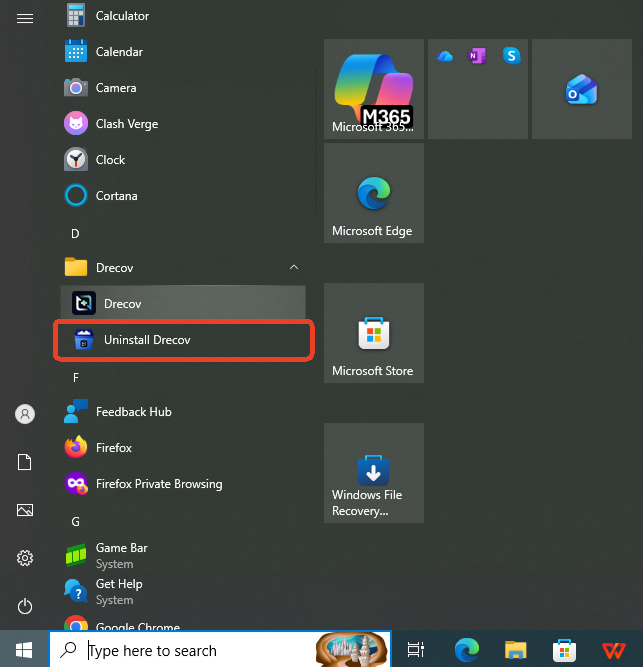
Step 1: Run the uninstaller for the PandaOffice program
Open the Start menu at the bottom of the desktop. Select All Programs, then find the PandaOffice program you want to uninstall.
Step 2: Complete the uninstall
Simply click the PandaOffice Uninstaller button to uninstall your installed PandaOffice product.