



For Windows 11, 10, 8.1, 8 and 7 (32 & 64 Bit)


Recover large volumes of lost or formatted data from internal hard drives quickly and safely. Perfect for accidental deletions, system crashes, or lost partitions.

Easily retrieve photos, videos, and documents from SD cards used in cameras, phones, or drones. Supports recovery from formatting, corruption, or accidental deletion.

Restore important files from USB drives and flash drives in minutes. Ideal for recovering work documents, presentations, and personal data lost due to deletion or formatting.
The functionality of Drecov data recovery software is applicable to all recovery scenarios
With a simple operation process, you can quickly recover lost data. Designed for a safe
and seamless file recovery experience, it ensures reliable data restoration with ease.
Accidental

Accidentally deleting important files from your USB drive or emptying the Recycle Bin after deletion is the most common cause of USB data loss.
Partitions

Inaccessible photos due to hard drive partition loss, RAW-format partitions, or corrupted partition tables.
Formatting
Accidental formatting of USB drives, SD cards, external hard drives, or camera memory cards leading to photo loss.
Virus

Photos hidden, encrypted, or corrupted after computers or storage devices get infected with viruses.
Photo Loss

Photo loss from camera factory resets, memory card errors, accidental album deletion, or photo disappearance when connecting to a computer.
Disconnection

Unexpected Power Loss or Disconnection
USB drive water damage, dropping, or interface damage, causing the computer to fail to recognize the USB drive or unable to read data after recognition.
Recover 3000+ File Types on Any Digital Devices
Drecov efficiently restores deleted files of all types and formats from
any storage media on Windows PCs and laptops.
Drecov efficiently restores deleted files of all types and formats from
any storage media on Windows PCs and laptops.
Supported File Types
Supported Devices
Images
JPG, PNG, RAW…
Videos
MP4, MOV, AVI…
Audios
MP3, WAV, FLAC…
Documents
DOC, PDF, XLS…
Compressed Files
ZIP, RAR, 7Z…
Other Files
More formats supported
Camera SD Cards
DSLR, mirrorless, and more
Phone Memory Cards
Android phones and devices
Camcorder SD Cards
Home and professional camcorders
Game Console Cards
PS, Switch, and other consoles
Tablet Memory Cards
Various tablet devices
3 Easy Steps to Recover Data with Drecov
PandaOffice Drecov’s data recovery software is easy to use—no professional knowledge required, anyone can master it
setp 1
Download & Install
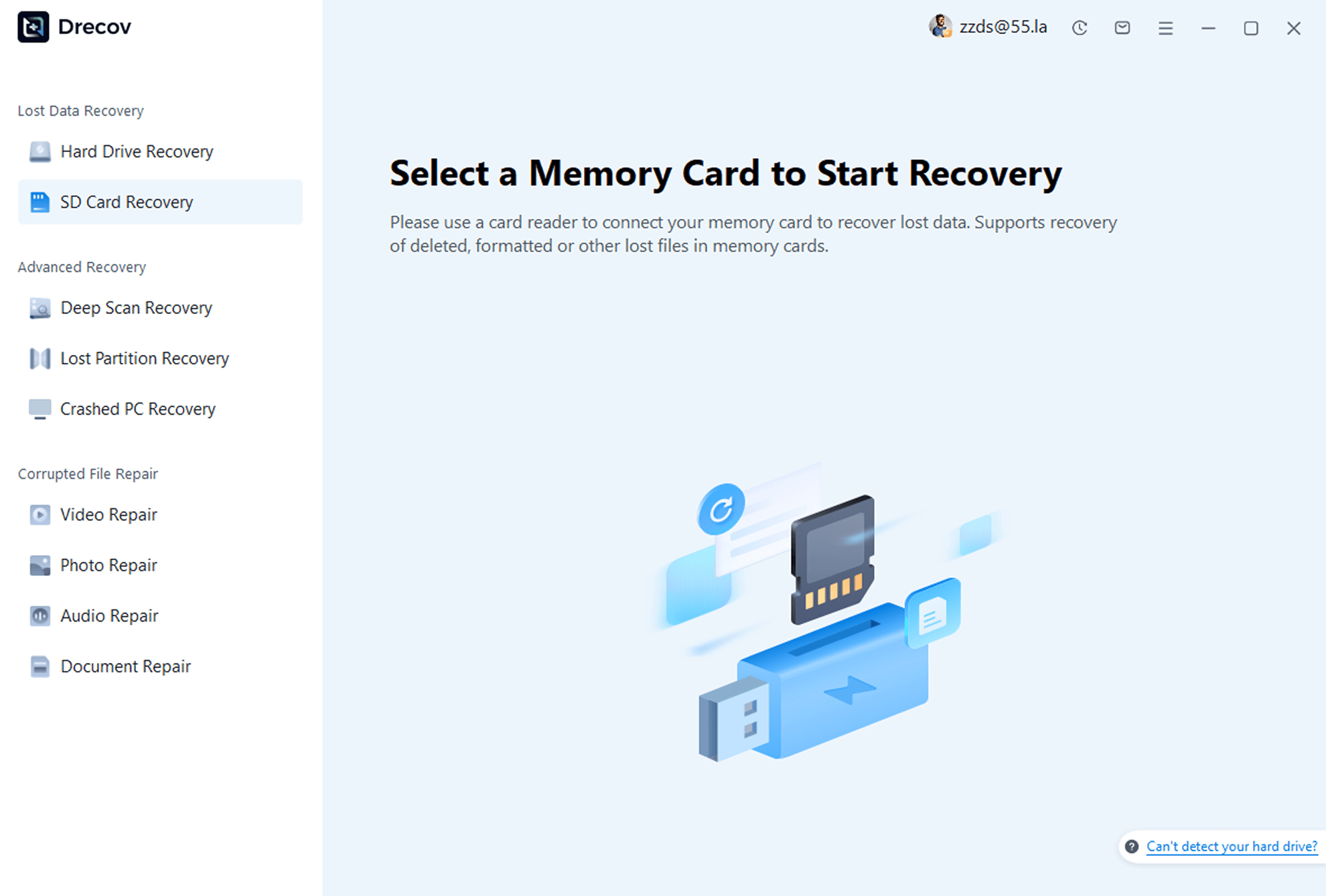
Download and install PandaOffice Drecov on your computer. Launch the program and select the “SD Card Recovery” feature.
setp 2
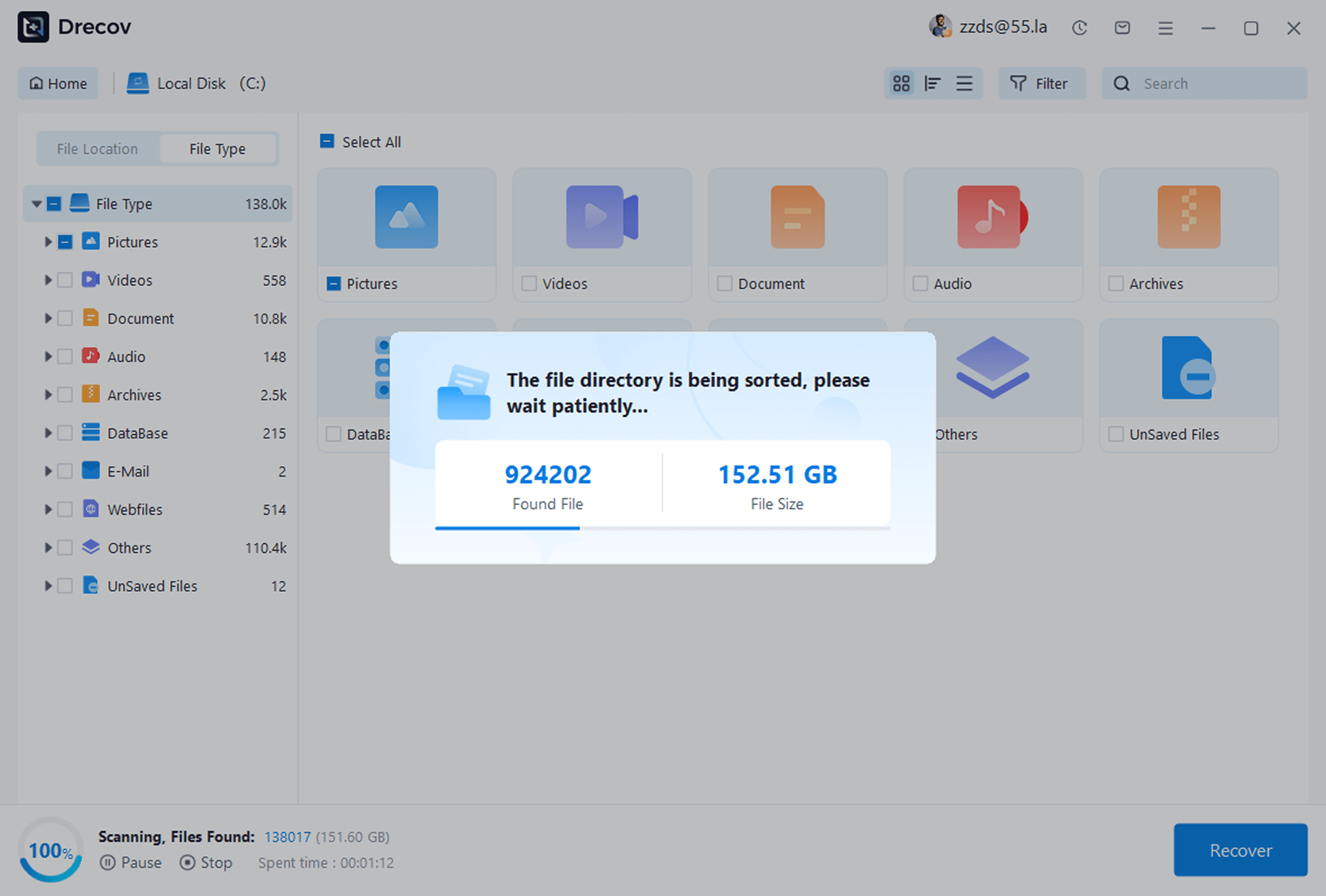
Select Device & Scan
Choose the storage device where photos were lost, start the scan, and the software will automatically scan for recoverable photos.
setp 3
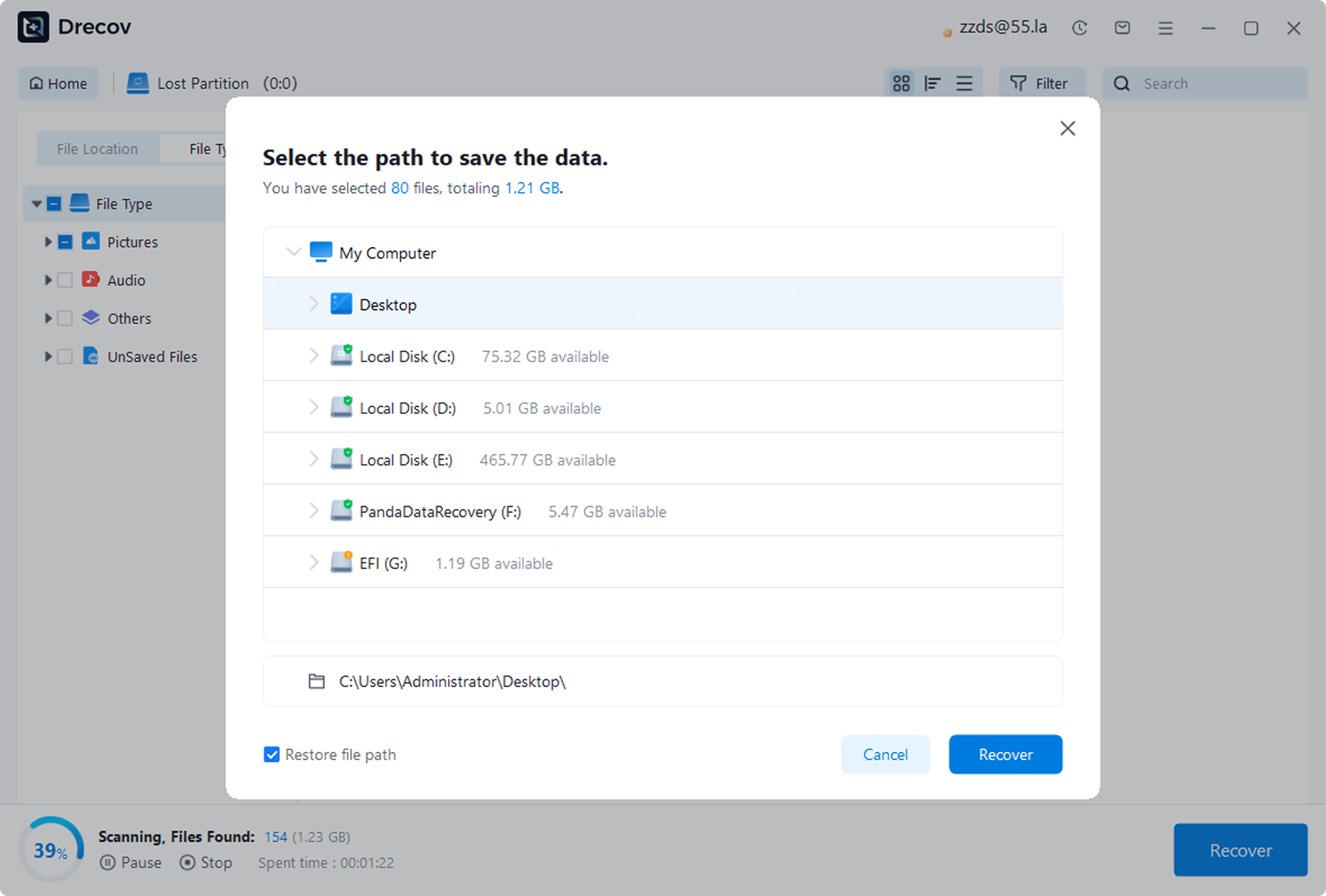
Preview & Recover
After scanning, preview the found photos, check the ones you need to recover, and click the “Recover” button to save them to a safe location.
Reviews
Real
Reviews User
See how other users retrieved their precious photos with PandaOffice Drecov
98
%
Success Rate
100K
+
Happy Users
5M
+
Photos Recovered
24
/
7
Expert Support

“I accidentally deleted my kid’s growth photos and panicked. A friend recommended PandaOffice Drecov, and it actually got back hundreds of photos! Super easy to use—thank you so much!”

Lisa Martinez
Parent
“My camera’s SD card suddenly corrupted, and it had important work photos. PandaOffice Drecov scanned and found most of them. It wasn’t 100% recovery, but I’m still satisfied—it saved me from a big loss!”

Mark Wilson
Freelance Photographer
“After resetting my camera to factory settings, all photos were gone. I tried this photo recovery software on a whim, and it brought back three years of photos! The interface is simple, and it’s foolproof to use—highly recommend!”

Sarah Thompson
Travel Enthusiast

Ready to Recover Your Data?
Download Drecov now and get back your lost files in just a few clicks




