For Windows 11, 10, 8.1, 8 and 7 (32 & 64 Bit)




Supported
Device Types
Our solution supports recovery for various devices and file types to meet your diverse needs.

Computers

Phones

Cameras

USB Drives

SD Cards

External Hard Drives
100% Safe
24/7 Support
Money-Back Guarantee
No Data Loss Risk
High Success Rate
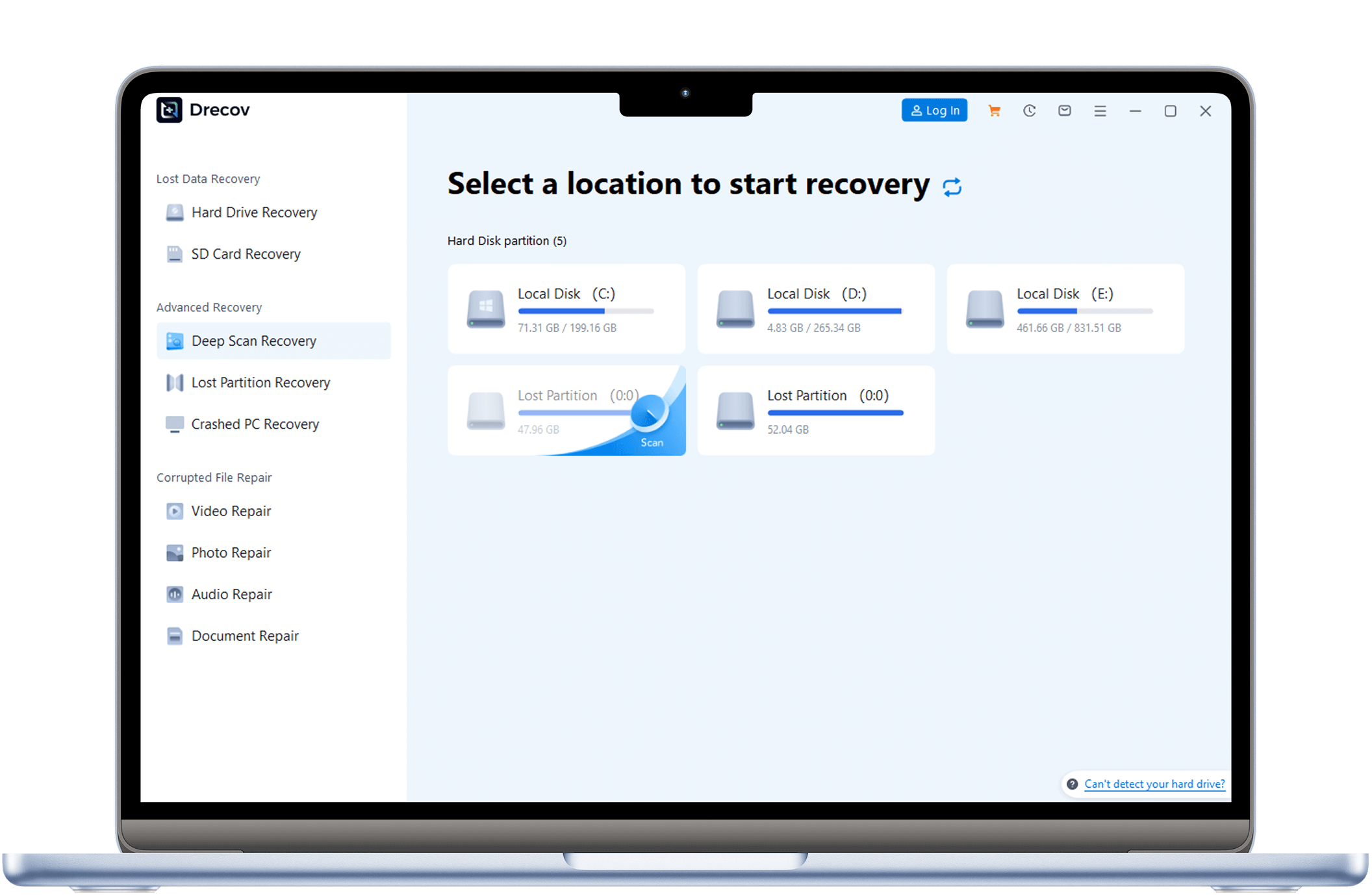
3 Easy Steps to Recover Data with Drecov
PandaOffice Drecov’s data recovery software is easy to use—no professional knowledge required, anyone can master it
setp 1
Download & Install
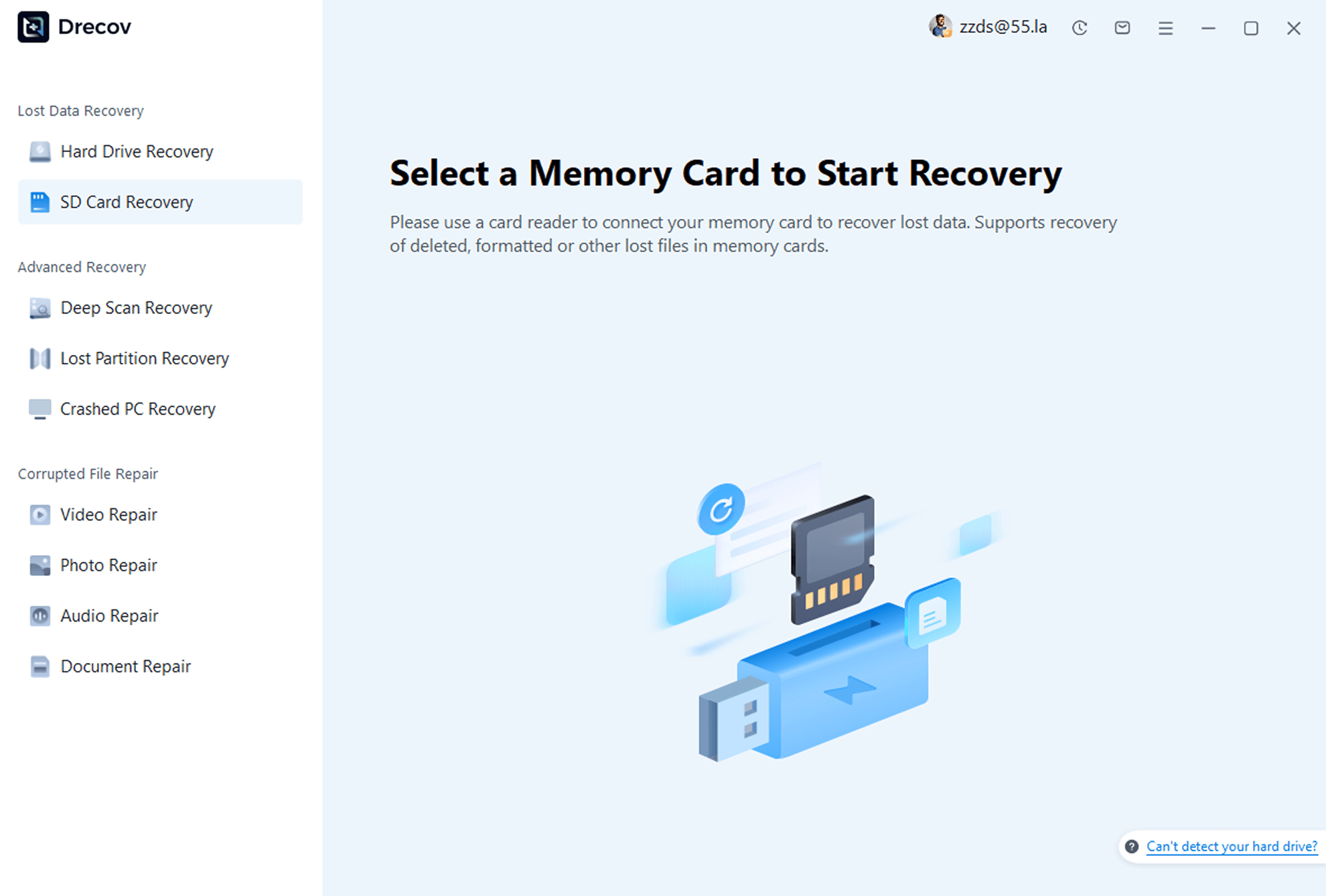
Download and install PandaOffice Drecov on your computer. Launch the program and select the “SD Card Recovery” feature.
setp 2
Select Device & Scan
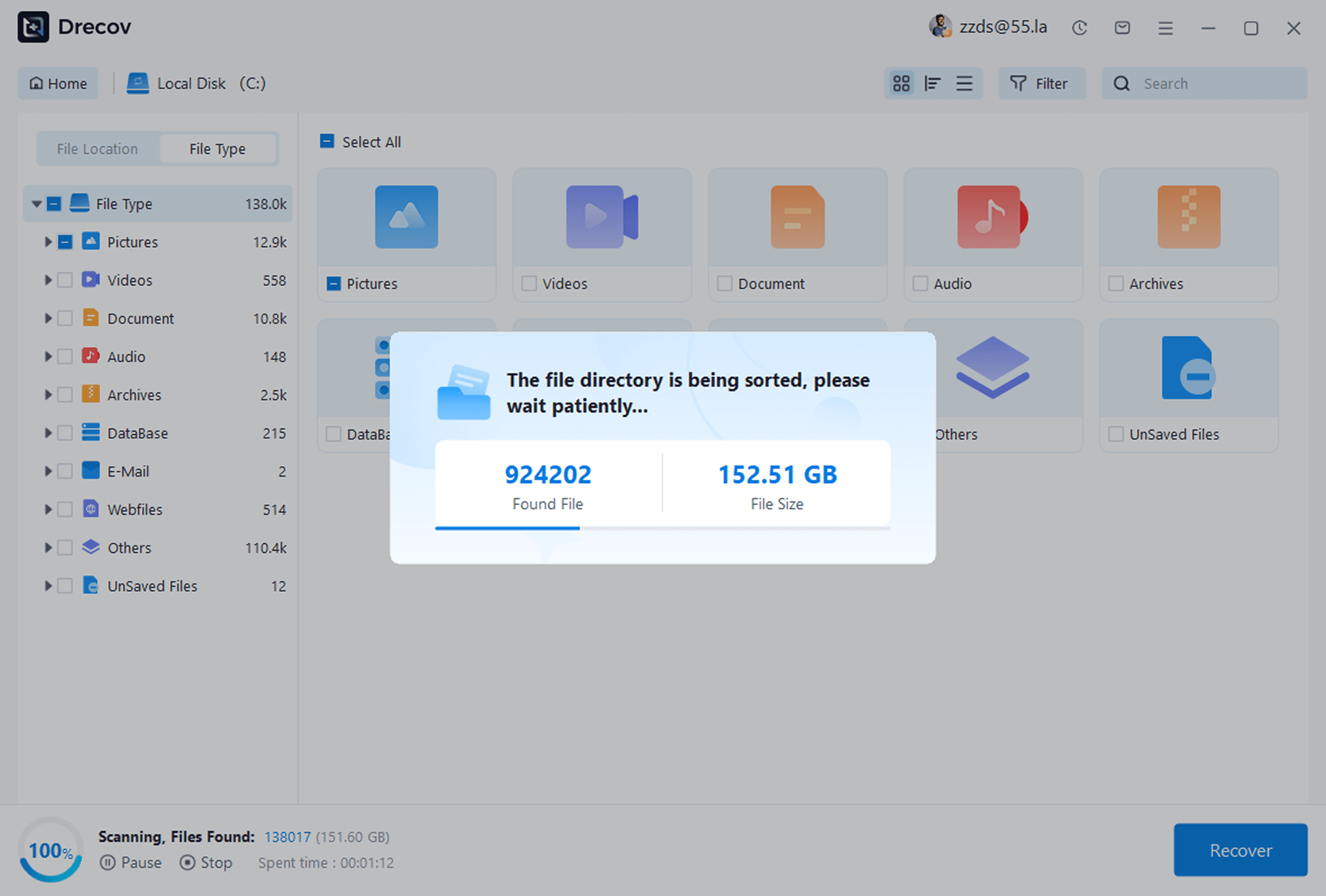
Choose the storage device where photos were lost, start the scan, and the software will automatically scan for recoverable photos.
setp 3
Preview & Recover
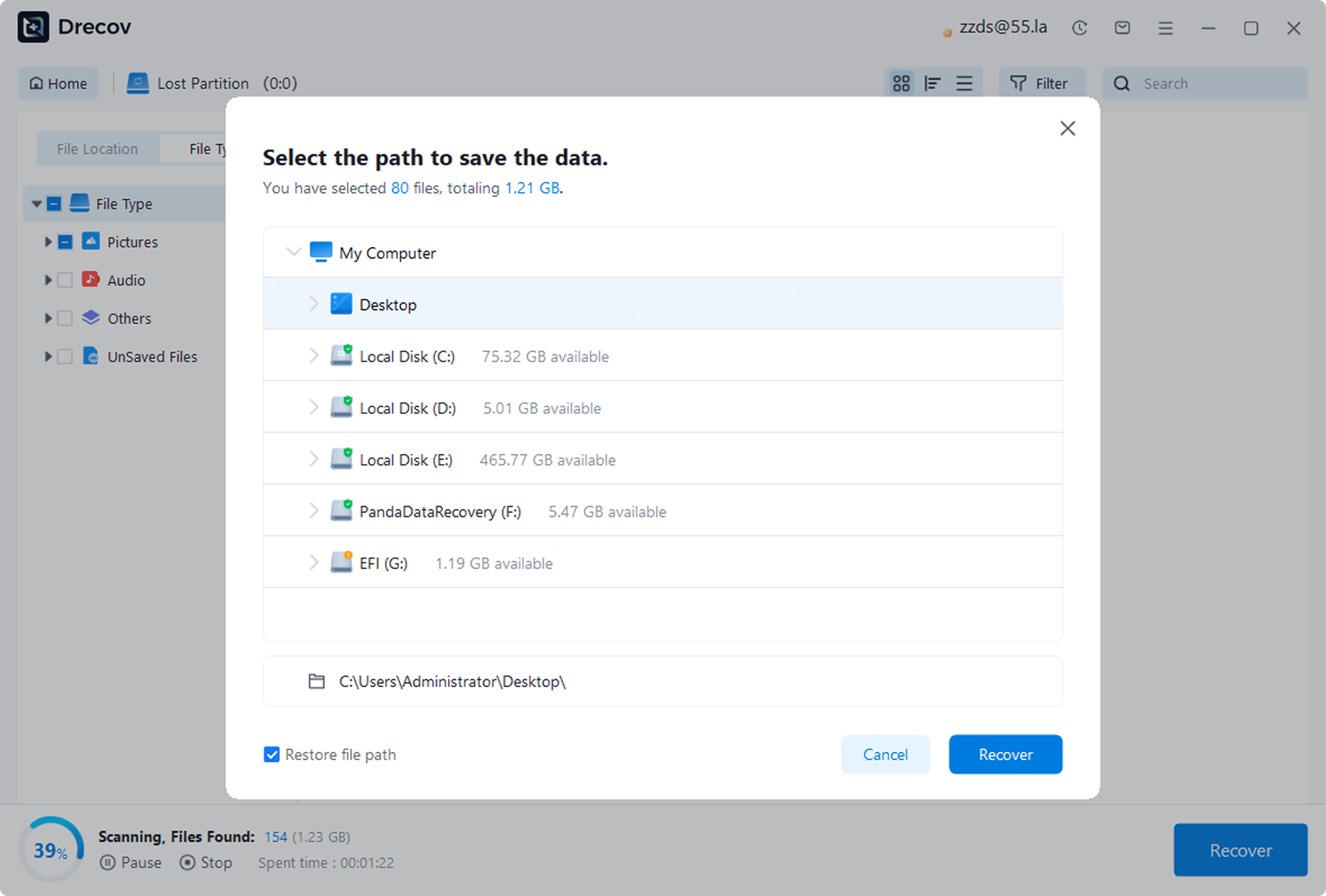
After scanning, preview the found photos, check the ones you need to recover, and click the “Recover” button to save them to a safe location.

Function
Deep Data Recovery & Free Preview
Experience our powerful recovery software now, backed by leading technology and professional support to help you easily retrieve your valuable data.

Free Preview Feature
You can scan and preview all recoverable files for free, only paying when you are satisfied.

Deep Scan Technology
We utilize advanced algorithms for deep data mining, recovering long-lost or severely damaged data.

Professional Live Support
Our customer service team is always on standby, providing one-on-one professional support and answers for any of your questions.
User
Success Stories
See how others recovered data from formatted USB drives with PandaOffice Drecov

Alex Carter
Designer

“I accidentally formatted my USB with critical design work—including drafts for several clients. I was panicking until a friend recommended PandaOffice Drecov. I downloaded it on a whim, and it recovered most files—especially the unbacked-up designs! So grateful. Super easy to use, done in minutes.”
Recovery Scenario: Accidentally Formatted USB
Recovered: Design Files, Image Materials

Lily Thompson
College Student
“My USB got a virus and prompted formatting—it had my long-prepared graduation thesis and materials. Tried multiple tools with no luck, but PandaOffice Drecov scanned and retrieved all documents! Such a surprise. Clean interface, fast scanning—highly recommend to fellow students.”
Recovery Scenario: Virus-Induced Formatting
Recovered: Word Docs, PDF Files

Mia Wilson
Marketing Specialist
“Right before a meeting, my USB suddenly said it needed formatting—it had important presentation PPTs and client data. A colleague recommended PandaOffice Drecov. I followed the prompts, and recovered all files in under 20 minutes—no meeting delays! 5 stars for sure.”
Recovery Scenario: USB Error Needing Formatting
Recovered: PPTs, Excel Sheets