Professional Data Recovery Software
99.8% Success Rate
Recover lost data from PCs, USB drives, SD cards, cameras, and more.Restore deleted files, photos, videos, emails, and other important data.
Retrieve data lost due to accidental deletion, formatting, system crashes, and more.
Free scan and preview—see your lost files before recovery.
Instantly ready after installation—recover your data in just 3 steps!
For Windows11/10/8/7/Vista/xp


File Recovery Formats

Average Scan Time

Quick & Deep Scan

Safety Guarantee
Recover Lost Data,Restart Your Digital Future All-in-One Windows Data Recovery
With a simple operation process, you can quickly recover lost data. Designed for a safe and seamless file recovery experience, it ensures reliable data restoration with ease.




All-in-One Solutions for Any Data Loss Scenario
Drecov is the ultimate solution for recovering lost photos, videos, documents, and more. Its advanced data recovery features can restore files from any data loss situation.






Supported Storage Devices & File Types
PandaOffice Drecov fully supports multiple storage devices and file formats to meet all your data recovery needs.

External Hard Drive
External Hard Drive
Portable Hard Drives/External SSDs

USB Flash Drive
External Hard Drive
All brands of USB flash drives

SD Card
External Hard Drive
SD/TF/CF/MMC Cards






Computer Hard Drive
External Hard Drive
SD/TF/CF/MMC Cards

Camera
Camera
DSLRs/Mirrorless Cameras/Camcorders

Computer Data
Computer Data
Recycle Bin, Computer Disk, Partion, Windows/Mac Operation Systems.
External Hard Drive
Portable Hard Drives/External SSDs
USB Flash Drive
All brands of USB flash drives
SD Card
SD/TF/CF/MMC Cards
Computer Hard Drive
SD/TF/CF/MMC Cards
Camera
DSLRs/Mirrorless Cameras/Camcorders
Computer Data
Recycle Bin, Computer Disk, Partion, Windows/Mac Operation Systems.
Empower Data Recovery with Photo, Video, and File Repair
Drecov Software makes file restoration and repair effortless. With just a few clicks, it can recover lost files and fix corrupted ones. Its advanced scanning technology supports a vast range of file types, including popular formats for videos, audio, photos, and documents.

Photo Repair
Panda Photo Recovery Software restores damaged JPEG, JPG, PNG, and GIF images automatically. It also allows users to preview repaired photos before saving them.

Video Repair
Panda Video Repair Software fixes corrupted MP4 and MOV files from popular digital cameras, including Canon, GoPro, and DJI, ensuring smooth playback.

File Repair
Drecov and Repair Tool recovers and restores damaged documents like .doc/.docx, .xls/.xlsx, .pdf, and .pptx, preserving all essential components.
3 Simple Steps
to Retrieve Lost Photos
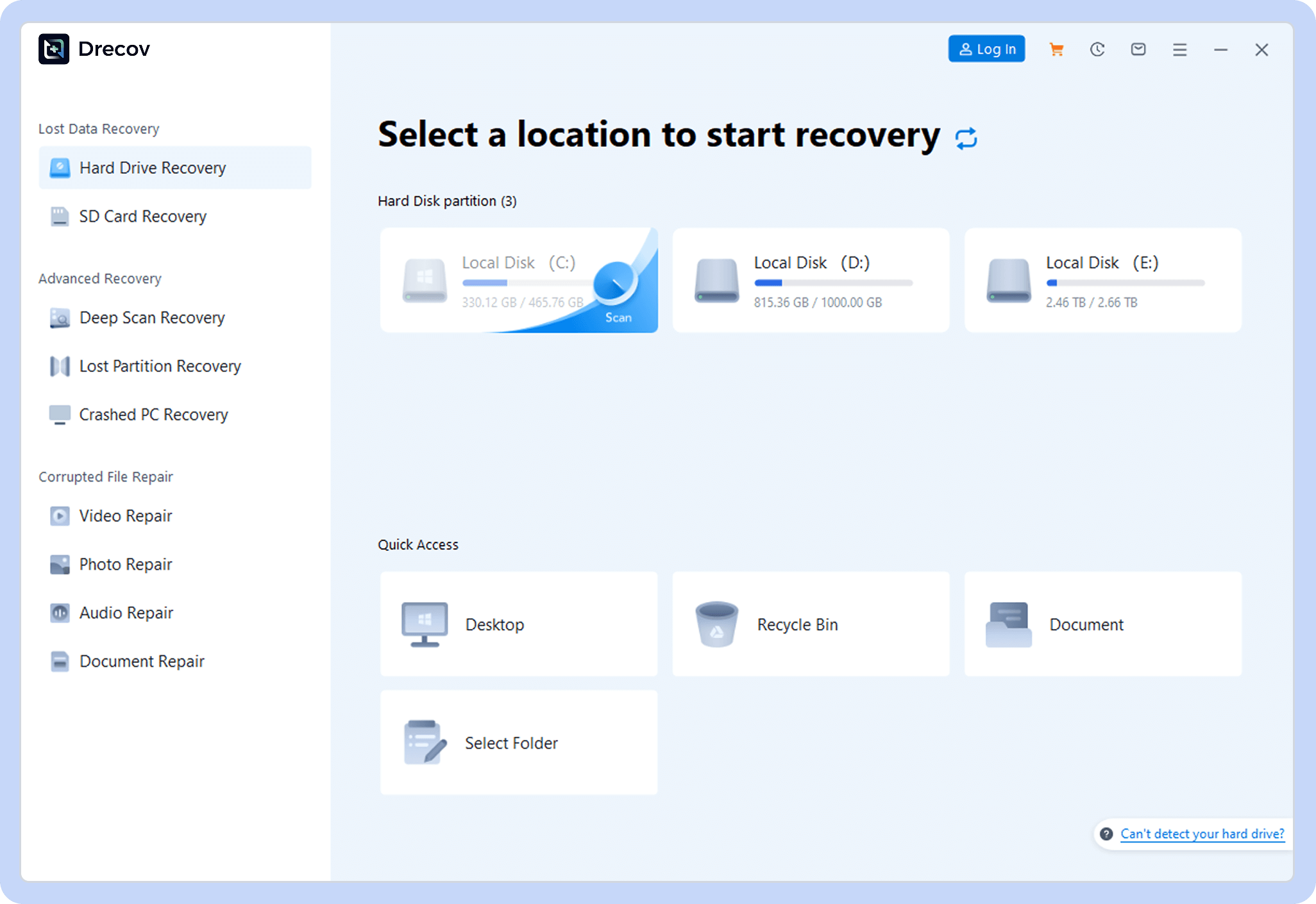
setp 1
Choose a Location
Open Panda Data Recovery and select where to scan.
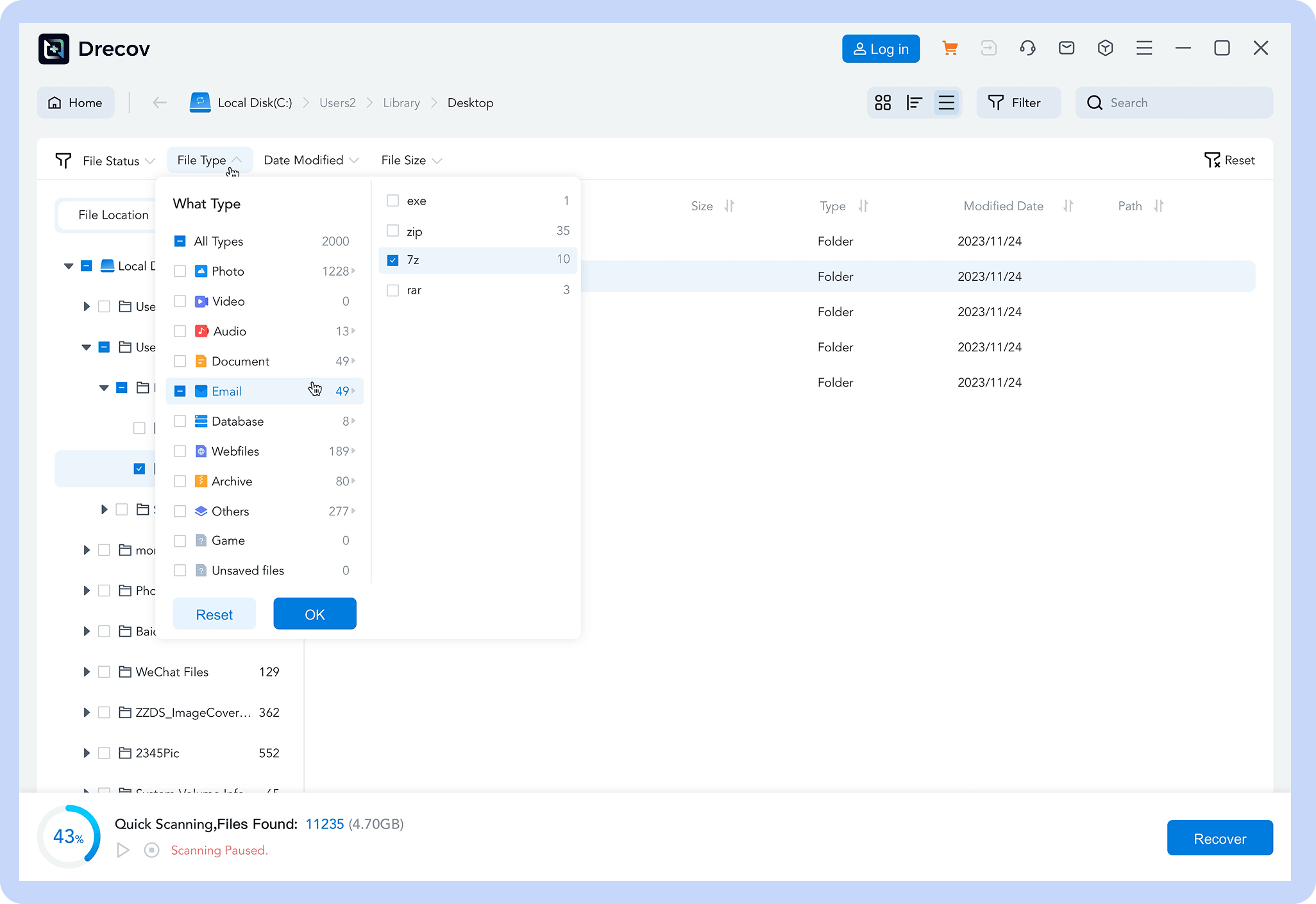
setp 2
Scan for Files
Let the software find lost or deleted data.
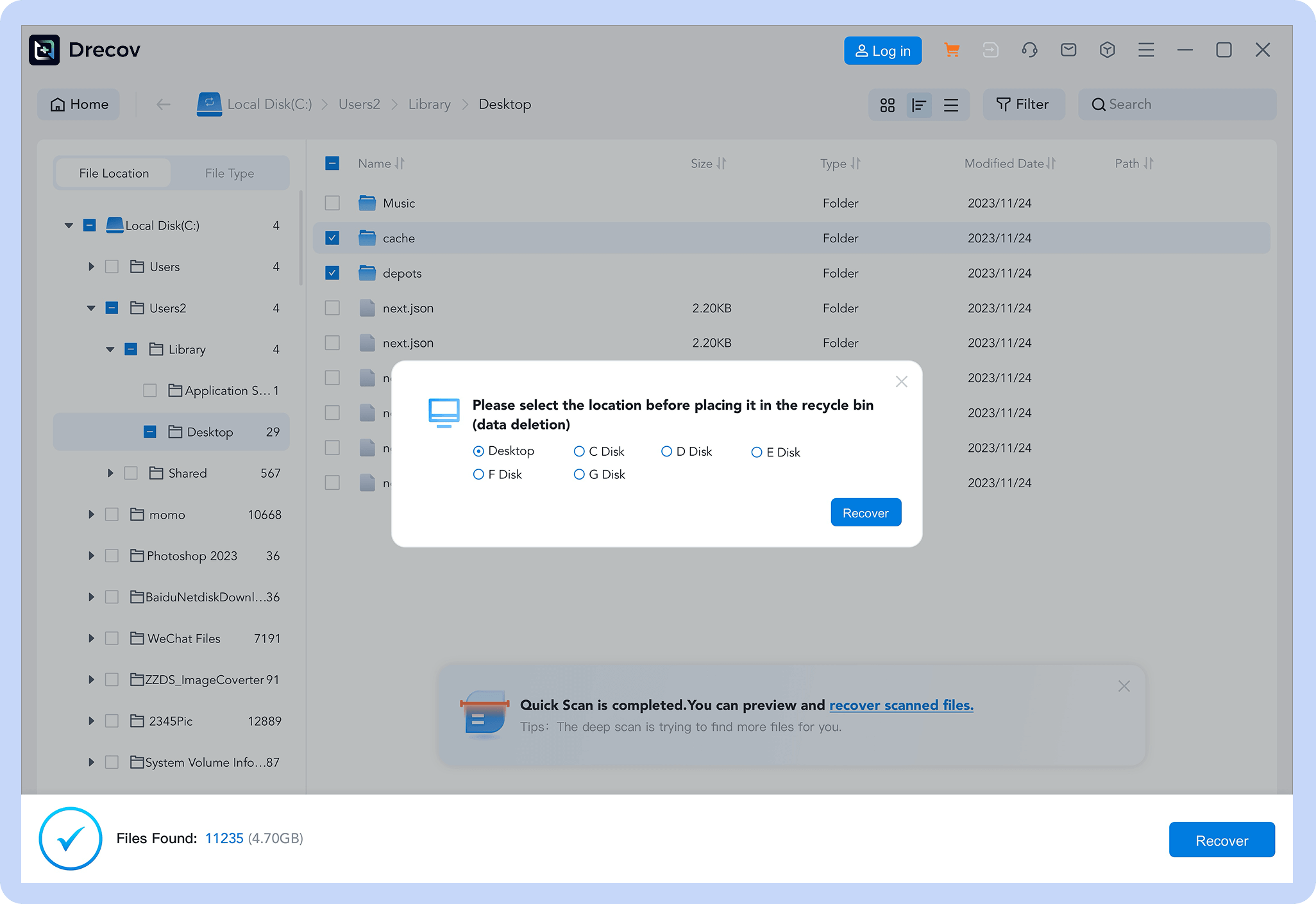
setp 3
Recover Data
Preview and restore your files with one click.
Reviews
Real
Reviews User
See how other users retrieved their precious photos with PandaOffice Drecov
98
%
Success Rate
100K
+
Happy Users
5M
+
Photos Recovered
24
/
7
Expert Support

“I accidentally deleted my kid’s growth photos and panicked. A friend recommended PandaOffice Drecov, and it actually got back hundreds of photos! Super easy to use—thank you so much!”

Lisa Martinez
Parent
“My camera’s SD card suddenly corrupted, and it had important work photos. PandaOffice Drecov scanned and found most of them. It wasn’t 100% recovery, but I’m still satisfied—it saved me from a big loss!”

Mark Wilson
Freelance Photographer
“After resetting my camera to factory settings, all photos were gone. I tried this photo recovery software on a whim, and it brought back three years of photos! The interface is simple, and it’s foolproof to use—highly recommend!”

Sarah Thompson
Travel Enthusiast