



98.8%
success rate
PandaOffice Drecov
Best data recovery software
Restore Your Lost Data Efficiently
For Windows 11, 10, 8.1, 8 and 7 (32 & 64 Bit)

2000+ Storage Devices Supported
Professional data recovery solution with 99.8% success rate.





Complete Solution for Data Loss Scenarios
Understand various hard drive data loss situations and find the right hard drive data recovery solution for you.

Use the ‘Accidental Deletion Recovery feature of the data recovery software to quickly scan and recover deleted files.

Use the partition recovery feature to rebuild the partition table and recover lost partitions and their data.



Recover formatted partition data through the format scanning mode, maintaining the original directory structure.

External Hard Drive Not Recognized
Professional external device recovery mode that can extract data even when recognition fails.

Simple 3-Step Recovery Process
No technical expertise required. Just follow these simple steps to get your lost files back quickly and easily.
Step 1.Select Mode
Step 2.Start Scan
Step 3.Recover Data
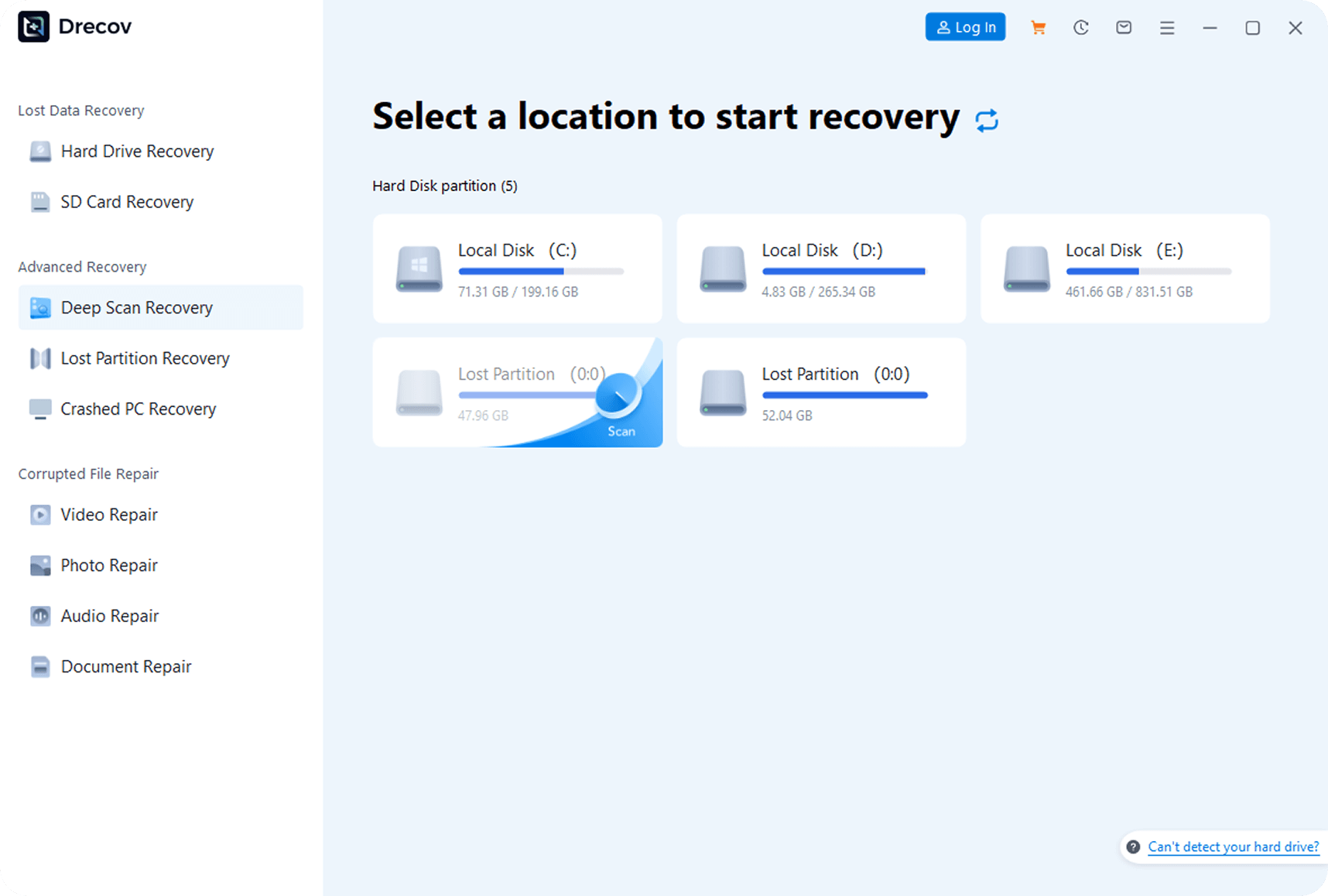
Step 1.Select Mode
After launching the software, choose ‘Quick Scan’ or ‘Deep Scan’ mode, and specify the original storage location (e.g., hard drive partition, USB drive).
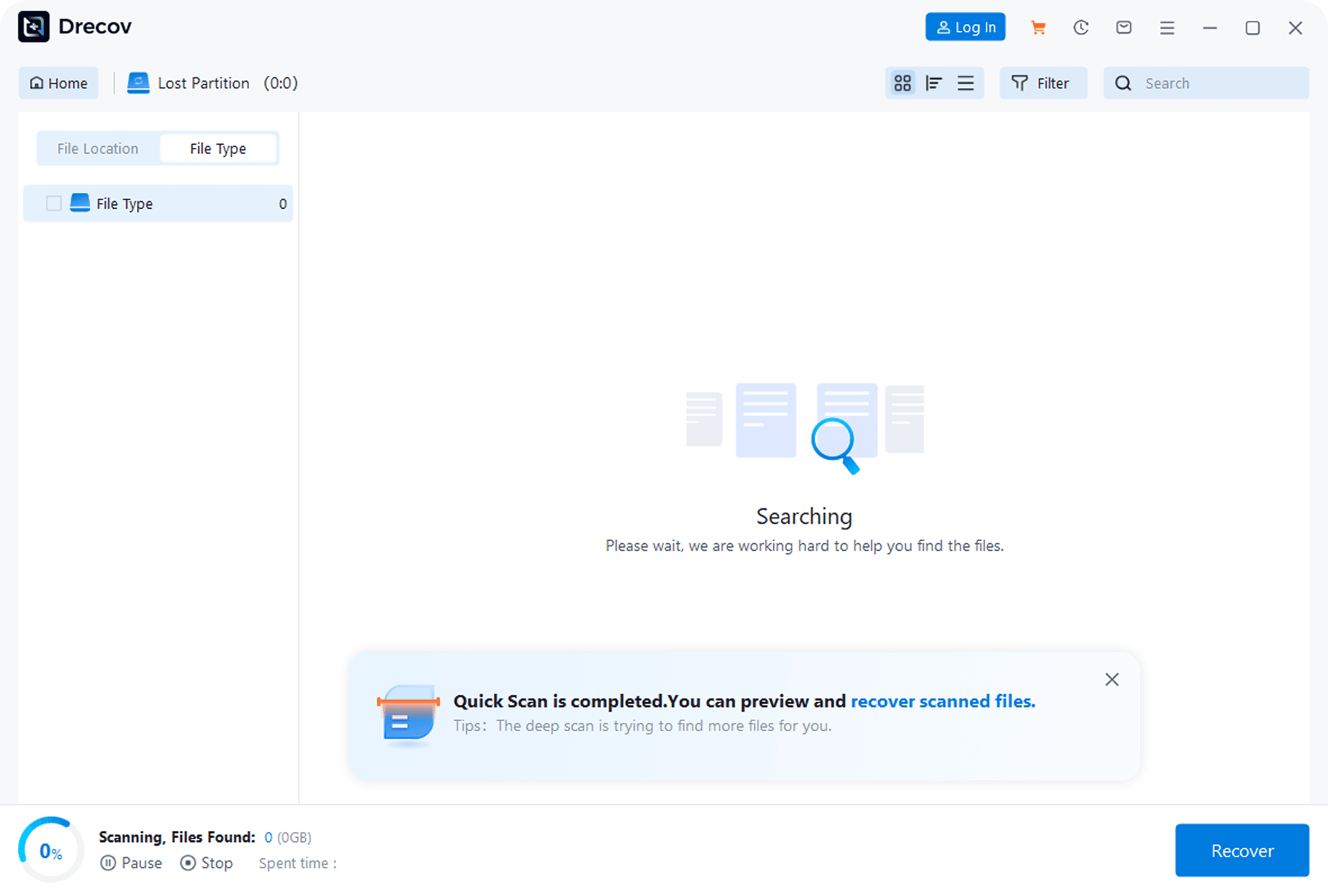
Step 2.Start Scan
Click the ‘Start Scan’ button to fully search for recoverable files in the selected location.
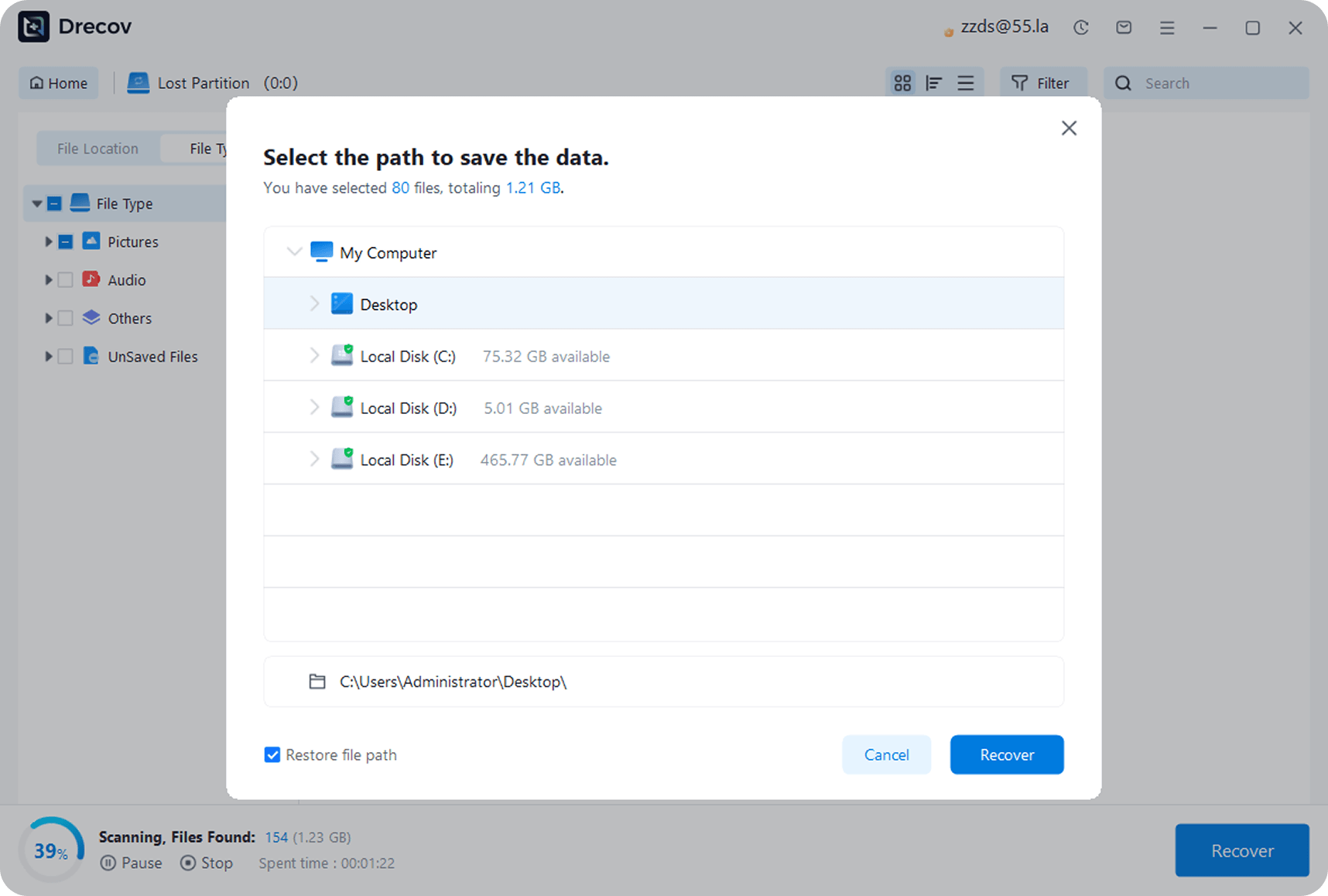
Step 3.Recover Data
After scanning, preview the files, select the needed ones, click ‘Recover,’ and save them to a safe location different from the original (to avoid overwriting).
Drecov
Real
Reviews User
See how other users retrieved their precious photos with PandaOffice Drecov
98
%
Success Rate
100K
+
Happy Users
5M
+
Photos Recovered
24
/
7
Expert Support

“I accidentally deleted my kid’s growth photos and panicked. A friend recommended PandaOffice Drecov, and it actually got back hundreds of photos! Super easy to use—thank you so much!”

Lisa Martinez
Parent
“My camera’s SD card suddenly corrupted, and it had important work photos. PandaOffice Drecov scanned and found most of them. It wasn’t 100% recovery, but I’m still satisfied—it saved me from a big loss!”

Mark Wilson
Freelance Photographer
“After resetting my camera to factory settings, all photos were gone. I tried this photo recovery software on a whim, and it brought back three years of photos! The interface is simple, and it’s foolproof to use—highly recommend!”

Sarah Thompson
Travel Enthusiast
PandaOffice Drecov
From Recycle Bin, internal hard drive, external hard drive, USB drive, SD card and more in Windows 11/10/8/7 & Server.




