






Registration & Login
PandaOffice Drecov allows you to scan and preview data stored on your computer or storage devices for free. To recover and save lost or deleted files, you must first register and upgrade your account.
Log In for Existing Users
If you are already a user of any PandaOffice products, you do not need a new account.
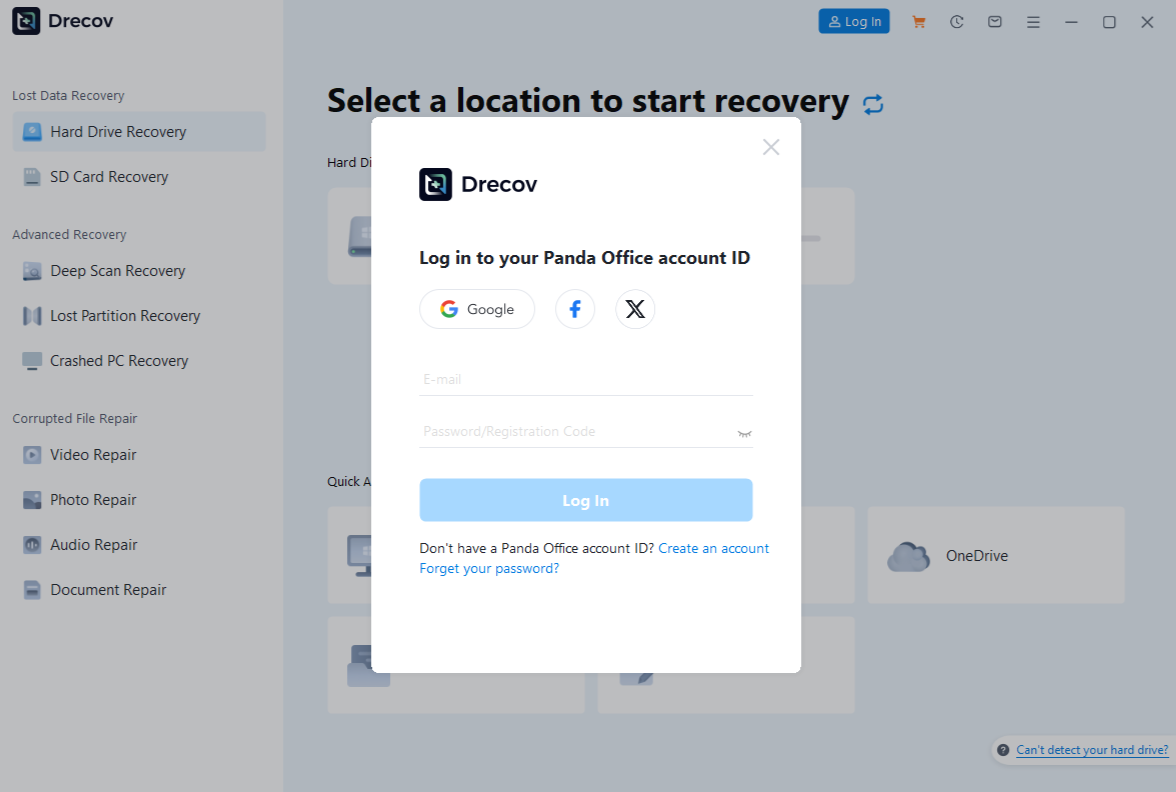
- Step 1: Open Drecov and click Log In.
- Step 2: Enter your existing Panda Office ID and password to sync your subscription.
Create a New Account
If you are a new user, follow these steps to register:
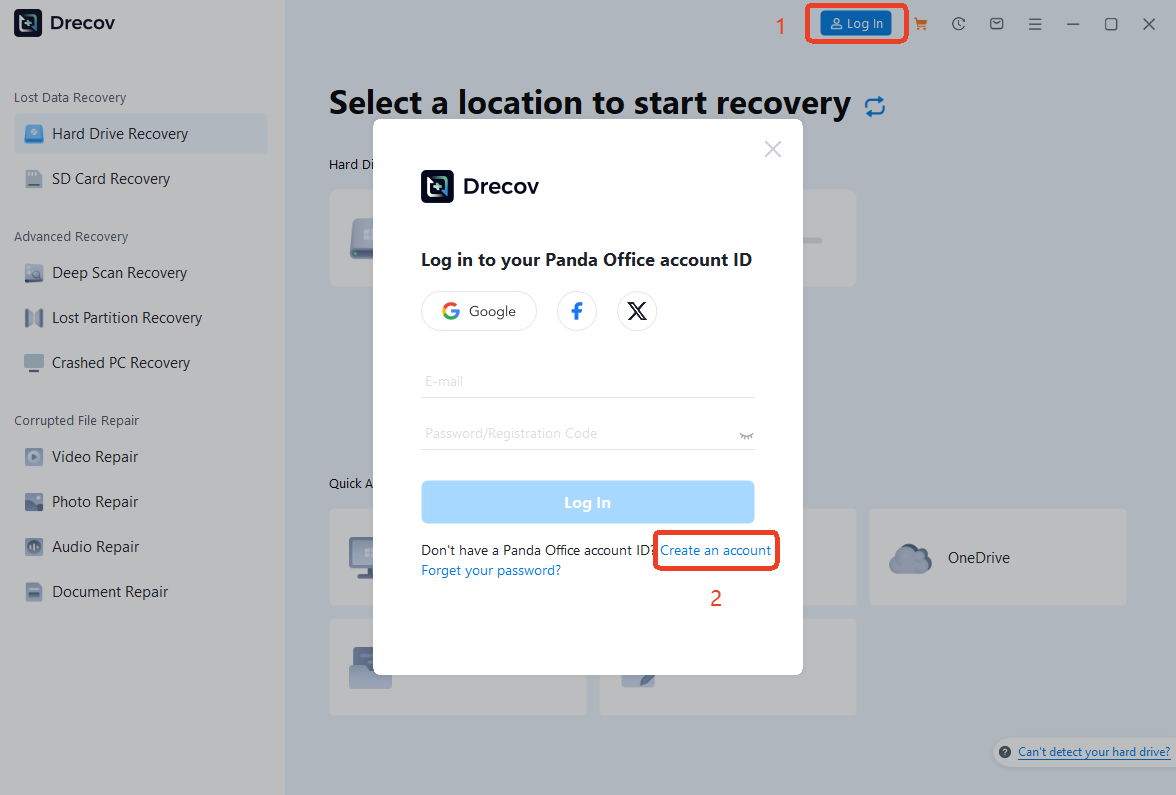
- Step 1: Click Log In > Create an Account to open the registration page.
- Step 2: Input your Email, Password, and Name.
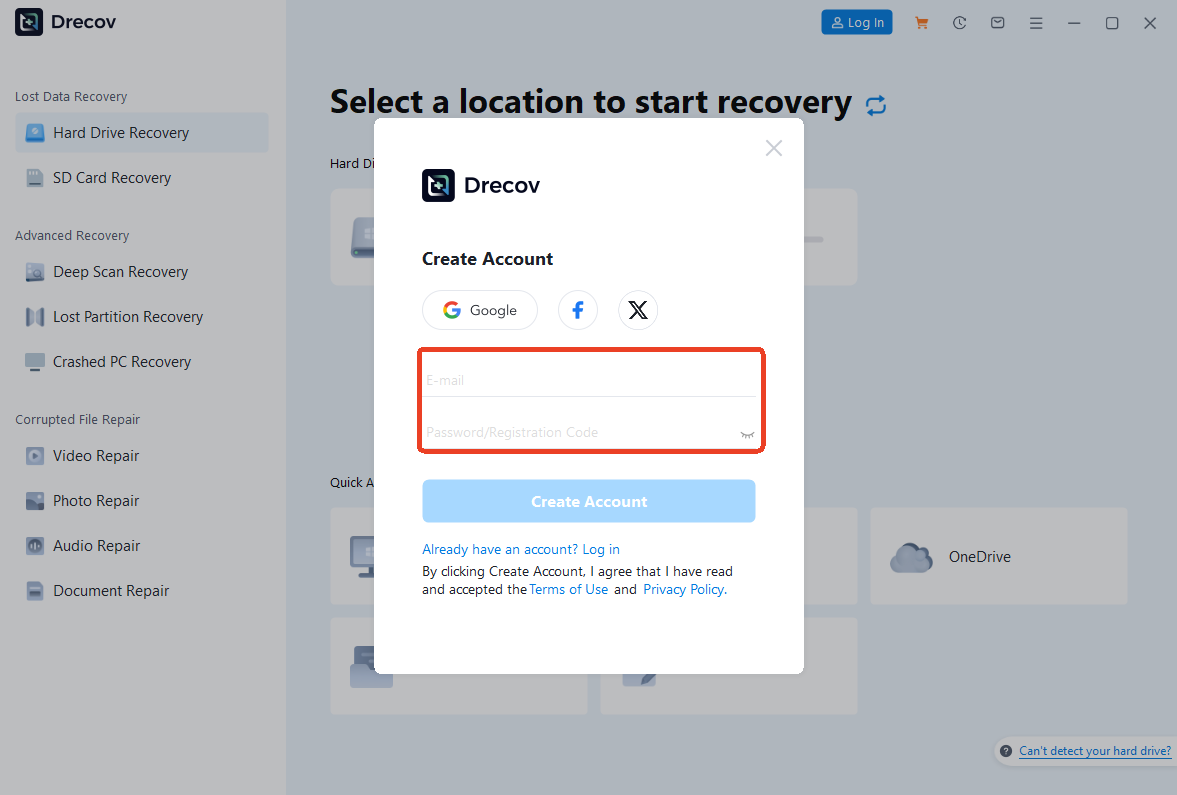
- Step 3: Click Create Account to finish the process. You can now use this ID across all PandaOffice platforms.
Account & Security
Manage your Panda Office ID settings to ensure data security and account flexibility.
Retrieve Forgotten Credentials
Cannot find your account ID or password after a purchase?
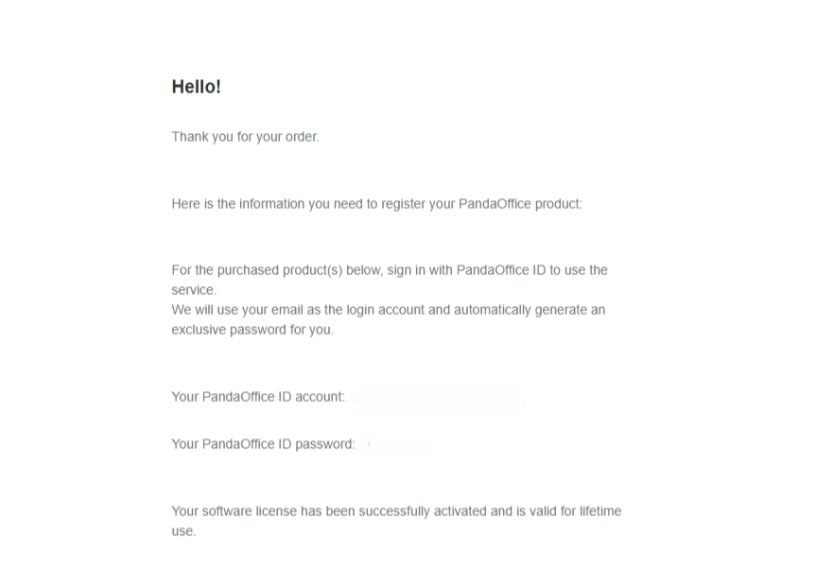
- Step 1: Check your payment email. Log in to the email address used for your payment (e.g., PayPal, Stripe, or Credit Card).
- Step 2: Search for “PandaOffice”. Look for an automated system email. Check your “Spam” or “Promotions” folder if it’s not in your inbox.
- Step 3: Access your info. This email contains your Panda Office ID and Initial Password required to activate your product.
Retrieve or Reset Password
If you forget your password, don’t worry. You can retrieve it quickly:
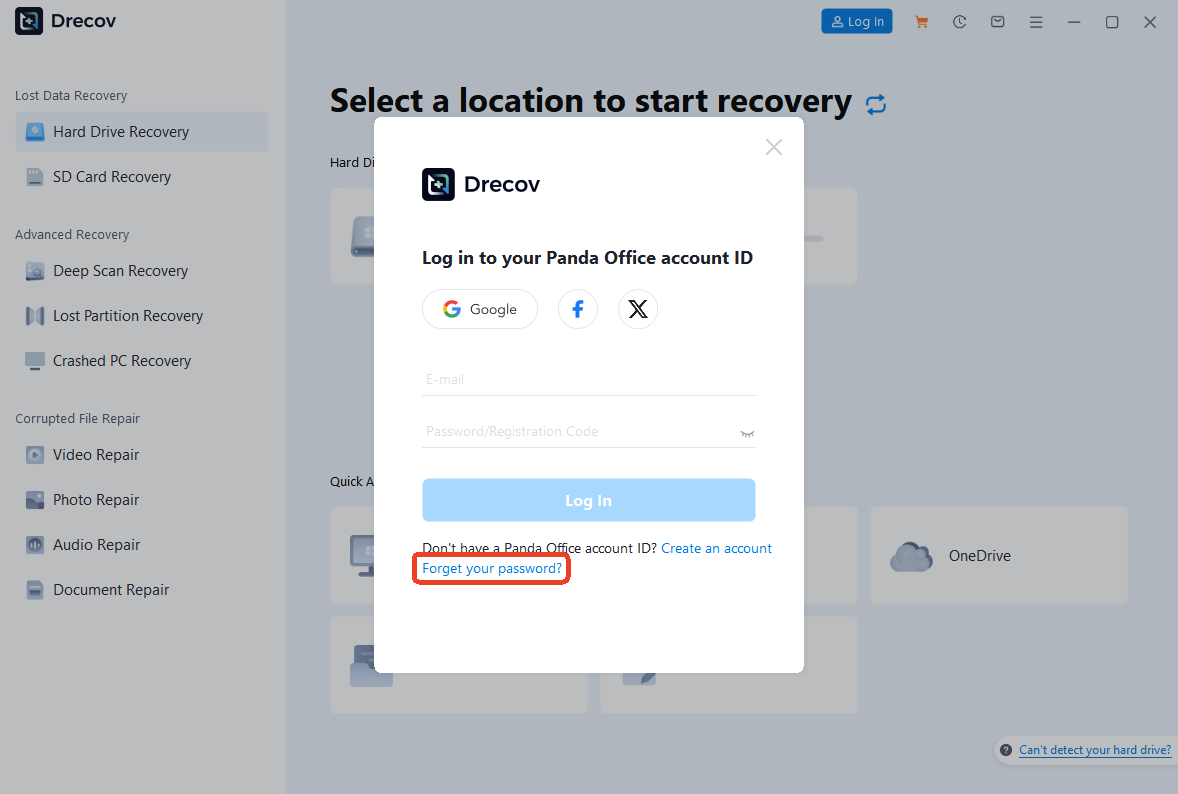
- Step 1: On the Log in interface, click Forgot your Password? link.
- Step 2: Enter your registered email address and click Reset password.
- Step 3: Log in to your linked email account and check your email for the code, enter it on the page, and set a new password.
Change Your Password
We recommend updating your password regularly to enhance account security. If you are already logged in:
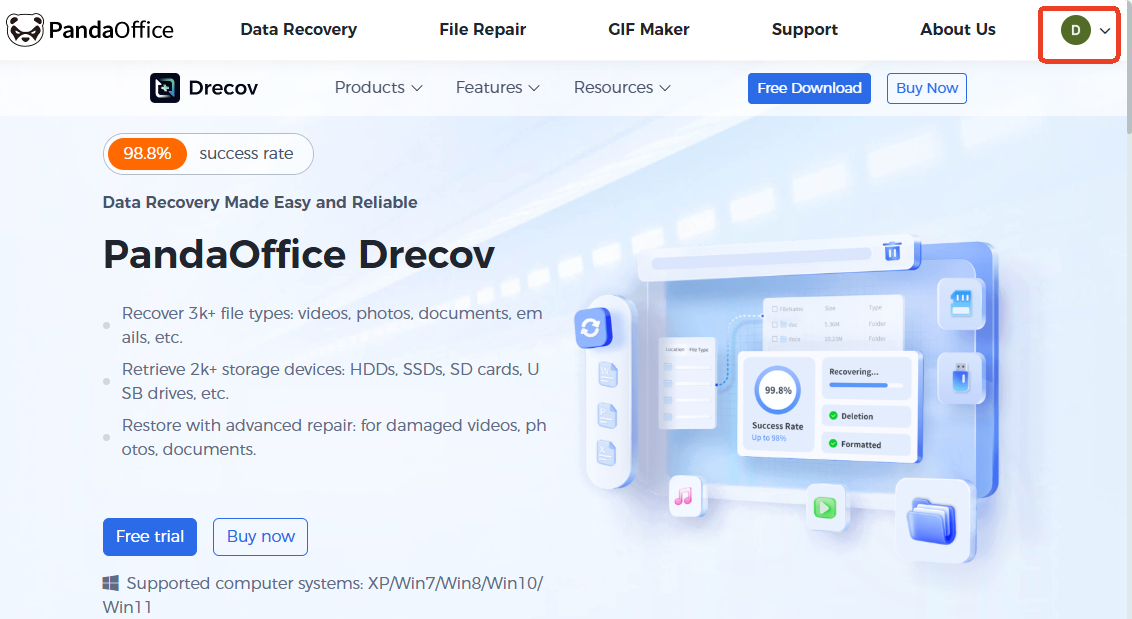
- Step 1: Go to the User Center and click on your Profile Icon in the top-right corner.
- Step 2: Navigate to Account and click on Profile.
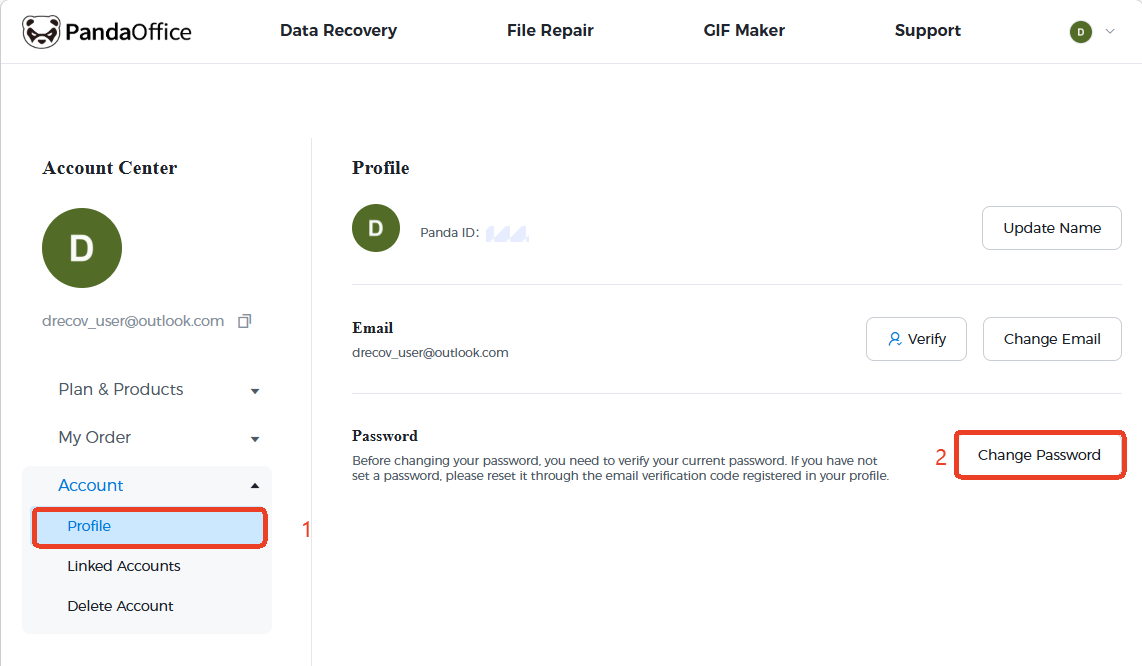
- Step 3: Select Change Password. You will be asked to enter your current password followed by your new password.
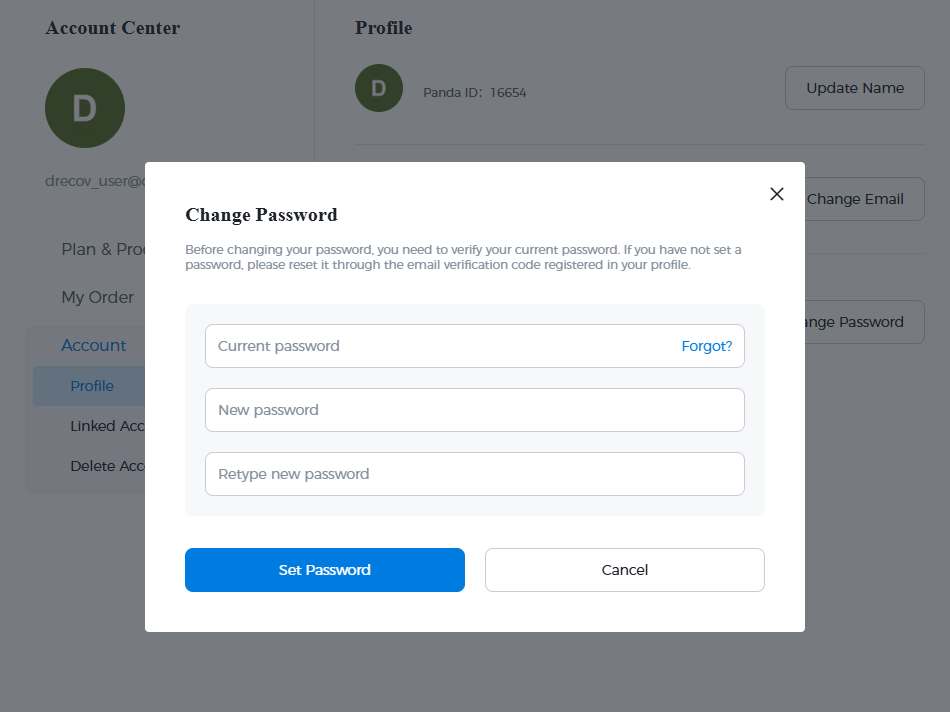
- Step 4: Click Save Changes to apply the update.
Manage Profile & Linked Accounts
To keep your account accessible and flexible, you can update your primary contact information or connect third-party social accounts for easier login.
Update Your Email Address
If you need to change the email associated with your Panda Office ID, follow these steps:
- Step 1: Go to the Account Center and select Profile from the sidebar.
- Step 2: Click the Change Email button.
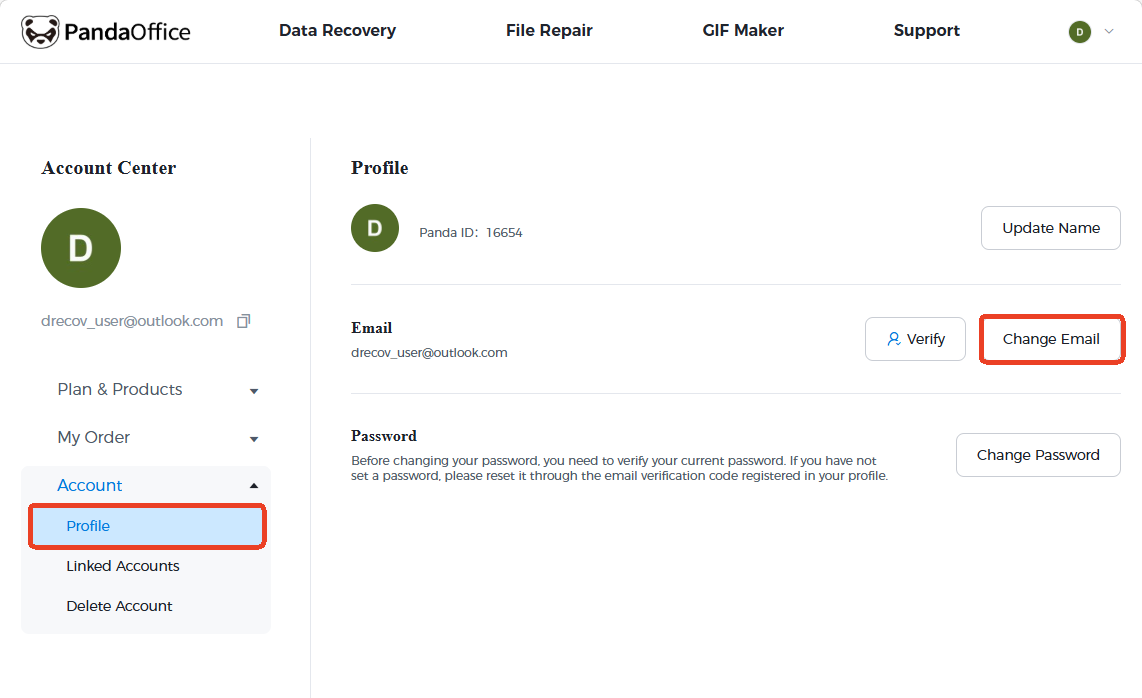
- Step 3: In the pop-up window, enter your new email address and click Send Email to receive a verification code.
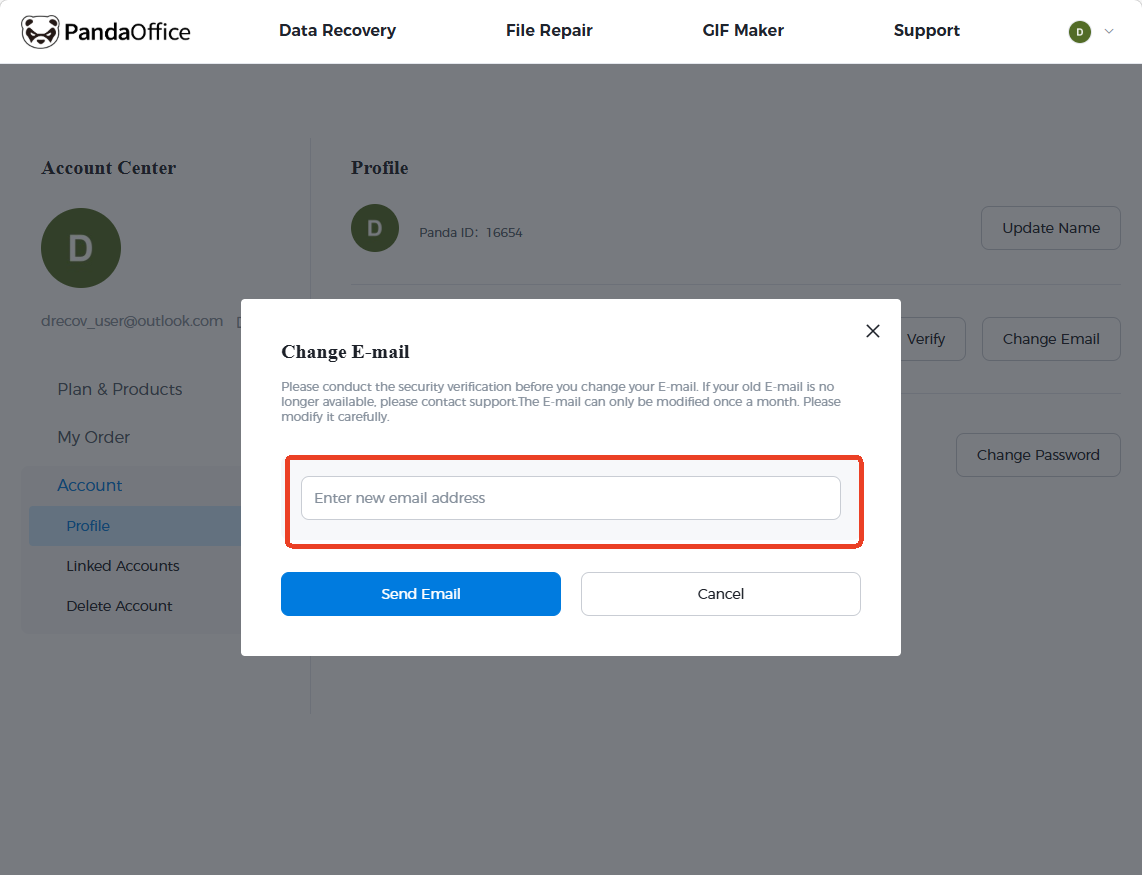
Note: For security, you must conduct a security verification before changing your email. Additionally, your email can only be modified once a month.
Link Third-Party Accounts
For a faster login experience, you can bind your Panda Office ID to your social media accounts:
- Step 1: In the Account Center, click on the Linked Accounts tab under the Account menu.
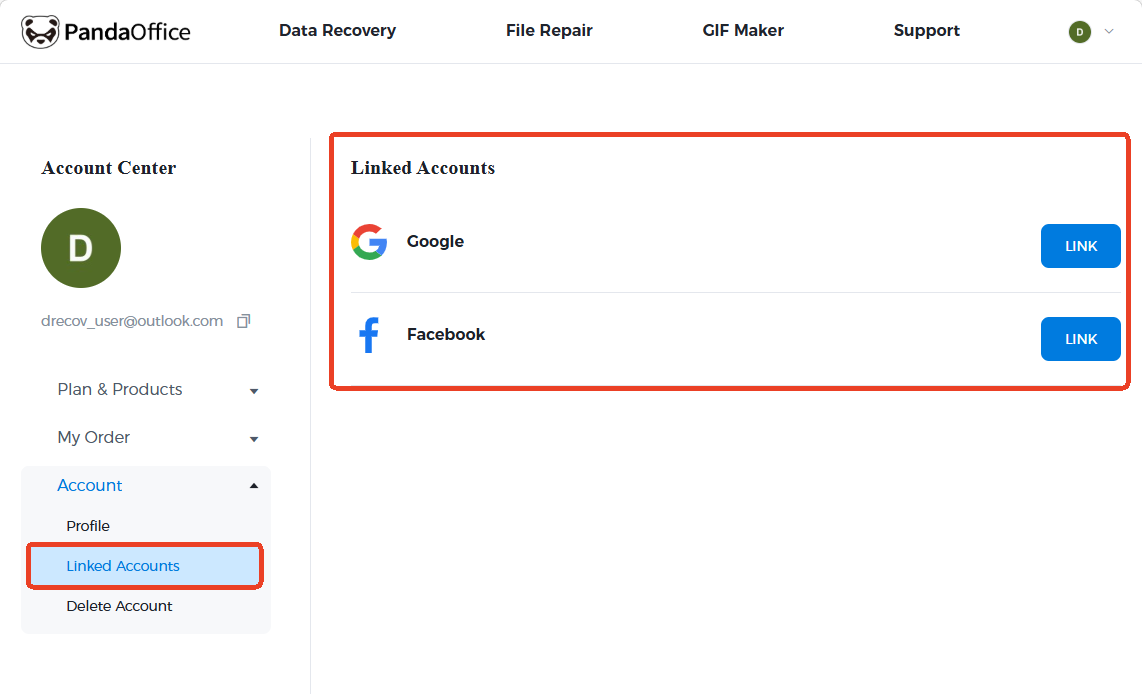
- Step 2: You will see options for Google and Facebook.
- Step 3: Click the LINK button next to your preferred platform to authorize the connection.
Once linked, you can use these platforms to log in directly without manually entering your Panda Office ID and password.
Account Deletion
If you wish to permanently close your account, you can do so through the Account Center. Please note that this action is permanent and cannot be undone.
- Step 1: Log in to your account and navigate to the Account Center.
- Step 2: On the left-hand sidebar, click on the Account dropdown menu.
- Step 3: Select Delete Account from the list of options.
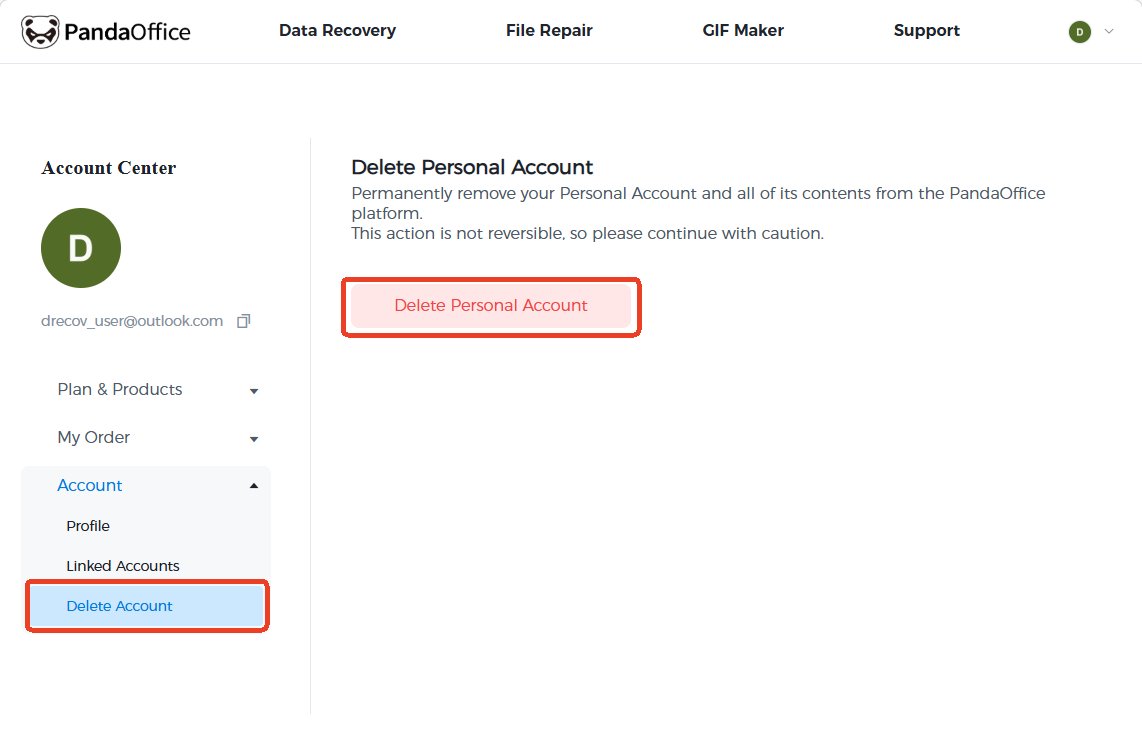
- Step 4: Carefully read the warning message. Deleting your account will permanently remove your Personal Account and all associated contents from the Panda Office platform.
- Step 5: If you are certain, click the red Delete Personal Account button to finalize the process.
Warning: This action is not reversible. Once the account is deleted, all data, subscription details, and history will be lost.



